Shopify vs WooCommerce: Paystack Share
Why store counts don’t indicate Paystack adoption; qualify Shopify and WooCommerce prospects by payment setup, country, and budget signals.

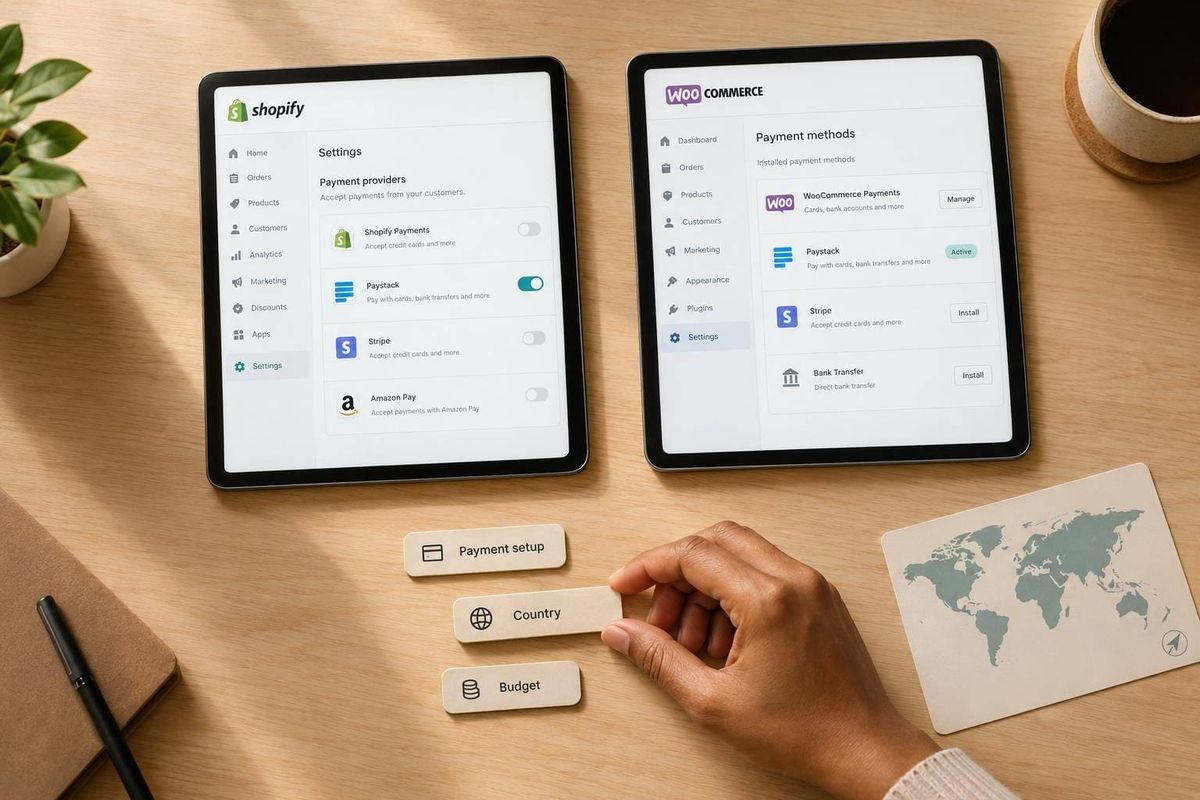
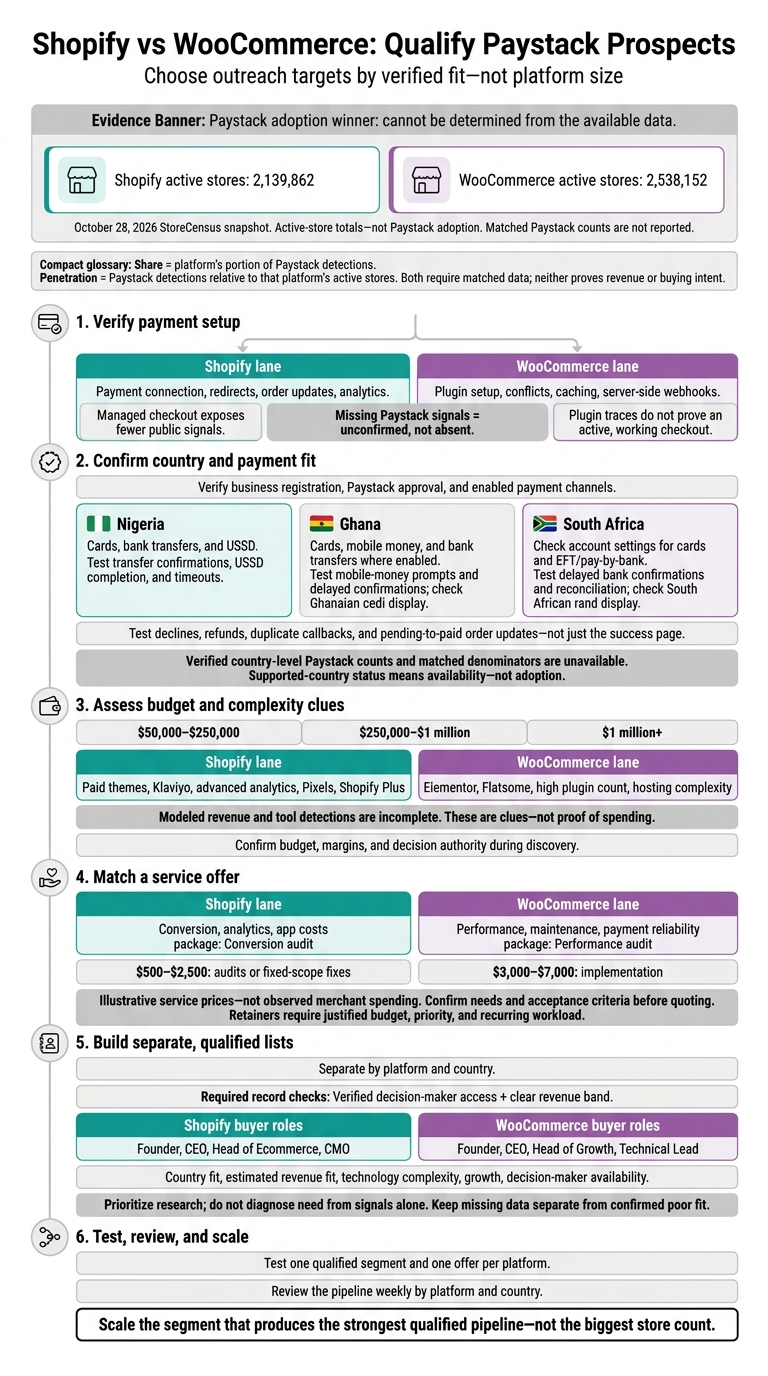
I can’t name a Paystack adoption winner from the available data. The October 28, 2026 snapshot lists 2,139,862 Shopify stores and 2,538,152 WooCommerce stores, but no matched Paystack counts. I’d use verified payment setup, country fit, and merchant needs to choose outreach targets - not platform size.
My comparison separates share from penetration: share measures each platform’s portion of Paystack detections; penetration measures detections against its active stores. Neither proves revenue or buying intent.
Quick Comparison
| Criteria | Shopify | WooCommerce |
|---|---|---|
| Paystack adoption share | Not reported | Not reported |
| Setup checks | Payment connection, redirects, order updates | Plugin setup, conflicts, webhooks |
| Service focus | Conversion, analytics, app costs | Performance, maintenance, payment reliability |
| Budget checks | Estimated revenue, traffic, apps, buyer access | Estimated revenue, traffic, hosting, buyer access |
For Nigeria, Ghana, and South Africa, I’d verify payment eligibility and enabled local methods before pitching. Then I’d build separate lists, confirm buyer access, and test one offer per platform. Example scopes range from $500–$2,500 for audits or fixes to $3,000–$7,000 for implementation - not measured merchant spending.
My rule: <u>scale the segment that produces qualified leads, not the biggest store count.</u>
Shopify vs WooCommerce: Qualify Paystack Prospects
Shopify vs WooCommerce: Paystack Counts and Setup
The October 28, 2026 StoreCensus snapshot lists active-store totals for Shopify and WooCommerce, but it does not provide matched Paystack counts. The dataset cannot identify which platform leads in Paystack adoption.[1] Setup differences are therefore more useful here than adoption-share claims.
| Metric | Shopify | WooCommerce |
|---|---|---|
| Active stores, October 28, 2026 | 2,139,862 [1] | 2,538,152 [1] |
These totals show platform size - not Paystack adoption.
Shopify: Paystack Adoption and Connection
On Shopify, the challenge is visibility. Its managed checkout exposes fewer public signals, making Paystack setup harder to verify through surface-level scans.
WooCommerce: Paystack Adoption and Plugin Setup
On WooCommerce, the challenge is verification. Plugin traces may suggest Paystack use, but they don't prove that the checkout flow is active and working.[10]
sbb-itb-61169e3
Paystack Adoption by Country
Once the platform is set up, the country mix helps show where Paystack matters most and which merchants need checkout support tailored to their market. Regional payment patterns also help group outreach by merchant type and support needs.
Store Distribution in Nigeria, Ghana, and South Africa
Verified country-level Paystack counts and matched denominators aren’t available for Nigeria, Ghana, or South Africa. That means there’s no basis for a country ranking. Use country presence to route Shopify and WooCommerce prospects, not to name a platform winner.
Country share measures a country’s portion of global Paystack detections. Local penetration measures Paystack adoption among active stores in that country. Both need matched counts and denominators. Supported-country status confirms availability - not adoption.[9]
Use the country view to set testing priorities. Payment method coverage, currency display, and reconciliation risks vary by market.
Local Payment Methods and Testing
Check each merchant’s enabled payment channels before scoping the work. A store’s location alone doesn’t prove Paystack eligibility; business registration and Paystack approval also matter.[9]
- Nigeria: Cards, bank transfers, and USSD. Test transfer confirmations, plus USSD completion and timeouts.[7][12]
- Ghana: Cards, mobile money, and bank transfers where enabled. Test mobile-money prompts and delayed confirmations, and check that prices display in Ghanaian cedi.[8][7]
- South Africa: Check account settings for cards and EFT/pay-by-bank. Test delayed bank confirmations and reconciliation, and check that prices display in South African rand.[8][12]
Across all three countries, test beyond the success page: declines, refunds, duplicate callbacks, and pending-to-paid order updates all need checks. On Shopify, test redirects, order updates, and analytics. On WooCommerce, also check plugin compatibility, caching, and server-side webhooks.
Shopify vs WooCommerce: Budget Signals and Service Scope
Assess Revenue, Traffic, and Technology Signals
Revenue, traffic, and tech signals are budget clues - not proof of spending. Use them to distinguish simpler Shopify and WooCommerce Paystack accounts from prospects that may support higher-value outbound offers.[2]
| Signal | Shopify Paystack stores | WooCommerce Paystack stores |
|---|---|---|
| Estimated annual revenue bands | Group prospects into $50,000–$250,000, $250,000–$1 million, and $1 million+ bands.[5] | Use the same bands to keep comparisons consistent.[11] |
| Technology signals | Paid themes, Klaviyo, advanced analytics, Pixels, and Shopify Plus can help prioritize conversion and integration outreach.[5][6] | Elementor, Flatsome, a high plugin count, and hosting complexity can help prioritize performance and maintenance outreach.[11] |
| Data limits | Modeled revenue and tool detection are incomplete.[2] | Modeled revenue and tool detection are incomplete.[2] |
| Best-fit offer | Fixed-scope audits for simpler stores; conversion, retention, and integration work when complexity supports it.[5] | Fixed-scope audits for simpler stores; maintenance and custom development when needs are confirmed.[11] |
These signals help estimate complexity. Confirm budget, margins, and decision authority during discovery.[2][5][11] Those answers determine whether to keep the offer fixed-scope or propose implementation and retainer work.
Match Service Scope to Merchant Needs
Once you’ve reviewed the budget clues, match the offer to how much support the merchant likely needs.
Use $500–$2,500 for fixed-scope work on a defined Shopify payment or tracking issue, or a WooCommerce payment-reliability or performance issue. These prices are examples - not observed merchant spending. Set deliverables and acceptance criteria before quoting.[5][11]
Use $3,000–$7,000 for implementation when discovery confirms deeper Shopify conversion and integration needs or WooCommerce custom development needs. Propose retainers only when the budget, business priority, and recurring workload justify continued work - not just because the merchant falls into a certain revenue band or platform tier.[2][5][11]
Build Separate Shopify and WooCommerce Outbound Lists
Turn the budget signals above into separate Shopify and WooCommerce prospect lists by country. Use StoreCensus filters for platform, country, revenue, tech, theme, growth, and contacts. Qualify records only when they include verified decision-maker access and a clear revenue band. Treat missing Paystack signals as unconfirmed - not absent.[6][4][2]
| Qualification field | Shopify Paystack prospects | WooCommerce Paystack prospects |
|---|---|---|
| Buying signals | Active store; paid apps, premium theme, international selling, or recent theme/app changes | Active store; traffic estimates, premium hosting tier, complex plugin stack, or recent theme/plugin changes |
| Buyer roles to verify | Founder, CEO, Head of Ecommerce, CMO | Founder, CEO, Head of Growth, Technical Lead |
| Outreach angle | Conversion friction, analytics gaps, app costs | Mobile checkout friction, performance issues, payment reliability |
| Service package | Conversion audit | Performance audit |
| Disqualifiers | Inactive store, low revenue, basic/free theme, or too few apps | Inactive store, low revenue, small plugin stack, default theme, or no recent updates |
Use these signals to prioritize outreach, not diagnose need.[4][6][10][11]
Shopify Targets: Conversion, Analytics, and App Costs
Check storefront observations where possible. Before pricing, confirm app overlap, plan level, and supported checkout options.[4][6][10]
WooCommerce Targets: Performance and Payment Reliability
Use traffic, hosting, and plugin signals to decide which stores to research first. Match confirmed findings to hosting, plugin, checkout, security, or retainer work. Don’t automatically reject a store because its stack is outdated.[2][10][11]
Score Prospects and Track Qualified Pipeline
Put list quality ahead of size. Score country fit, estimated revenue fit, technology complexity, growth, and decision-maker availability. Keep missing data separate from confirmed poor fit.
Use StoreCensus contacts to verify buyer roles and store-change tracking to time outreach. Reference only observations you’ve checked. Review the pipeline weekly by platform and country, keeping only qualified prospects whose needs fit the services above.[2][4][6]
Conclusion: Allocate Outreach by Fit, Not Store Count
WooCommerce’s larger store footprint doesn’t mean it has greater Paystack penetration.[1] Share describes composition; penetration measures adoption. Neither proves buying power. Revenue, traffic, and stack signals point only to budget potential.[2][6][10] Outreach should follow fit, not store count, by building a qualified prospecting engine.
Match your services to each platform: Shopify for conversion, analytics, and app-cost work; WooCommerce for performance and payment reliability.[6][10]
Test one qualified segment and one offer per platform before expanding. Scale the platform-country segment that delivers the strongest qualified pipeline - not the one with the most stores.[4][10]
FAQs
How can I compare Paystack penetration without detection bias?
Use the same crawling process across Shopify and WooCommerce instead of relying on fragmented marketplace data. StoreCensus checks storefront script tags, meta tags, and network requests to identify active Paystack installations on both platforms [1][2].
Filtering for Paystack in this combined dataset accounts for differences between platforms. That gives you an apples-to-apples comparison based on current use, rather than cumulative downloads or incomplete, self-reported metrics [1][3][4].
How do I verify Paystack use before outreach?
Use the tech stack filter in StoreCensus to find Shopify and WooCommerce stores that use Paystack. As a payment gateway, Paystack is indexed in each store’s technology stack.
Filter your prospect list for Paystack to check merchants’ payment setups before contacting them. That way, your outreach is based on verified, real-time data.
How should I test service pricing across countries?
Use StoreCensus to group prospects by country and revenue band. Then check for regional patterns in platform choice and app usage. These signals can offer clues about technical maturity and budget.
Use those groups to set baseline expectations for each market. Then A/B test your service pricing packages to find out which tiers convert best in each country.