Apify vs StoreCensus: Store Data Extraction
Compare Apify vs StoreCensus for catalog scraping versus merchant prospecting — setup, data fields, contacts, maintenance, and cost.

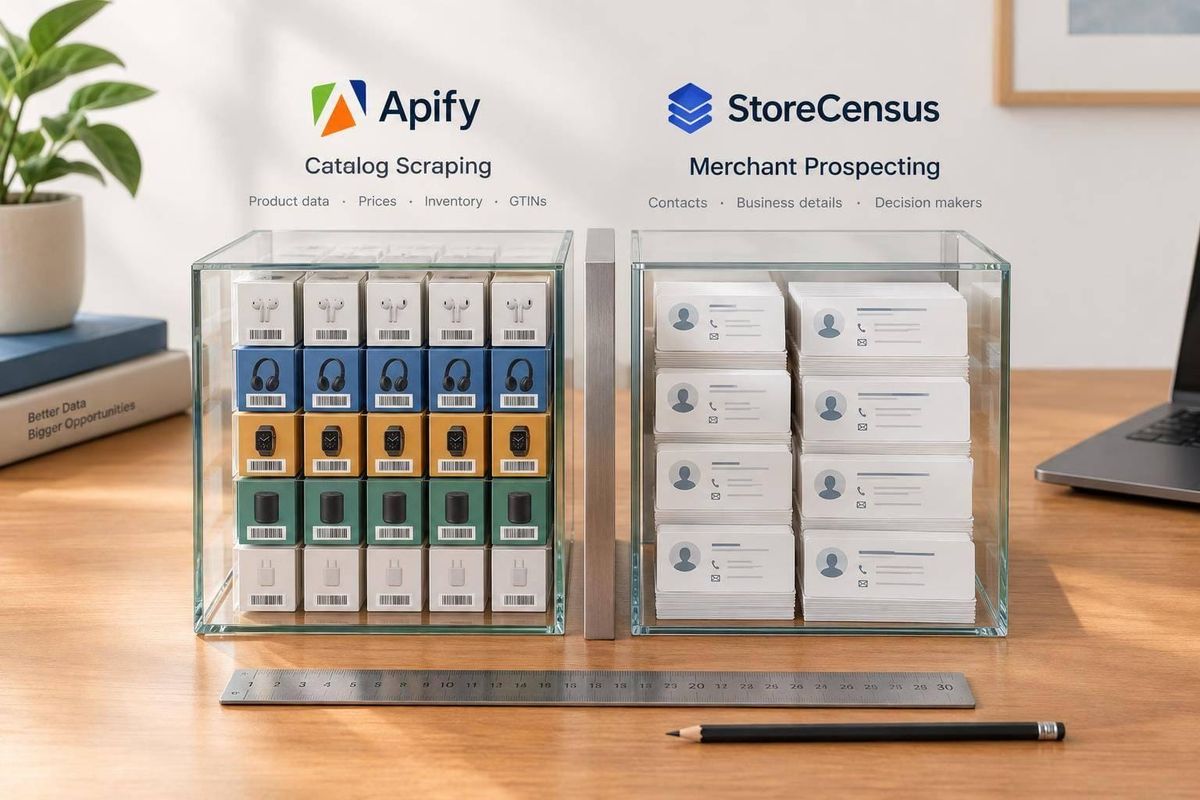
I’d choose Apify for custom store data extraction and StoreCensus for merchant prospecting. Need product prices, variants, or SKUs from specific stores? Test an Apify Actor. Need Shopify or WooCommerce merchants to contact? Start with StoreCensus filters, consult Shopify store guides for strategy, then check account fit and contact roles before exporting.
My comparison comes down to setup, coverage, data fields, contacts, maintenance, integrations, and total cost. Apify’s results depend on the Actor and your configuration. StoreCensus combines store search, revenue estimates, growth signals, and contact lookup - but estimated revenue isn’t verified revenue, and features vary by plan.
Quick Comparison
| Criteria | Apify | StoreCensus |
|---|---|---|
| Main output | Custom store or product dataset | Shopify brand prospect lists |
| Starting point | Target URLs or a discovery Actor | Indexed Shopify and WooCommerce stores |
| Setup and upkeep | Configure Actors, map fields, and check runs | Set filters, review accounts, and check exports |
| Data | Public catalog fields; Actor-dependent | Store profiles, technology, estimated revenue, and growth signals |
| Contacts | Separate sources or enrichment may be needed | Credit-based store and decision-maker lookup |
| History | Save and compare collected data | Documents 2+ years of store-change history |
| Integrations | APIs and configured workflows | CRM, exports, and plan-dependent API access |
| Cost | Actor fees, usage, and added tools | Free plan; paid plans listed from $49/month |
<u>I’d compare the cost of usable results - not just subscription fees.</u> Test a small dataset or reviewed prospect segment first. If you need both merchant qualification and a catalog audit, the two tools can serve different parts of the same job.
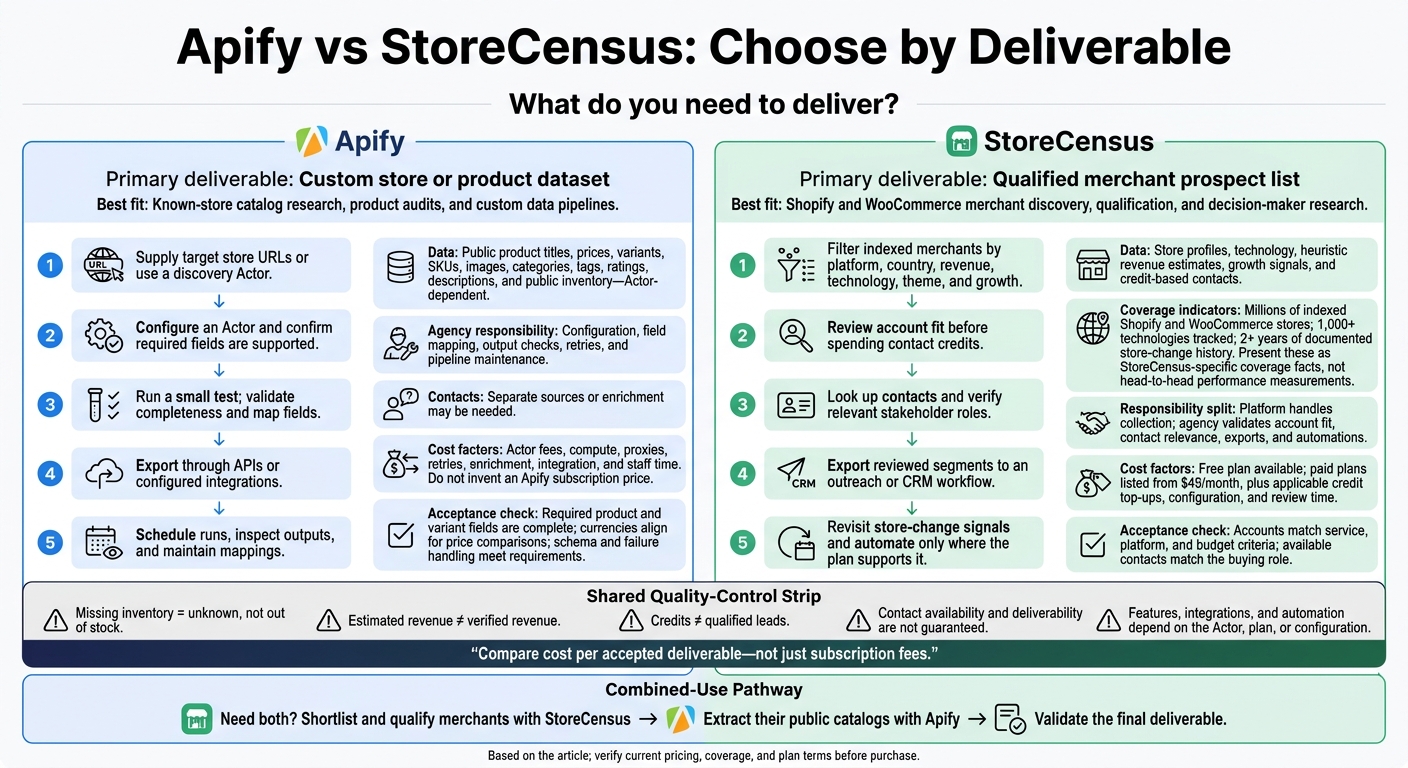
Apify vs StoreCensus: Choose by Deliverable
Apify: Extract Data from Store URLs
Set Targets, Fields, and Exports
Choose your store URLs, required fields, and export format, then run a small test before scaling. Check the sample output and adjust inputs or field mappings as needed.
| Task | Agency task |
|---|---|
| URL discovery | Supply target URLs or run a separate discovery step. This is a key part of how to find and target Shopify stores effectively. |
| Field selection | Choose the fields you need and confirm the Actor supports them. |
| Field mapping | Convert inconsistent fields into a shared schema. |
| Import | Set up the API, integration, or import process. |
Use APIs or integrations to send records into your sales workflow. Validate field mappings before importing.[7] With the schema set, check whether the output has enough data for the next steps.
Extract Public Product Data
Depending on the Actor, results may include titles, prices, variants, SKUs, images, categories, tags, ratings, descriptions, and public inventory. Missing inventory means unknown - not out of stock.
Product data won't tell you a merchant’s revenue or provide decision-maker contacts. Both require separate enrichment.
Manage Runs, Maintenance, and Costs
Recurring runs cut manual work, but check each run’s output - not just its status. Layout changes, broken mappings, and coverage gaps still require agency work to keep coverage, imports, and results reliable.
Before scaling, check the billing model and any external tools your workflow needs. These costs matter when you move from collecting catalogs to qualifying merchants for outreach.
sbb-itb-61169e3
How to use Apify? Apify review, features, pricing
StoreCensus: Find Shopify and WooCommerce Prospects
Moving from data extraction to outreach calls for a different workflow.
StoreCensus starts with your ideal customer profile (ICP). Agencies filter merchants for fit, assess business and growth signals, then export contacts for outreach.[4][2]
Filter by Revenue, Technology, and Growth
Filter merchants by platform, country, revenue, technology, theme, and growth. Use revenue as a fit signal - not a verified financial statement.[2][9] Start with a narrow match for your service, remove unsuitable accounts, and review store details before spending contact credits.
Turn Contacts and Store Changes into Outreach
Store-owner and decision-maker contacts help you turn a domain into an outreach target. Store-change tracking can point to accounts worth revisiting, but a change doesn't prove buying intent or guarantee how often updates arrive. Check that each contact is relevant and follow applicable email and privacy rules. Contact availability and deliverability aren't guaranteed.[3][9]
| Workflow stage | Agency task and check |
|---|---|
| Discovery | Find merchants that match your ICP; keep Shopify and WooCommerce campaigns separate. |
| Qualification | Review revenue, technology, themes, and growth signals; check fit before pitching. |
| Contact routing | Identify relevant stakeholders and check their roles before routing accounts for outreach. |
| Monitoring | Revisit accounts after app, theme, or plan changes; confirm what monitoring covers. |
| Workflow management | Export reviewed segments and manage tags, notes, lists, and reminders where available.[4] |
| Automation | Automate enrichment and routing on eligible plans; follow rate limits and credit rules.[8][3] |
Export a small, reviewed segment first. Before automating, define rules for removing duplicates, suppressing contacts, and handling opt-outs. Confirm which workflows your plan supports.[4][8][3]
Choose a Plan for Your Prospecting Volume
Check current prices, credit charges, rollover, and usage terms before buying. Confirm feature access and any conditions on unlimited credits. Contact credit charges vary by type, and missing contact data doesn't consume credits.[4][3]
Credits don't equal qualified leads. Choose a plan based on how many accounts you'll review, not how many leads you expect.
| Plan | Monthly price | Supplied allowance and features |
|---|---|---|
| Free | $0 | 50 actions and 3 credits |
| Starter | $49 | 2,000 credits; 2 automation flows |
| Professional | $99 | 5,000 credits; 10 flows; CRM, contacts, and API access |
| Growth | $149 | 8,000 credits; 25 flows; team access and lookalike audiences |
| Enterprise | $599 | Unlimited credits; 50 flows |
Apify vs StoreCensus: Agency Workflows Compared
Setup Steps and Maintenance Responsibilities
A catalog export needs field-level quality checks. A prospect list needs checks for account fit and contact relevance.
With Apify, the agency handles target discovery, configuration, and quality assurance. StoreCensus brings discovery, enrichment, and monitoring into one platform.
The key difference is who owns upkeep.
| Responsibility | Apify | StoreCensus |
|---|---|---|
| Enrichment | Agency selects additional tools or Actors | Built-in contact lookup |
| Monitoring | Agency configures runs and comparisons | Platform-supported store-change signals |
| Breaks and failures | Agency investigates and retries | Platform handles collection; agency checks exports and automations |
| CRM synchronization | Configuration-dependent | Plan- and configuration-dependent |
That split also shapes how the agency can use the data.
Data Depth and Contact Coverage
Focus on the fields your deliverable needs. A public support email isn't the same as a named buyer. History matters, too: StoreCensus documents more than 2 years of historical change data.[1]
| Data needed | Apify | StoreCensus |
|---|---|---|
| Store coverage | Any public store URL or Actor-discovered URLs | Millions of indexed Shopify and WooCommerce stores |
| Business identity | Visible public details; Actor-dependent | Store profile with pre-indexed merchant data |
| Catalog fields | Public products and variants; Actor-dependent | Product count, average price, and categories |
| Technology | Publicly detectable signals; custom logic may be needed | 1,000+ technologies tracked |
| Revenue indicators | Not established by a catalog scrape | Heuristic revenue estimates, not audited financials |
| Growth signals | Requires repeated collection and comparison | Change signals such as app installs, theme switches, and price shifts |
| Decision-maker contacts | Requires suitable sources or enrichment | Role-based contacts |
| Contact records | Public emails or separate enrichment | Credit-based contact access |
| Historical changes | Retain snapshots and compare runs | Historical change logs documented for 2+ years |
| CRM readiness | Map, clean, and route extracted fields | Built-in CRM and native integrations |
Those fields also need to fit the team's budget and outreach workflow.
Subscription Fees and Total Workflow Costs
Compare cost per accepted deliverable - not just the sticker price. For Apify, that means a validated catalog dataset. For StoreCensus, it means a qualified merchant account with the contacts you need.
| Cost component | Apify workflow | StoreCensus workflow |
|---|---|---|
| Access units | Actor selection and run volume | Credits to access store and decision-maker contacts |
| Usage | Compute, proxies, and retries | Included credits, plus top-ups if needed |
| Enrichment | Additional services or Actors if needed | Built-in contact lookup and decision-maker contacts |
| Integration | Field mapping, API delivery, and error handling | Native integrations and configuration work |
| Quality assurance | Validate extraction completeness | Validate account fit and contact relevance |
| Staff time | Run review and pipeline maintenance | Segment review and outreach operations |
StoreCensus charges 1 credit to access store contacts and 2 credits to access decision-maker contacts. Additional credits cost $8 per 1,000.[4]
When to Use Each Platform
Match the platform to what the agency needs to deliver: a dataset or a prospect list. Use the acceptance checks below to judge whether the output meets the brief.
| Agency deliverable | Better workflow fit | Acceptance check |
|---|---|---|
| Known-store catalog research or product audit | Apify | Required product and variant fields are complete; currencies align for price comparisons |
| Custom data pipeline | Apify | Output schema, scheduled comparisons, and failure handling meet requirements |
| Merchant discovery and qualification | StoreCensus | Accounts match service, platform, and budget criteria |
| Decision-maker research | StoreCensus | Available contacts match the buying role |
| Similar-account prospecting | StoreCensus, Growth and above | Matches pass manual fit review |
| Repeatable prospecting | StoreCensus | Filters and automations support a steady lead flow |
Conclusion: Choose by What You Need to Deliver
The difference becomes clear after setup: how much cleanup, qualification, and outreach is left after extraction?
Choose Apify when you need custom public-data extraction that delivers a catalog dataset. Choose StoreCensus when you need Shopify and WooCommerce merchant discovery, qualification, and outreach that delivers a qualified merchant list.
Use both when the job calls for merchant qualification and a catalog audit. Shortlist the right stores, then extract their public catalogs to support a specific recommendation.[7]
StoreCensus offers a 500-row anonymized sample to help you assess data quality.[1][5] Before buying, check platform coverage, how current the data is, whether the required catalog fields are available, and whether you can access decision-maker contacts.
FAQs
How can I validate StoreCensus revenue estimates?
StoreCensus estimates revenue using proprietary models that analyze public signals, including traffic indicators, product counts, and technology usage [1][2]. These estimates offer a general guide - not audited financial results or official company disclosures [2].
When checking these estimates in your workflow, use them to gauge a company’s scale and market position, not its exact revenue. Models carry uncertainty, so don’t rely on these estimates alone for high-stakes financial or investment decisions [2].
How do I calculate my cost per qualified prospect?
Calculate your cost per qualified lead by dividing your total monthly investment by the number of qualified leads you acquired that month.
For StoreCensus, count both your subscription fee and any extra credit purchases. The Professional plan costs $99.00 per month and includes 5,000 credits. Additional credits cost $8.00 per 1,000.
Accessing store-level contact information uses 1 credit. Verified decision-maker contact details use 2 credits.
Which store changes should trigger outreach?
Time your outreach around store changes that suggest buying intent or a shift in growth:
- Shopify Plus upgrades may point to higher revenue and plans to scale.
- Theme changes often suggest a planned redesign or a move to another platform.
- App installs and removals may signal spending on growth tools or a move away from a competitor.
- Large increases in product catalog size and revenue milestones may indicate that a store is ready for your services.