Shopify Ad Spend Scorecard for Agency Prospecting
A 100-point ad-spend scorecard to qualify ecommerce stores for agency outreach—prioritizing fit, fixable issues, and one clear service angle.

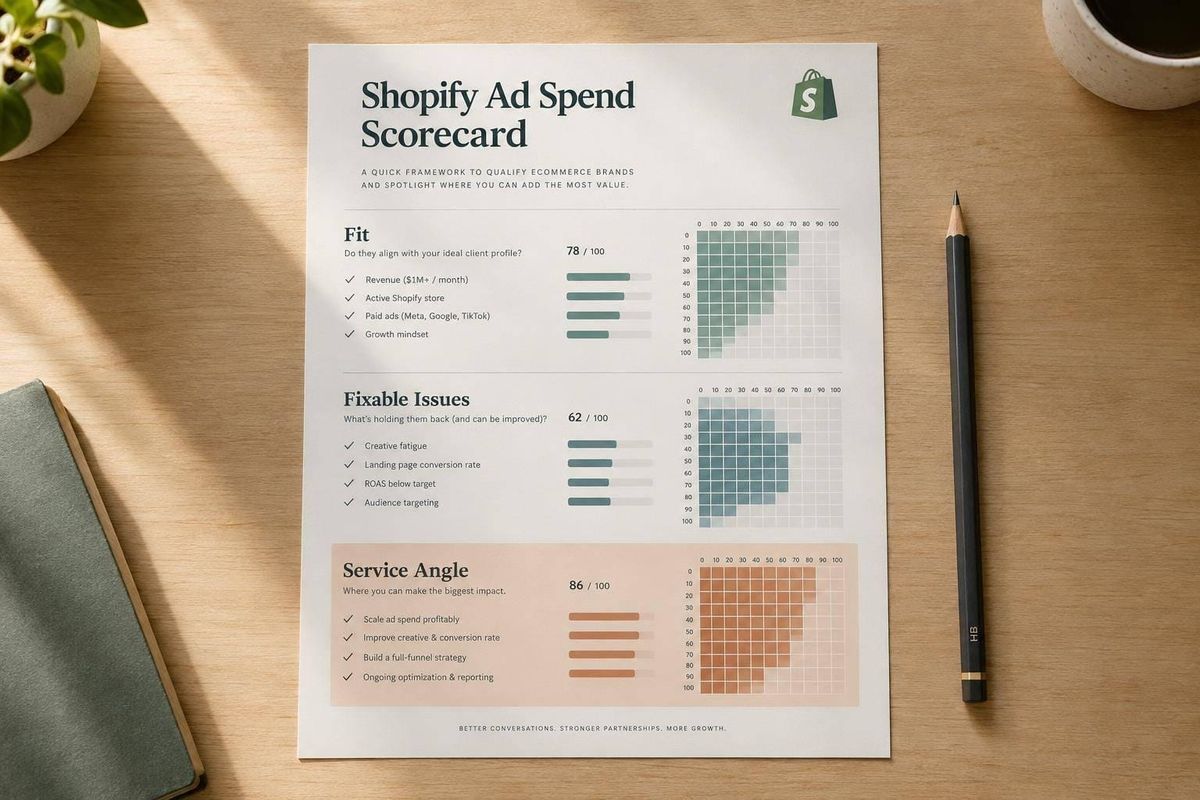
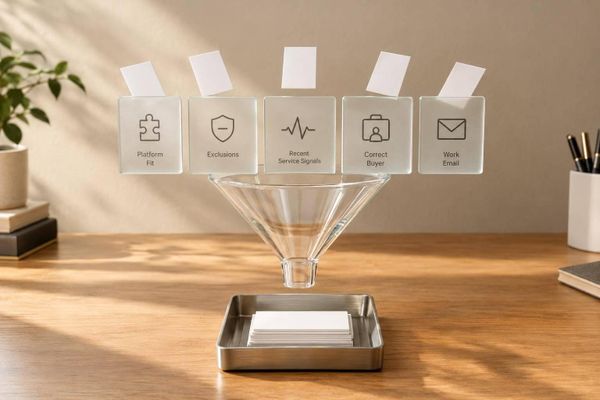
I use a 100-point scorecard to decide which Shopify stores merit agency outreach - not to predict ad profits. My starting cutoff is 70 points, plus checks for active ads, budget fit, a working storefront, and at least two fixable problems.
Here’s what I score:
- Paid-media activity: 25 points
- Revenue and budget capacity: 20 points
- Storefront readiness: 15 points
- Conversion and marketing apps: 15 points
- Repeat-purchase potential: 10 points
- Problems my agency can fix: 15 points
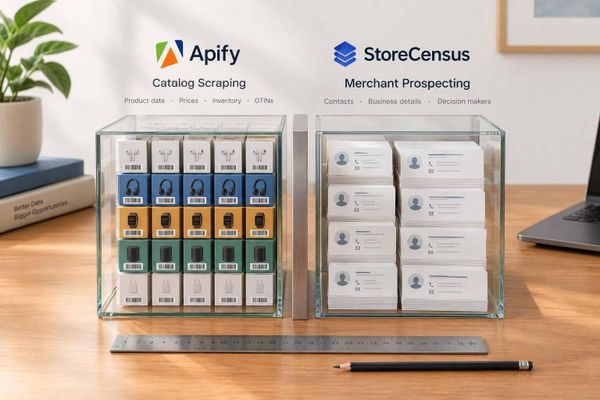
I use StoreCensus to build a shortlist, then check ads and the buying path myself. <u>Missing information means unknown - not zero.</u> Public signals stay provisional until the merchant confirms spend, sales, and results.
From there, I sort stores into Priority, Research, Nurture, or Reject, choose one service angle, and track outreach results to refine the scoring.
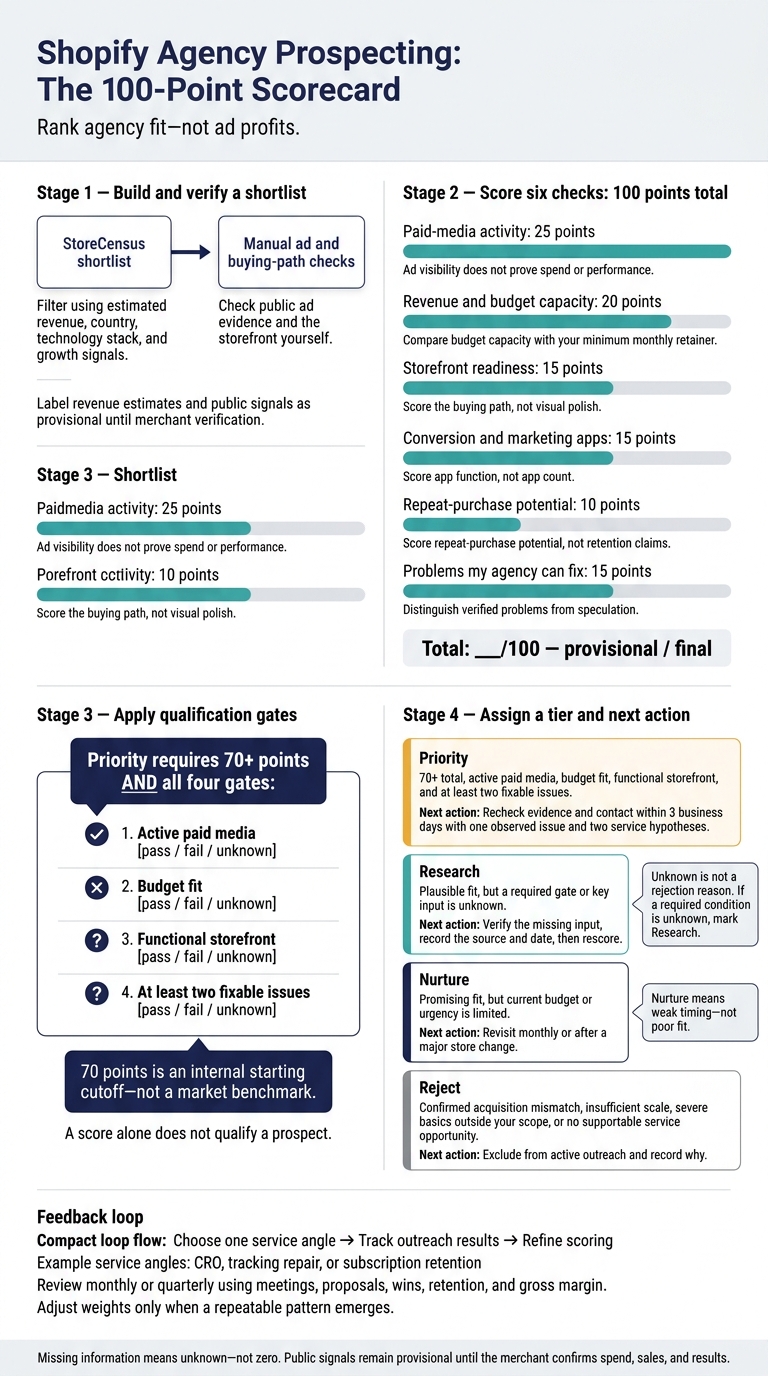
Shopify Agency Prospecting: The 100-Point Scorecard
8 Steps On How To Qualify Leads
This process is a core component of building a Shopify agency pipeline that consistently converts high-value leads.
sbb-itb-61169e3
Assess Ad Activity and Budget Capacity
Build a Shopify shortlist in StoreCensus using estimated revenue, country, technology stack, and growth signals. Treat each revenue band as a directional estimate, not verified financial data. Then use the two checks below to score paid-media fit, keeping visible ad activity separate from budget capacity.
Check 1: Paid-Media Activity - 25 Points
Search the domain, brand name, and known social handles on Meta, Google, TikTok, and Pinterest using public ad data. Record advertiser or ad IDs, landing pages, products, offers, formats, first-seen or last-seen dates, country or region, and the date checked.
Meta’s Ad Library shows currently running ads. Google’s Ads Transparency Center lets you search ads served by verified advertisers, including timing, format, and targeted region.[3][1][2] Check again in 7 or 14 days to see whether activity continues.
| Points | Observed signal | Evidence and limits | Possible service opportunity |
|---|---|---|---|
| 0 | No observed activity | Record platforms checked, search date, country, and exact source limits. No visible ads does not prove inactivity. | Confirm whether ads are paused, private, seasonal, or run through another account before prospecting |
| 1–8 | Testing signals | A few recent ads, one product or offer, limited variation in ad content, or a short run duration | Campaign setup, tracking, ad testing, or an initial paid-media plan |
| 9–17 | Sustained activity signals | Recent ads across multiple products, repeated ad themes, multiple formats, or activity observed over time; performance remains unknown | Account audit, optimization, landing-page testing, feed management, or budget allocation |
| 18–25 | Extensive activity signals | Broad product coverage, multiple platforms, varied offers and formats, persistent activity, and frequent ad updates; public listings still do not prove actual spend | Full-funnel management, ad production, measurement, incrementality, and scaling support |
Use the lower end of each range when evidence is limited. Move toward the upper end when several signals agree.
Label spend intensity as a proxy: low for narrow activity, moderate for broader or repeated activity, high for persistent activity across multiple platforms, and unknown when visibility is insufficient. Never turn ad counts into dollar budgets or confirm acquisition versus retargeting without campaign data.
Next, check whether the store can fund consistent agency work.
Check 2: Revenue and Budget Capacity - 20 Points
Record your minimum monthly retainer beside the revenue estimate before assigning points. These bands are starting ranges, not automatic scores. Increase scores when revenue lines up with sustained paid activity, a deeper catalog, conversion tools, growth signals, and a clear need for outside help.
| Estimated annual revenue | Starting score | Fit with your minimum retainer | Readiness and uncertainty to check |
|---|---|---|---|
| Under $250,000 | 0–5 | Often a weak fit for full-service work; consider a defined project | Founder capacity, seasonality, and early demand |
| $250,000–under $1 million | 6–9 | May support a focused engagement if your minimum fits | Margins, cash flow, and owner involvement |
| $1 million–under $5 million | 10–13 | Potential fit for specialized recurring work | Repeatable demand and resources; treat this as a transition band |
| $5 million–$25 million | 14–17 | Potential fit for a larger recurring engagement | Team readiness, buying process, and existing agency commitments |
| Over $25 million | 18–20 | Potential fit for planning or multi-channel services | Procurement, in-house coverage, and an actual need for your scope |
These are qualification bands, not universal financial benchmarks.
Flag mismatches instead of forcing a conclusion. High ad intensity paired with low estimated revenue calls for questions about seasonality, contribution margin, and payback period. High revenue with little visible advertising calls for questions about organic, wholesale, and retention-led sales. A mismatch should lower confidence, not end the conversation.
During discovery, verify average monthly revenue over the last six months, current media spend, margins, and the budget available for fees.
Review the Storefront and Conversion Tools
If the store can fund paid traffic, assess whether the site can turn those visits into purchases.
Check 3: Theme and Storefront Readiness - 15 Points
Score the buying path, not the theme name or visual polish. Start where paid traffic lands, then check the homepage, collection page, product page, cart, and checkout on desktop and mobile. Test navigation, search and filters, product details, variant selection, shipping and returns information, payment options, and the flow into checkout. Note delays, layout shifts, blocked clicks, and media. For a deeper dive into store evaluation, consult our Shopify store guides. Shopify defines a good Largest Contentful Paint as 2.5 seconds or less.[4][5]
| Storefront condition | Typical evidence | Score | Agency service |
|---|---|---|---|
| Poor | Broken or confusing mobile navigation, weak product information, unclear shipping or returns, slow interactions, or inconsistent cart messaging | 0–5 | UX cleanup, product-page structure, mobile optimization, tracking validation, and landing-page rebuild |
| Serviceable | Browsing and checkout work, but messaging, filters, trust content, merchandising, or mobile usability vary in quality | 6–10 | CRO testing, paid-traffic landing pages, merchandising improvements, offer presentation, and analytics fixes |
| Polished | Clear navigation, strong product pages, convincing trust elements, a usable mobile experience, and few conversion obstacles | 11–15 | Focused CRO, campaign-specific landing pages, experimentation, personalization, and funnel measurement |
| Complex but functional | Multiple markets, catalogs, or custom components; the complexity serves a purpose | 11–15 when the buying path works | Enterprise CRO, market-specific landing pages, speed optimization, experimentation, and journey simplification |
Record the URL, date, device, observed friction, likely business impact, and recommended next action. Favor isolated changes you can test through UX cleanup, CRO testing, or campaign-specific landing pages. More problems or greater complexity do not earn extra points. Only report a checkout failure after reproducing it, and stop before completing the order.
Next, assess the tools that support measurement, retention, and conversion.
Check 4: Conversion and Marketing Apps - 15 Points
Start with StoreCensus tech signals, then manually check reviews, bundles, upsells, search, personalization, email, SMS, analytics, support, loyalty, and referrals. Score function, not app count. Detecting an app confirms its presence - not that it works well. Failing to detect one does not prove it’s absent. Prioritize tools that help the store measure and improve paid-traffic results.
Award 0–5 points when core tools appear inadequate or the visible experience has major gaps. These may include missing trust signals, weak catalog search, no relevant retention mechanism, or poorly integrated promotional widgets.
Award 6–10 points when the basics are in place - reviews, email capture, analytics, and a standard support channel - but depth, coordination, or campaign-specific tools are missing.
Award 11–15 points when the store has usable tools across relevant parts of the funnel, with clear opportunities to improve setup, segmentation, measurement, or the customer experience.
Check product pages and the cart for competing pop-ups, obstructive chat widgets, repeated reviews, and conflicting offers. Record the exact page, trigger, device, and sequence. Treat suspected script or performance issues as hypotheses until measured. Shopify notes that third-party scripts, stylesheets, and fonts can affect storefront speed. Recommend testing and prioritization rather than claiming a specific app caused a conversion loss.[6]
Ask the merchant to verify purchase events, revenue and refunds by channel, offer tracking, consent behavior, attribution windows, and browser/server-side event handling. For each proposed change, agree on a baseline metric, test period, and success threshold. If you can’t verify measurement, record a tracking gap, not an underperformance claim.
Tie findings to tracking fixes, CRO testing, or retention setup. Score these checks as a 30-point subtotal, favoring functional stores with fixable friction over stores that need rebuilding before paid traffic.
Assess Repeat Purchases and Fixable Problems
Use these checks to separate lifetime-value potential from problems you can fix.
Check 5: Subscriptions and Repeat Purchases - 10 Points
Score repeat-purchase potential, not retention claims. Repeat buying affects how much a merchant can afford to spend on acquisition. Review reorderable products, subscriptions, memberships, bundles, loyalty benefits, and email/SMS signup offers. Record the exact URL and the product or page element that supports your score. A subscription or loyalty app alone doesn't prove the offer is active - or that customers use it.
Award points based on what you can verify:
- 0–3 points: Mostly one-time-purchase products, limited replenishment, and no subscription, loyalty program, membership, or clear post-purchase offer.
- 4–7 points: Products could support repeat purchases, but there's only partial evidence of lifecycle marketing.
- 8–10 points: Strong recurring potential with visible lifecycle signals, such as a subscription selector, subscribe-and-save offer, replenishment reminders, loyalty program, member benefits, or buy-again pathway.
Bundles can support the score, but bundles alone don't prove repeat demand.
Before pricing acquisition, request repeat-order rate, returning-customer rate, time to second purchase, cohort retention, subscription cancellations, and contribution margin after fulfillment and discounts. Shopify’s returning-customer and cohort reports can help verify repeat behavior.[7][8]
One-time-purchase products can still qualify through strong margins, high AOV, accessories, gifting, seasonality, memberships, referrals, trade-ins, or cross-sells.
Check 6: Signs the Merchant Needs Help - 15 Points
Use this check to turn your findings into a specific service pitch. Score 0–5 points for speculative issues, 6–10 for one clear fix, and 11–15 for two or more verified problems. Keep repeat-purchase potential separate from the service opportunity.
| Observed issue | Likely impact | Agency service | Validation needed | Priority |
|---|---|---|---|---|
| Ad-to-page mismatch points to a need for a campaign-specific landing page | Visitors may miss the promised offer | Campaign-specific landing page | Confirm campaign URLs; test landing-page conversion | High |
| Missing benefit, shipping, or returns copy points to a product-page copy gap | Purchase questions may remain unanswered | CRO and product-page copy | User tests, support questions, funnel data | Medium |
| Mobile cart friction points to a UX fix and paid-traffic risk | Shoppers may struggle to complete checkout | Mobile UX fixes | Reproduce issue; review device-level checkout completion | High |
| Subscription option is absent for an apparently replenishable product | A repeat-purchase path may be missing | Subscription and lifecycle strategy | Subscription attach rate, repeat-order rate, margin, churn | Medium |
| Loyalty or email signup is visible, but the customer journey is unclear | Signup activity may not lead to repeat orders | CRM, email/SMS, and retention automation | List growth, flow revenue, repeat-order rate, consent, deliverability | Medium |
If one issue supports both checks, note it in both columns.
“Product replenishment supports Check 5; the missing reorder path supports Check 6.”
Don't label retention weak without merchant data or claim proven ROAS losses. Match your pitch to the service opportunity in the table. When repeat behavior is unverified, offer a retention diagnostic.
Assign a Tier and Complete the Scorecard
Apply Qualification Gates and Prospecting Tiers
Add the six scores to set an initial outreach tier. Then check confidence and service fit before deciding who to contact first. Keep the total provisional if any major input is inferred.
| Tier | Qualification rule | Next action |
|---|---|---|
| Priority | 70+ total, active paid media, budget fit, functional storefront, and at least two fixable issues | Recheck the evidence and contact within 3 business days with one observed issue and two service hypotheses. |
| Research | Plausible fit, but a required gate or key input is unknown | Verify the missing input, record the source and date, then rescore. |
| Nurture | Promising fit, but current budget or urgency is limited | Revisit monthly or after a major store change. |
| Reject | Confirmed acquisition mismatch, insufficient scale, severe basics outside your scope, or no supportable service opportunity | Exclude from active outreach and record why. |
Unknown is not a rejection reason. If a required condition is unknown, mark the record Research. Don't assume it passes the gate. Nurture means weak timing - not poor fit.
Fill Out the Scorecard Worksheet
| Field | Entry to complete |
|---|---|
| Store URL | Canonical domain; Shopify status; country |
| Estimated annual revenue | Band; source; date checked |
| Ad status | Active / inactive / unknown |
| Spend evidence | Spend-intensity proxy or verified monthly spend; source; confidence |
| Theme and storefront | Theme; mobile, navigation, merchandising, speed, and checkout-path notes |
| App coverage | Detected conversion, analytics, email/SMS, review, upsell, and subscription tools |
| Repeat-purchase signals | Subscriptions, replenishable products, bundles, loyalty, email capture, and post-purchase flows |
| Help-needed signals | Observable problems; likely service category |
| Evidence log | Observation; source; date; status; confidence |
| Six scores | Paid media __/25; revenue __/20; storefront __/15; apps __/15; repeat purchases __/10; help needed __/15 |
| Total | __/100; provisional / final; unresolved inputs |
| Qualification gates | Ad activity, budget, functional storefront, two fixable issues: pass / fail / unknown |
| Outreach decision | Tier; first service angle; next review date |
Use the completed worksheet to hand off each record from research to outreach.
Manage Qualified Prospects With StoreCensus
Use StoreCensus to filter Shopify stores by estimated revenue, technology stack, theme, country, and growth signals. Move promising records into the worksheet, score them, and check the qualification gates before outreach. Store records can include revenue, apps, theme and technology details, contacts, and activity history.[9][10]
Where your plan supports them, use lists, tags, reminders, and pipeline statuses to organize qualified records.[9][10]
A detected change is a reason to recheck - not proof of a new project. If an app, theme, catalog, or revenue estimate changes, revisit the affected score.[9][11] Add decision-maker details after qualification, then recheck ad evidence before making any performance claim.
Conclusion: Prioritize Fit and Specific Service Opportunities
With the scorecard complete, use the six checks to rank fit, not size. A store should rank high only when its signals point to a clear service opportunity.
Treat 70 points as an internal gate, not a market benchmark. Before outreach, resolve the most important unknown blocking qualification. Then turn the weakest meaningful signal into one service angle:
CRO, tracking repair, or subscription retention.
After outreach, review results monthly or quarterly: meetings, proposals, wins, retention, and gross margin. Adjust the scorecard’s weights only when a repeatable pattern emerges. Use outreach results to improve it - not a longer prospect list.
FAQs
How should I adapt the scorecard to my agency’s niche?
Build your ideal client profile around the services you offer. Use StoreCensus to filter stores by revenue, traffic, and technology stack. For paid media services, look for Meta Pixels, Conversions API, and steady traffic. For CRO or theme work, focus on high-revenue stores using basic or older themes.
Match your service tier to the merchant’s size. Then rank prospects using niche signals, such as subscription apps or support for multiple market currencies. Keep verified data separate from your judgments about the health of the business.
How can I validate a prospect’s budget before discovery?
Use StoreCensus to find evidence of spending, rather than relying on revenue estimates alone:
- Shopify Plus at $2,300+ per month points to an enterprise-level budget.
- App spending of $500+ per month shows a willingness to pay for software.
- Meta Pixel and Conversions API installations suggest paid acquisition. Cross-check ad volume in the Meta Ad Library to confirm consistent marketing spend.
How do I turn scorecard findings into outreach?
Segment leads by scorecard ranking, and prioritize Hot leads (scores 71–100) for in-depth research and custom video messages.
Open with specific scorecard findings, such as high ad spend paired with a limited conversion stack. Tie your pitch to the store’s current revenue band and tech stack so it fits the business’s growth stage. Focus on measurable ROI improvements, not generic marketing services.