Regulatory Compliance Checklist for Shopify Agencies
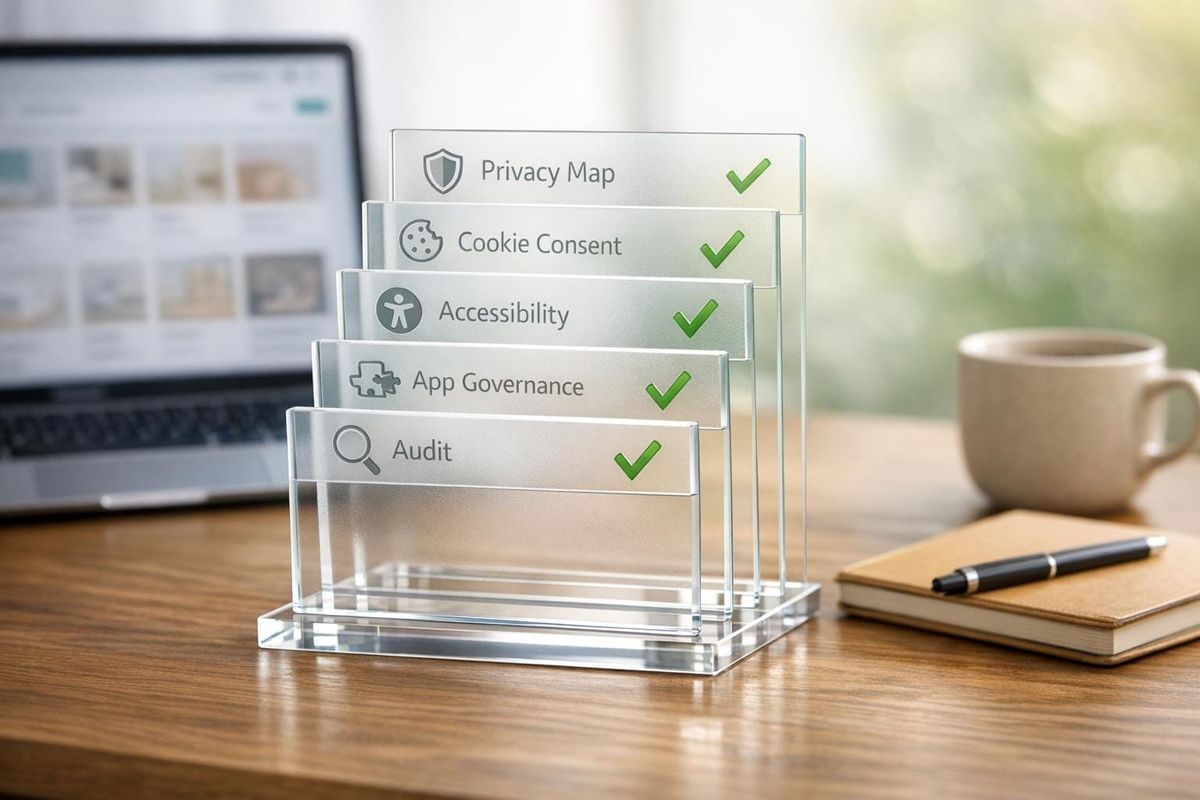
Step-by-step compliance guide for Shopify agencies covering privacy mapping, cookie consent, accessibility fixes, app governance, and audits.

Shopify agencies must prioritize compliance to protect clients from legal and financial risks. In 2025 alone, over 5,000 accessibility lawsuits targeted digital platforms, with Shopify stores accounting for 32.42% of these cases. Privacy violations under GDPR and U.S. state laws have also led to billions in fines. Ignoring regulations can cost businesses tens of thousands - or even millions - in penalties.
Key Takeaways:
- Privacy Laws: By 2026, 20 U.S. states will have privacy laws, with fines reaching $10,000 per violation. GDPR applies to any EU customer data processing.
- Accessibility: ADA compliance is critical, as lawsuits are rising. Fixing issues costs $500–$3,000, far less than fines or legal battles.
- Security: Breaches cost small businesses $120,000–$150,000 on average. Multi-factor authentication (MFA) and app governance are essential.
- Ongoing Reviews: Quarterly audits and real-time monitoring tools like StoreCensus help maintain compliance as regulations evolve.
Agencies that embed compliance into their workflows not only protect clients but also build trust and long-term partnerships.
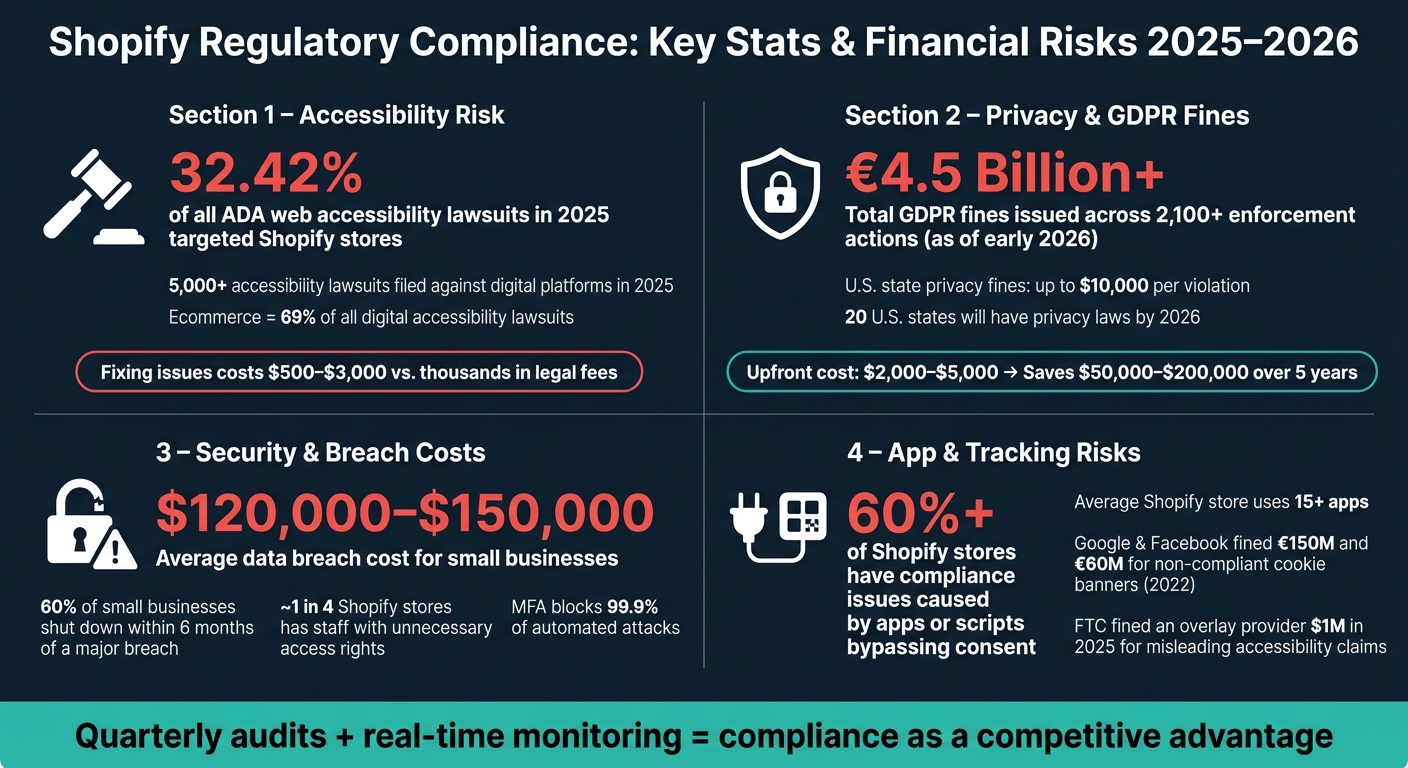
Shopify Regulatory Compliance: Key Stats & Financial Risks 2025–2026
Shopify ADA Compliance: Website Accessibility Lawsuits (Gain Confidence as a Store Owner) - Part 1

sbb-itb-61169e3
Step 1: Assess Regulatory Scope for Each Client
Before making updates to a privacy policy or cookie banner, it's crucial to identify which regulations apply. These rules aren’t based on where a business is incorporated - they depend on where its customers are located.
Identify Jurisdictions and Applicable Regulations
"Your shipping map is your compliance map. If you're shipping domestically across the US, your packages are landing in states that now have their own privacy laws." - Rishi Thacker, Founder and CEO, Huptech Web
Start by reviewing the past 12 months of order data. Agencies can also cross-reference this with Shopify brand prospect lists to identify similar high-risk clients in their portfolio. Map out every state and country where customers reside. For instance, if a store has shipped to California, Virginia, or Texas, the respective state laws are relevant. Similarly, GDPR applies the moment an EU resident visits the store and their data is collected. By 2026, 20 U.S. states will have comprehensive consumer data privacy laws, and automated tools are increasingly used by regulators to spot non-compliance. This mapping process is essential for understanding which regulations apply.
Here’s a quick overview of common regulations and their thresholds:
| Regulation | Jurisdiction | Key Threshold |
|---|---|---|
| GDPR | EU / EEA | Any processing of EU resident data |
| CCPA/CPRA | California, US | $25M+ revenue OR 100,000+ consumers |
| VCDPA | Virginia, US | 100,000+ consumers OR 25,000+ if 50%+ revenue from data sales |
| TDPSA | Texas, US | Any business not classified as a small business by the SBA |
| DPDPA | Delaware, US | 35,000+ residents OR 10,000+ if 20%+ revenue from data sales |
| LGPD | Brazil | Any processing of data within Brazil or targeting Brazilian residents |
Evaluate Revenue and Data Volume Thresholds
Many U.S. state laws only apply if a business meets certain revenue or data-processing criteria. For example, the CCPA/CPRA applies to businesses with over $25 million in annual revenue or those handling data for 100,000+ California consumers. Similarly, Utah’s UCPA follows the same revenue threshold, while Florida’s FDBR sets a much higher bar at $1 billion.
On the other hand, some states like Texas (TDPSA) and Nebraska (NDPA) have no thresholds for revenue or data volume. These laws apply to almost any business processing resident data unless classified as a small business under SBA guidelines. GDPR, meanwhile, has no thresholds at all - if a client sells to EU residents, compliance is required from day one.
Although compliance efforts often require an upfront investment of $2,000–$5,000, they can save businesses between $50,000 and $200,000 in fines and legal fees over five years. Highlighting these savings can help convince hesitant clients to act. Once thresholds are clear, the next step is to inventory data flows to identify potential risks.
Inventory Data Types and Key Risk Areas
After determining applicable jurisdictions, the next task is to map the data collected and identify which apps or tools access it. For example, a Shopify store typically shares personal data through platforms like Klaviyo, GA4, Meta, TikTok, and customer support tools. As the legal "Data Controller", the merchant is responsible for ensuring that every third-party "processor" (e.g., apps) complies with data protection laws.
Create an Article 30 spreadsheet to document each app, its data access, storage location, and Data Processing Agreement (DPA) status. Behavioral and tracking data - like IP addresses, cookie IDs, and purchase history - are classified as personal data under GDPR. These data types pose significant risks if collected through third-party pixels before user consent is obtained. If an app refuses to provide a DPA, it’s best to stop using it for handling EU customer data.
"A vendor that won't provide a DPA in 2026 is not a vendor you should be using for EU customer data." - WebLegal.ai
Additionally, identify stores using AI-powered tools like product recommendations, chatbots, or automated pricing. Under the EU AI Act, effective August 2026, these features will require explicit disclosure and labeling when serving EU customers. Completing this inventory will streamline compliance efforts moving forward.
Step 2: Privacy Compliance - GDPR, CCPA, and Beyond
Once you’ve identified the regulations relevant to each client, the next step is implementing compliance measures. This involves three main tasks: creating a data map, updating privacy policies, and setting up cookie consent management.
Build and Maintain a Data Map
A data map serves as a detailed guide to every customer data transfer. For a typical Shopify store, this map highlights multiple data flows and potential compliance issues.
Start by creating a simple visual representation of data transfers, tracing the journey from checkout to connected tools like Klaviyo, Meta Pixel, Google Analytics, and any CRM. This process helps uncover compliance gaps that might otherwise go unnoticed. For every data flow, document the legal basis for processing - whether it’s Contractual Necessity for order fulfillment or Consent for marketing. Update this map whenever a new app or script is added, as these can introduce unmanaged cookies or undocumented data flows.
Under GDPR Article 30, merchants must maintain a formal Record of Processing Activities (ROPA). This register should include the following for each processor:
| Column | What to Document |
|---|---|
| Processor Name | App or service (e.g., Klaviyo, Stripe) |
| Categories of Data | Types shared (e.g., email, order history) |
| Purpose | Why it’s processed (e.g., email marketing) |
| Transfer Mechanism | Safeguards for data leaving the EEA (e.g., SCCs, Data Privacy Framework) |
| DPA Status | Link to or date of the signed Data Processing Agreement |
Once your data flows are clearly outlined, the next step is ensuring your privacy policies reflect this transparency.
Write and Post Clear Privacy Policies
Outdated or vague privacy policies can be a major risk. By January 2026, 20 U.S. states will have enacted comprehensive consumer data privacy laws, and GDPR enforcement continues to be strict, with over 2,100 fines totaling more than €4.5 billion issued as of early 2026. Regulators often focus on transparency issues first.
"Articles 12, 13, and 14 are among the top five most-cited violations in GDPR enforcement actions - transparency failures are what regulators look for first." - SWEDev
Every privacy policy should clearly list all third-party apps accessing customer data, specify how long each type of data is retained, and explain the safeguards for international transfers. For U.S.-based stores serving California residents, the policy must include a "Do Not Sell or Share My Personal Information" link and explain how Global Privacy Control (GPC) signals are honored. These signals are now legally binding opt-outs in 12 states. Additionally, set up a dedicated privacy@[storename].com email address to handle data subject access requests (DSARs) and establish a workflow to ensure responses within 30 days.
The final piece of the puzzle is managing user consent effectively through cookie management.
Set Up Cookie Consent Management
Shopify’s native cookie banner has limitations - it only covers Shopify-managed pixels and doesn’t block third-party scripts like Meta Pixel or Hotjar embedded in the theme.liquid file.
"Shopify's built-in cookie banner is a compliance floor, not a ceiling. It works for basic GDPR consent but does not handle GPC, does not block trackers before consent, and does not support CCPA's 'Do Not Sell or Share' granular control." - WebLegal.ai
To ensure compliance, deploy a Consent Management Platform (CMP) that blocks scripts until users give consent. Verify functionality by opening the store in an incognito window and checking the Application > Cookies tab in Chrome DevTools. If non-essential trackers appear before user consent, the setup needs fixing. For example, in January 2022, Google and Facebook faced fines of €150 million and €60 million, respectively, for cookie banners that didn’t include an equally prominent "Reject All" option. More recently, fines have been issued for failing to block non-essential trackers even when a "Do Not Sell" link was present.
For stores running ads in the EU, the CMP should support Google Consent Mode v2 and be certified for IAB TCF v2.3 (deadline: February 28, 2026). Apps like Pandectes (5.0/5 from 2,818+ reviews) and Consentmo (5.0/5 from 1,799+ reviews) meet these standards at their enterprise tiers ($49/month), with lighter plans starting free or at $9/month for Google Consent Mode v2.
Step 3: Accessibility Compliance - ADA and WCAG Standards
After addressing privacy and security protocols, ensuring accessibility compliance is the next crucial step. It’s not just about meeting legal requirements - it’s also about creating a better experience for all users. However, many Shopify agencies often overlook the risks tied to accessibility compliance. In 2025, Shopify stores made up 32.42% of all platform-identified ADA web accessibility lawsuits, while ecommerce sites accounted for 69% of all digital accessibility lawsuits filed that year. Fixing accessibility issues for a small Shopify store typically costs between $500 and $3,000, which is far less than the expense of a lawsuit or fine. Below are essential audit and testing steps to help meet ADA and WCAG standards.
Run Accessibility Audits
Start with automated tools like axe DevTools, WAVE, or Lighthouse. Keep in mind that these tools only catch 30–40% of WCAG violations, so manual testing is a must. Focus your audits on high-impact templates, including the Homepage, Collection pages, Product pages, Cart, and Checkout.
Don’t forget to analyze third-party apps - they can introduce accessibility issues. To test them, disable each app one at a time on a development store and re-scan. Features like review widgets or popups often inject inaccessible HTML. Missing alt text is a common issue, appearing in 89% of ADA complaints. To address this, use tools like the Shopify Admin API or CSV exports to bulk-update alt attributes.
"Accessibility affects all store components: theme, apps, content, and customizations each require evaluation." - TestParty
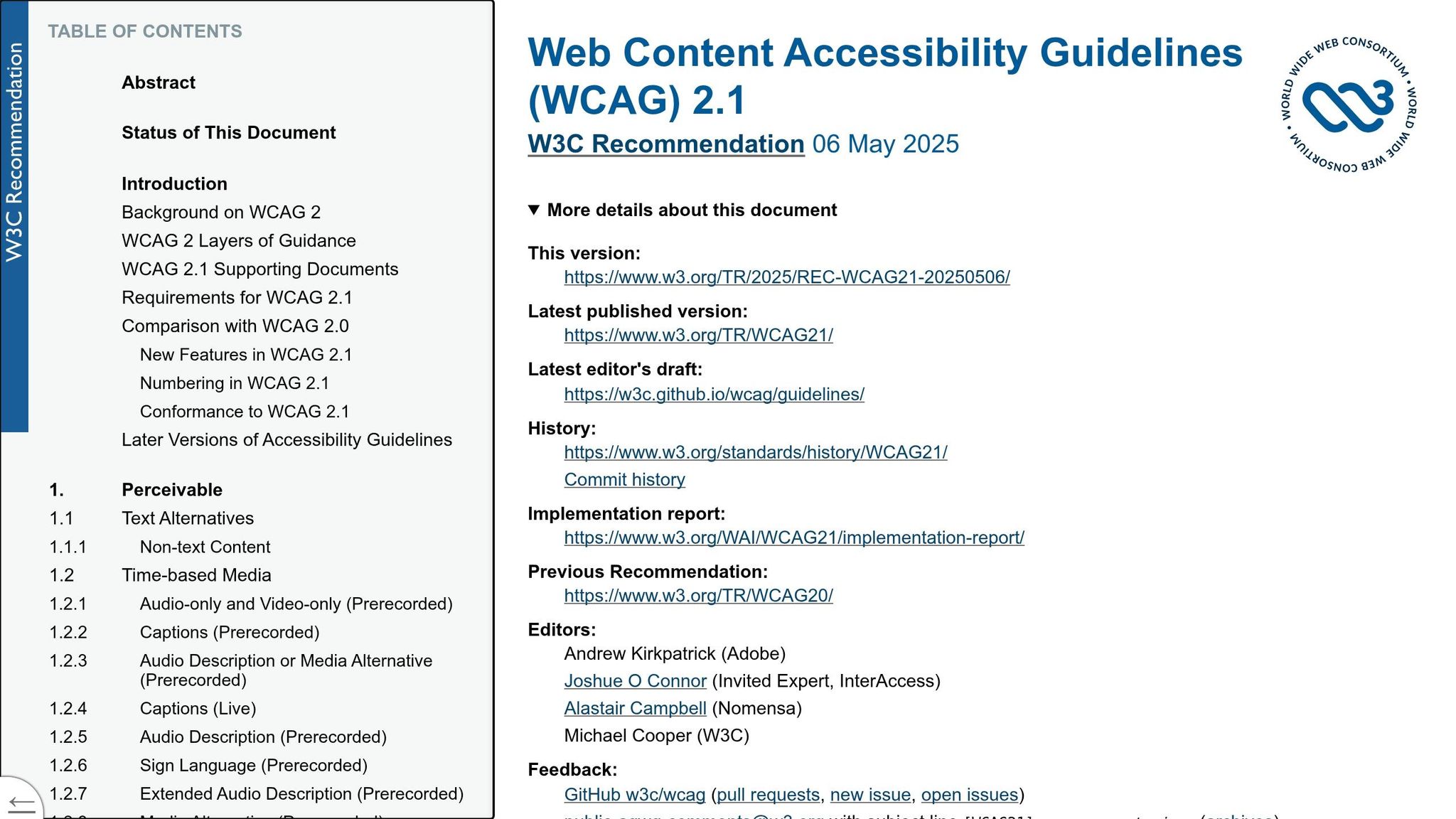
The current standard is WCAG 2.2 Level AA, which includes updates like a minimum touch target size of 44×44 CSS pixels and accessible authentication requirements - key for mobile-first designs. Avoid accessibility overlay widgets (e.g., accessiBe or UserWay). These have been deemed insufficient by courts, the DOJ, and the FTC. In fact, the FTC fined an overlay provider $1 million in 2025 for misleading claims, and over 800 businesses using these widgets faced lawsuits between 2023 and 2024.
After completing automated and manual audits, test interactive elements using a keyboard and screen reader.
Check Keyboard and Screen Reader Compatibility
Use a keyboard to navigate the entire storefront (Tab, Shift+Tab, Enter, Space, Escape) and simulate a complete user journey from the homepage to order confirmation. If users get stuck in elements like a cart drawer or popup, that’s a critical failure. Ensure focus moves correctly into modals when they open and returns to the triggering element when they close.
Screen reader software, such as NVDA (Windows) or VoiceOver (Mac/iOS), is essential for verifying accessibility. Check that all form fields have clearly linked labels - don’t rely on placeholder text alone. Use aria-live regions to announce updates dynamically (e.g., “Item added to cart”), and make sure color contrast meets the required ratios: 4.5:1 for standard text and 3:1 for larger UI components.
Keep Accessibility Records
Create a public accessibility statement on your site (e.g., at /pages/accessibility-statement) and link it in the footer. This statement should outline the target standard (WCAG 2.2 AA), note any known limitations, and provide contact details for reporting issues. Documenting audits can serve as a strong legal defense. For more strategic advice, see our Shopify store guides.
Maintain date-stamped logs for every audit and fix. Schedule regular re-scans - weekly or monthly - to catch new issues caused by product updates, app changes, or theme adjustments. The table below outlines a suggested timeline for remediation:
| Remediation Phase | Timeline | Key Activities |
|---|---|---|
| Source-Code | Days 1–14 | Theme edits, ARIA additions, focus management, app overrides |
| Content Debt | Days 15–30 | Alt text updates, heading fixes, video captions, PDF tagging |
| Process/Monitoring | Days 31–60 | Accessibility statement, recurring scans, team training, feedback channels |
For small U.S. businesses, it’s worth highlighting the federal tax credit (Form 8826), which offers up to $5,000 annually for accessibility improvements - a great incentive for hesitant clients.
Step 4: Security and App Governance
Once accessibility controls are in place, the next step is securing your Shopify store and implementing strong governance. A compromised admin account or weak security measures can lead to serious legal and financial consequences. For perspective, the average data breach costs small businesses between $120,000 and $150,000, and 60% of small businesses shut down within six months of a major breach.
Lock Down Admin and Staff Accounts
"Your Shopify admin account is the keys to the kingdom. A compromised admin account gives attackers full access to customer data, payment settings, and the ability to inject malicious code into your storefront." - EasyApps
Protecting admin and staff accounts is a critical first step. Start by enabling multi-factor authentication (MFA) for all accounts, which can block 99.9% of automated attacks. Use authenticator apps like Google Authenticator or Authy instead of SMS-based 2FA, which is vulnerable to SIM-swapping.
Next, apply the principle of least privilege: only grant access permissions based on what each role requires. For example, marketing staff don’t need access to billing, and content editors don’t need theme code permissions. Alarmingly, about 1 in 4 Shopify stores has staff members with unnecessary access rights. Agencies should rely on collaborator accounts instead of sharing login credentials and follow a "90-day rule" - revoke access for any collaborator or staff member who hasn’t logged in within the past three months. Regularly check Settings > Activity log for suspicious logins, such as those from unknown IP addresses or unusual times.
Vet Third-Party Apps Before Installing
Shopify stores often rely on third-party apps, with the average store using over 15 apps, according to data from a list of Shopify stores. However, each app represents a potential security risk, especially if it has broad permissions. Before installing any app, carefully review its requested permissions and compare them to what it actually needs to function.
| Permission | Example Access | Risk Level |
|---|---|---|
| Read products | Titles, descriptions, prices | Low |
| Read/write customers | Names, emails, addresses, order history | High |
| Read/write orders | Payment details, order information | High |
| Read/write themes | Inject storefront code | Very High |
| Read/write settings | Modify store configuration | Critical |
Test new apps in a development environment before rolling them out to your live store. For apps that handle personally identifiable information (PII), establish a Data Processing Agreement (DPA) to define security measures and breach notification procedures. Favor apps with the "Built for Shopify" badge or "Certified Technology Partner" status, as these undergo stricter security evaluations. If an app is no longer needed, fully uninstall it - even disabled apps can retain data access or load code.
Prepare a Data Breach Response Plan
Many businesses overlook the importance of a data breach response plan - until they’re in the middle of a crisis. By then, it’s too late to prepare. A good plan outlines specific steps for handling scenarios like account compromises, data theft, payment fraud, or store defacement. It also assigns clear responsibilities to designated team members.
Regulations regarding breach notifications are becoming stricter. For example, GDPR and PIPEDA require notifications within 72 hours of a breach, while the EU Cyber Resilience Act, effective September 11, 2026, shortens that window to just 24 hours for certain incidents. Prepare customer notification templates in advance and keep contact information for a data privacy attorney at hand. Since notification laws vary by state and jurisdiction, it’s crucial to act quickly - the clock starts ticking as soon as a breach is detected.
Step 5: Keeping Compliance Current Over Time
Once you’ve established protocols for privacy, accessibility, and security, the next challenge is staying on top of compliance as regulations and business environments evolve. A one-time audit is just the beginning - compliance is an ongoing process. Regulations change, new apps are introduced, and market expansions bring fresh risks. The businesses that avoid penalties are those that continuously monitor and adapt their compliance practices.
Set a Regular Review Schedule
Regular reviews are key to catching issues before they escalate. Plan for quarterly audits and conduct immediate reviews whenever new apps are added, markets are entered, or revenue milestones are reached. A 90-day audit cycle strikes a balance between thoroughness and practicality. For instance:
- Reassess tax nexus thresholds, CMP (Consent Management Platform) settings, and app permissions every quarter.
- Trigger immediate reviews for major changes, like entering a new market or hitting specific revenue benchmarks.
By January 1, 2026, 20 U.S. states will have comprehensive privacy laws in place. This makes geographic expansion a critical factor to monitor.
| Audit Frequency | Focus Area | Key Tasks |
|---|---|---|
| Quarterly | Tax & Nexus | Check sales against VAT/GST registration thresholds |
| Quarterly | Privacy/CMP | Update CMP settings to reflect new state or international laws |
| Per SKU Launch | Customs | Automate HS code classification for new products |
| Bi-Annually | Product Safety | Review GPSR documentation and EU "Responsible Person" status |
| Ongoing | Security | Monitor for data breaches and review app access permissions |
Don’t forget to update privacy and cookie policies whenever there are changes in your app stack or data processing practices.
Use Tools to Track Store Changes
Staying compliant means knowing when something changes in your store. For example, a newly installed marketing app could introduce unapproved tracking pixels almost immediately. Over 60% of Shopify stores have compliance issues caused by apps or scripts that bypass consent, often without the store owner realizing it.
This is where store intelligence tools come in handy. StoreCensus monitors stores in real time, alerting you to new app installations, theme changes, or revenue tier shifts - any of which might require compliance updates. Pair this with automated cookie scanners like Consentmo or Pandectes (both rated 5.0/5 on the Shopify App Store). These tools detect new trackers, while StoreCensus provides context for why they appear. After major changes, test the "deny path" in incognito mode to confirm that unauthorized trackers like Meta Pixel or Klaviyo are blocked as they should be.
Tracking changes is just the first step - your team needs to act on these insights swiftly.
Train Your Team on Compliance Workflows
Even the best tools won’t help if your team doesn’t have a clear, repeatable process for using them. The biggest challenge agencies face isn’t understanding the rules - it’s operationalizing them.
"The brands that got burned in Q4 2025 weren't ignoring compliance - they just hadn't operationalized it. There's a big difference between knowing a rule exists and having a workflow that enforces it at order creation." - Erin Holloway, Head of International Commerce Strategy, Avalara
Assign a compliance owner - either someone in-house or a fractional compliance manager - who will be responsible for maintaining review schedules, updating playbooks, and keeping up with regulatory changes. Without a dedicated person, compliance tasks can easily fall through the cracks during busy periods.
Create a concise internal playbook that outlines:
- What to review
- When to review it
- How to document findings
Subscribe to a regulatory tracker so your team stays informed about new laws.
"The merchants who will win the next five years aren't just building compliant stores - they're building compliance as a competitive moat, just as detailed data mapping and periodic audits safeguard your client's interests." - Priya Nair, Director of Regulatory Affairs, Avalara Commerce
Make compliance part of your onboarding and expansion processes. Before a client launches in a new state, adds a product line, or integrates a marketing platform, ensure compliance is addressed upfront - not as an afterthought.
Conclusion: Compliance as a Client Retention Tool
Taking clear, actionable steps ensures your agency becomes a dependable partner for your clients. The five steps outlined - scoping regulations, building privacy infrastructure, addressing accessibility gaps, tightening security, and conducting regular reviews - go beyond just meeting legal requirements. They help establish a service model that positions your agency as an essential ally.
Regulatory focus is no longer limited to big corporations. Enforcement is now targeting smaller businesses, and many Shopify merchants remain unaware of their vulnerabilities. When your agency identifies and resolves these issues, you position yourself as an irreplaceable partner.
The financial consequences of non-compliance are staggering, with fines capable of crippling businesses. Agencies that protect clients from these risks aren’t just providing services - they’re becoming trusted risk managers.
"Compliance in 2026 is not a legal department problem. It's a product, ops, and marketing problem that happens to have legal consequences." - Sarah Engel, CMO, January Digital
The strongest agency-client relationships are built on trust that grows over time. Effective compliance practices - like quarterly audits, real-time monitoring with tools such as StoreCensus, and solid consent infrastructure - create a recurring service model that clients rely on. When clients see you solving potential problems before they arise, they’re far less likely to look elsewhere. This is how a simple checklist transforms into a powerful retention strategy. By embedding compliance into your regular processes, you not only protect your clients but also secure their ongoing loyalty.
FAQs
How do I know which privacy laws apply to a client’s Shopify store?
Privacy laws are tied to where your customers live, not where your business operates. If even a single customer is from a region with privacy regulations - like the European Union or specific U.S. states - those laws will apply to your business. To stay on the right side of compliance, use Shopify analytics to pinpoint where your customers are located, both by country and state. Then, set up tools tailored to those regions, such as consent forms, privacy policies, and processes for handling data requests.
What’s the fastest way to confirm cookies and pixels don’t fire before consent?
To check if your scripts respect user consent, start by opening your browser's Developer Tools and navigating to the Network tab. Clear your cookies and cache, then reload the page. Use filters to look for tracking domains like google-analytics.com or facebook.com.
If you see requests to these domains before interacting with the consent banner - or even after selecting "Reject" - it means your scripts aren’t properly gated.
For a more structured approach, try using Google Tag Manager's Preview mode. This allows you to confirm whether tags remain suppressed until the consent update event is triggered. This step ensures your implementation aligns with privacy standards.
What should an agency include in a Shopify breach response plan?
A Shopify breach response plan needs to clearly define how security incidents are managed and who is responsible for each step. Some key components to include are:
- Designated Security Contact: Assign a specific person or team to handle security issues.
- Reporting Channel: Establish a clear way for employees or customers to report security concerns.
- Breach Notification Procedures: Include steps for notifying affected parties, such as the 24-hour reporting requirement for EU customers.
Additionally, ensure your documentation covers audited staff permissions and access logs. These details are crucial for investigating and responding to incidents effectively.