Omnichannel Personalization Checklist for Shopify
Test data and fix failed checks first: verify identity, consent, app syncs, product feeds, journeys, and measurement before launch.

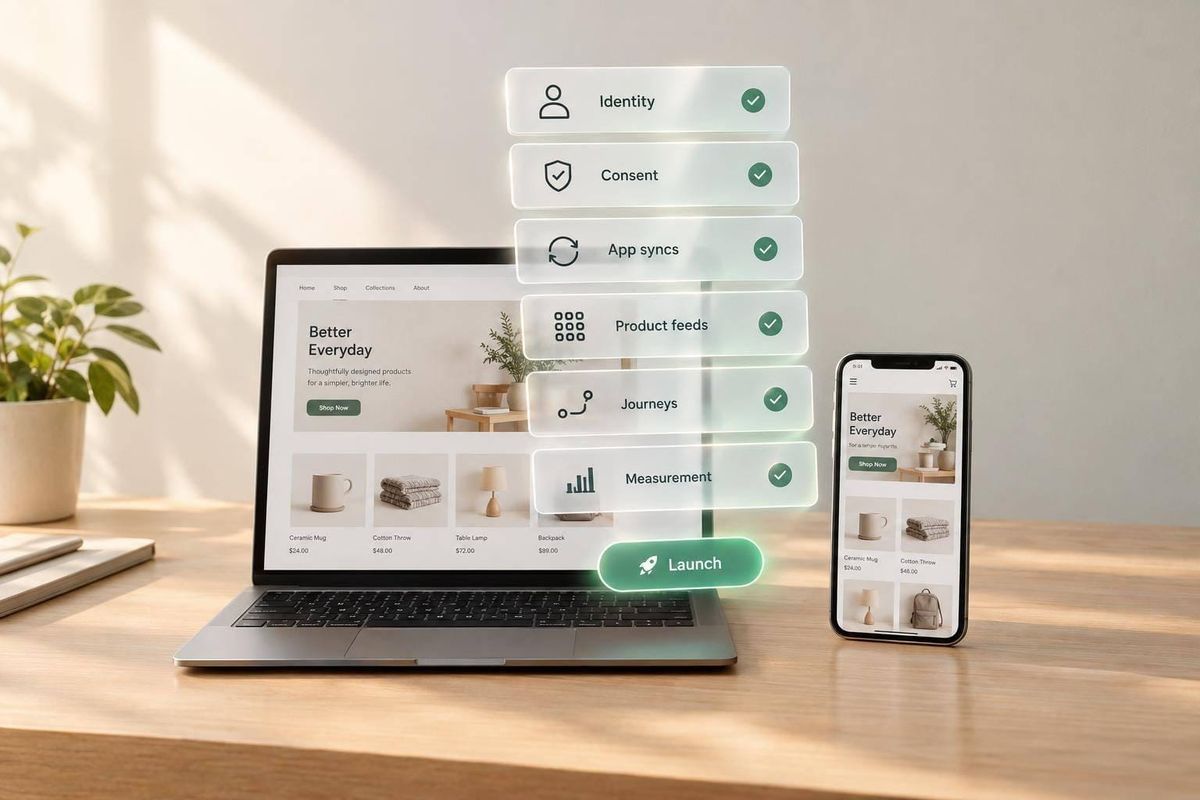
I start with one rule: test the data before selling personalization. Before launching even one Shopify journey, I check customer identity, app syncs, channel consent, and product accuracy - not just which apps are installed.
Here’s what I check:
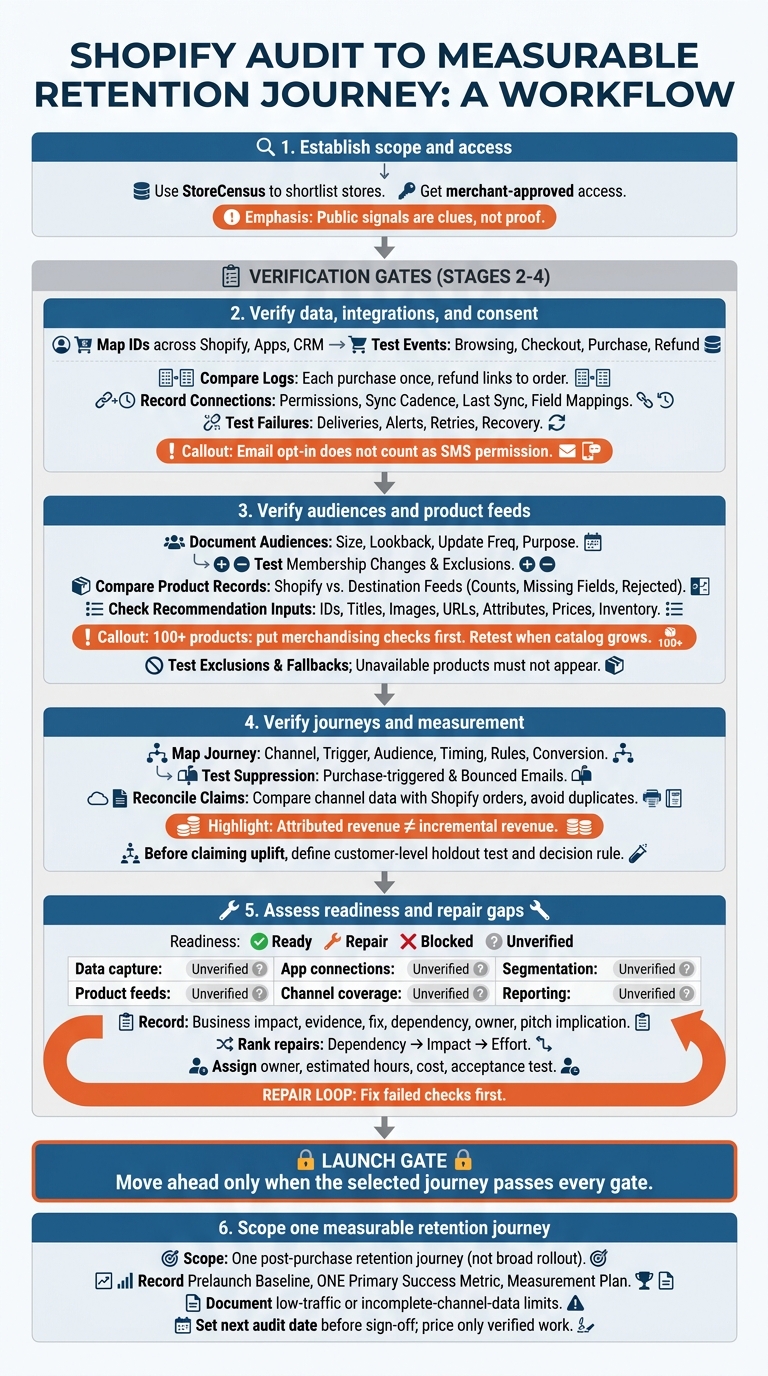
- Scope and access: Use StoreCensus to shortlist stores, then get merchant-approved access. Public signals are clues, not proof.
- Data and consent: Test events, duplicate handling, sync recovery, and separate email and SMS permissions.
- Audiences and products: Check segment updates, exclusions, feed accuracy, and recommendation rules.
- Journeys and results: Test triggers and stop rules, match reporting to Shopify orders, and separate attributed sales from sales caused by the campaign.
- Launch readiness: Mark checks Ready, Repair, Blocked, or Unverified. Assign fixes, then scope one measurable retention journey.
My rule for moving ahead: <u>fix failed checks first</u>. If access or traffic limits what I can verify, I document that limit instead of promising results.
Shopify Omnichannel Personalization: Audit-to-Launch Checklist
If You Own a Shopify Store. You Need to Watch This.
sbb-itb-61169e3
Audit Data Capture, App Connections, and Consent
Personalization breaks down when identity, consent, or event data is unreliable. Test backend tools with sample records and event logs. Check that browsing, checkout, purchase, and refund data reaches the right systems, matches the correct customer, and contains no duplicate events[2].
Verify Customer Identity and Event Data
☐ Map sources and identifiers. Map customer IDs, email addresses, and phone numbers across Shopify, marketing apps, and CRM. Use test records to check identity matching and deduplication. Save a source-to-destination map that shows how each field maps between systems.
☐ Verify the full event path. Test browsing, checkout, purchase, and refund events. Compare source and destination logs for customer IDs, event IDs, timestamps, time zones, order currency, product IDs, and variant IDs. Make sure each purchase counts once and each refund links to the correct order. Separate missing events from events the integration doesn’t support.
Test App Syncs and Error Recovery
☐ Record each connection’s permissions, sync cadence, last successful sync, and field mappings. Test customer, order, refund, price, inventory, and consent updates against the saved field mappings. Record how long updates take to reach their destinations.
☐ Verify failure handling. Check duplicate events, missing events, failed deliveries, alerts, retries, and recovery steps. Confirm that retrying an event doesn’t create another purchase. Document both the failure and the successful recovery - an “active” connection badge isn’t enough.
Test Consent Collection and Withdrawal
☐ Test each channel and purpose separately. For each opt-in, save the disclosure shown, timestamp, source, and consent log. Test tracking controls before and after consent withdrawal. Then check that unsubscribe changes reach every sending destination and that later syncs don’t restore permission.
Review privacy-request handling and sensitive-data exclusions. Send U.S. state privacy and SMS issues for legal review. Email opt-in does not count as SMS permission.
Record results in the table below.
| Touchpoint | Data Collected | Consent Requirement | Consent Log | Destinations | Audit Result |
|---|---|---|---|---|---|
| Newsletter and SMS forms | Email, phone, permission choices | Check separate channel disclosures and choices | Identify form tool and consent log | Email and SMS sending tools | Record opt-in and withdrawal tests |
| Checkout and account | Customer details, marketing choices | Separate purchase/account needs from marketing permission | Shopify and connected consent records | CRM and marketing apps | Compare source and destination status |
Use the results to decide whether segmentation and channel activation are ready for audit. After identity, sync, and consent checks pass, audit segments and product feeds to check whether the store can target the right products at the right time.
Audit Segments and Product Feeds
Test Segment Rules and Exclusions
Once you’ve verified identity, syncs, and consent, check that audiences update and suppress as expected.
☐ Document each segment’s rules. Record its size, lookback period, update frequency, purpose, and sending channels. Flag any rules that rely on missing customer signals.
☐ Test membership changes. Check membership updates and exclusions before activation.
Check Product Fields and Recommendation Rules
☐ Compare Shopify records with destination feeds. Check product and variant counts, missing fields, rejected records, and update timestamps. Put merchandising checks first for catalogs with 100+ products, and retest when the catalog grows or adds categories [2].
☐ Validate the fields behind each recommendation.
Use category-specific fields only where they affect targeting: fashion - styles, collections, variants; home and garden - dimensions, materials, comparisons; beauty - replenishment, routines, samples; food and beverage - subscriptions and replenishment [2].
Check subscription, bundle, and post-purchase upsell fields whenever rules rely on them [2].
Use this table to trace each field from Shopify to its destination and find where targeting breaks.
| Feed Field | Shopify Source | Destination | Update Timing | Check | Failure Impact |
|---|---|---|---|---|---|
| Product and variant IDs | Product and variant records | Recommendation feed | On create/delete | Match IDs; check rejected records | Wrong or missing recommendations |
| Titles, images, URLs | Product content and storefront links | Product cards | On content update | Open links; inspect images | Broken or misleading cards |
| Attributes and taxonomy | Categories, collections, metafields | Recommendation rules | On classification update | Check required fields and categories | Irrelevant matches |
| Prices and currencies | Variant prices and currency settings | Product displays and offers | Before display/send | Compare price and currency with checkout | Incorrect offers |
| Inventory and availability | Inventory and selling settings | Recommendation exclusions | Before selection/send | Test unavailable variants | Unpurchasable recommendations |
| Subscription and bundle fields | Subscription fields, bundle configurations, post-purchase upsells | Offer and recommendation logic | On eligibility update | Check subscription, bundle, and selling-plan restrictions | Ineligible offers |
☐ Test exclusions and fallbacks. Confirm that unavailable products never appear in recommendations. Label each failure as source data, feed mapping, stale update, or logic errors.
Audit Channel Journeys and Reporting
After verifying segments and feeds, check that live journeys trigger on the right channel and that reporting lines up with Shopify orders.
Test Cross-Channel Triggers and Suppression
☐ Map connected journeys and stop rules. For each journey you plan to measure, document its channel, trigger, audience, personalization input, timing, frequency cap, suppression rule, conversion event, and owner.
☐ Test purchase-triggered suppression. Use test customers to check that customers who convert leave acquisition journeys. Also confirm that bounced emails are removed from active outreach lists [2].
Verify Reporting and Test Incremental Impact
☐ Reconcile channel claims with Shopify orders. Link customer, order, product, and campaign IDs. If multiple pixels are installed, check for tracking drift and overlapping tools that could count the same Shopify order twice [2]. For Meta, Google, or TikTok pixels, check whether public attribution reporting is available to reconcile those signals with Shopify backend order data [2]. Missing app visibility is a reason to investigate - not proof that reconciliation is missing [2].
☐ Separate attributed revenue from incremental revenue. Keep these revenue measures separate. Before claiming uplift, define a customer-level holdout test and the decision rule. Measure incremental conversion and profit against the holdout group, rather than relying on attributed sales alone. If traffic is too low to support a holdout, document that limit instead of overstating results.
Conclusion: Build an Evidence-Based Proposal
Complete the Readiness Scorecard
Before auditing your own site, you can analyze Shopify store tech stacks to see how competitors handle app integrations and data syncs.
☐ Rate each category Ready, Repair, Blocked, or Unverified. Use this worksheet to record audit results, not assumptions. Carry forward prior findings, treat public signals as clues, and confirm every status with test results.
| Category | Status | Business Impact | Evidence | Recommended Fix | Dependency | Owner | Pitch Implication |
|---|---|---|---|---|---|---|---|
| Data capture | Unverified | Unreliable acquisition ROI | Identity matches and event logs | Repair event and ID mapping | Reliable events | Developer | Gate launch |
| App connections | Unverified | Missing or duplicated data | Sync logs, field mappings, and recovery tests | Repair sync failures | Stable integrations | Integration lead | Repair first |
| Consent | Unverified | Outreach without permission | Channel consent and withdrawal logs | Enforce channel permissions | Consent governance | Privacy lead | Block affected channels |
| Segmentation | Unverified | Irrelevant offers | Segment rules and exclusion tests | Correct eligibility rules | Identity and consent | CRM lead | Limit audience |
| Product feeds | Unverified | Poor product discovery | Product count, missing fields, rejected records, and update timestamps | Complete required fields | Catalog source | Merchandising lead | Gate product journeys |
| Channel coverage | Unverified | Missed reach or wasted spend | Connected channels in scope: email, SMS, paid social, paid search, and storefront | Connect only required channels | Consent and integrations | Channel lead | Avoid premature expansion |
| Reporting | Unverified | Unreliable performance decisions | Order reconciliation and holdout results | Resolve measurement gaps | Stable IDs and events | Analytics lead | Limit performance claims |
Move ahead only when the selected journey passes every gate. Fix blockers before selling personalization.
Plan Repairs and One Measurable Journey
☐ Rank repairs by dependency, impact, then effort. Turn scorecard gaps into a repair plan before defining the personalization work. Fix identity, consent, integrations, and feeds before expanding channels. Assign each repair an owner, estimated hours, cost, and acceptance test.
☐ Scope one journey, not a broad rollout. Choose one post-purchase retention journey only after verifying data, permissions, and recommendations. Record a prelaunch baseline, one primary success metric, and a measurement plan. Document limits, such as low traffic or incomplete channel data. Set the next audit date before sign-off, and price only verified work.
FAQs
What Shopify access does my agency need for an audit?
An initial personalization audit doesn’t always require backend access. You can use storefront-visible signals and browser DevTools to check active personalization tools, tracking pixels, and app integrations.
For a formal engagement, agencies typically need role-based Shopify admin access to review customer segments, product feeds, and consent flows. A compliance audit should also include testing the storefront in an incognito window to verify that the consent management platform blocks trackers as required.
Which retention journey should I launch first?
Make Data Subject Access Request (DSAR) handling your first service [1]. Document a process for managing requests within 30 days, then package it as a quarterly audit offer to address compliance risk and day-to-day bottlenecks [1].
Once the compliance basics are in place, add loyalty programs, post-purchase flows, and subscription upsells for stores with sophisticated checkout experiences [2].
How can I measure results with low traffic?
With low traffic, statistical significance is often out of reach. Focus instead on engagement and getting the basics right. Use Shopify’s built-in analytics to track click-through rates, cart additions, conversion rates, and funnel drop-offs. Run controlled tests over 30 days to compare dynamic, signal-based segments with static lists.
For stores with fewer than 50,000 monthly visitors, keep personalization simple. Put launch readiness, basic analytics, and email capture first.