
Instant Alerts for Shopify Agencies: Guide 2026
Prioritize high-signal Shopify store events, route urgent alerts to Slack/SMS, cut noise, and convert changes into same-day outreach.

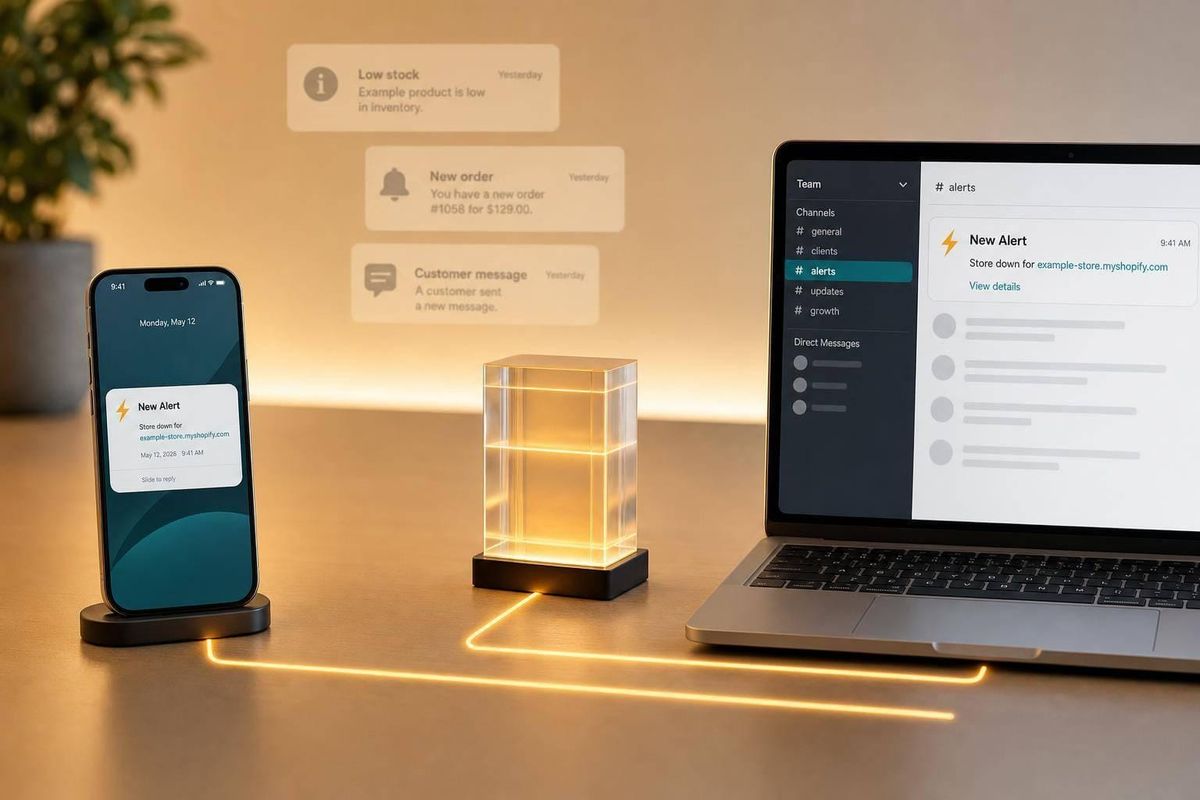
Most Shopify alerts are noise. The ones that matter help me keep clients, spot service needs, and reach out when a store is already making changes.
If I were setting this up today, I’d keep it simple:
- Watch client-risk events first: checkout errors, stock issues, refund or fulfillment problems, and staff-account changes
- Track sales and growth signals next: price changes, product launches, restocks, order spikes, and catalog growth
- Use buying-intent signals for outreach: theme changes, first app installs by category, and same-category app swaps
- Send urgent alerts to Slack or SMS
- Send lower-priority alerts to email, a CRM, or a weekly digest
- Filter hard, because 61.6% of stores in one panel showed some visible app change, which is far too much to act on as-is
- Focus on stores with 50,000+ monthly visitors when I want a tighter lead list
- Move qualified alerts into outreach the same day, with the exact store change in the first line
A few stats make the case fast. In the source data, outreach tied to a clear store event got 3x more responses than generic emails. Also, only 41.5% of stores with a visible app removal showed a same-category swap, which is why swaps matter more than raw installs or removals.
Here’s the short version: I’d use Shopify’s built-in alerts for stores I already run, and use outside monitoring to find and target Shopify stores for sales timing. Then I’d route alerts by urgency, cut low-signal triggers, and track three numbers each month: alert volume, action rate, and revenue or qualified leads created.
| Signal | What it often means | Where I’d send it | When I’d act |
|---|---|---|---|
| Checkout/storefront error | Sales blockage | Slack / SMS | Right away |
| Low or zero inventory | Lost demand risk | Slack / SMS | Right away |
| Price or product change | Merchandising shift | Email / Slack | Same day |
| Order spike | Demand jump | Slack / CRM | Same day |
| Theme change | Redesign phase | Email / LinkedIn | Within a few days |
| Same-category app swap | Tool replacement decision | CRM / email | Within a few days |
| Catalog growth | More store complexity | Weekly digest | Low urgency |
So the main point is simple: don’t monitor everything. I’d start with a short list of high-signal events, route each one to the lightest channel that still gets action, and turn the best alerts into a fixed outbound flow.
How to set up inventory alerts in shopify
sbb-itb-61169e3
What Shopify agencies should monitor first
Start with alerts that point to revenue risk, growth, or active buying intent. That helps you split signals into two buckets: the ones that need action today and the ones that can wait for a weekly digest.
Revenue and catalog signals
Watch price changes, product launches, product deletions, low inventory, restocks, and order spikes.
These are the signals closest to money moving in or out. A price change can point to testing or margin pressure, which opens the door to a CRO or paid media conversation. A product launch can create demand for PDP work, collection restructuring, or launch support. Low inventory followed by a restock is a lifecycle marketing trigger. The demand already exists, and the merchant may need email or SMS flows to turn that demand into sales. If orders jump right after a new product goes live, that often points to a winning SKU that may need paid media scaling or site-performance checks before traffic starts to strain the store.
Set low-inventory alerts at the variant or SKU level, not just at the store level. Use a threshold based on lead time, daily sales velocity, and a small safety buffer.
Store operations and customer experience signals
Storefront errors, checkout issues, fulfillment or refund activity, and unexpected staff-account changes all need fast review. These are same-day revenue risks, not prospecting signals.
A checkout failure during a promotion can stop purchases cold. Fulfillment or refund issues can turn into customer service headaches and brand damage fast. Send these alerts to Slack or SMS, not email.
Content and change velocity signals
Change velocity matters when edits start to cluster. Watch homepage edits, PDP copy changes, policy updates, theme changes, and spikes in staff notifications. These signals show when a merchant is actively making moves.
One edit is normal. A string of edits in a short window usually means a test, relaunch, or rebrand is in motion. A theme change can point to a short redesign window. Repeated homepage or PDP edits often mean the team is actively working on conversion, messaging, or site direction. That makes outreach feel timely, not random. It’s a good moment to offer a CRO audit or design review because the merchant is already focused on UX, conversion, or brand.
Here’s how each signal type maps to urgency and agency use:
| Alert Type | Signal | Best Channel | Response Urgency |
|---|---|---|---|
| Checkout / storefront error | Conversion blocker | Slack / SMS | Immediate |
| Out-of-stock / zero inventory | Lost demand, oversell risk | Slack / SMS | Immediate |
| Low inventory threshold | Restock needed | Email + task tool | Same-day |
| Back-in-stock event | Lifecycle marketing trigger | CRM / email | Same-day |
| Price change | Merchandising test or margin pressure | Email / Slack | Same-day |
| Order spike | Winning SKU or promo scaling | Slack / CRM | Same-day |
| Theme change | Redesign or rebrand in progress | Email / LinkedIn | Within a few days |
| Repeated homepage / PDP edits | Active optimization phase | CRM / prospecting queue | Within a few days |
| Policy update | Operational shift or relaunch prep | CRM / prospecting queue | Within a few days |
| Catalog growth | Scaling operations | Weekly digest | Low |
Once the signal is clear, map it to the lightest channel that will still trigger action.
Native Shopify alert sources and when to use each one
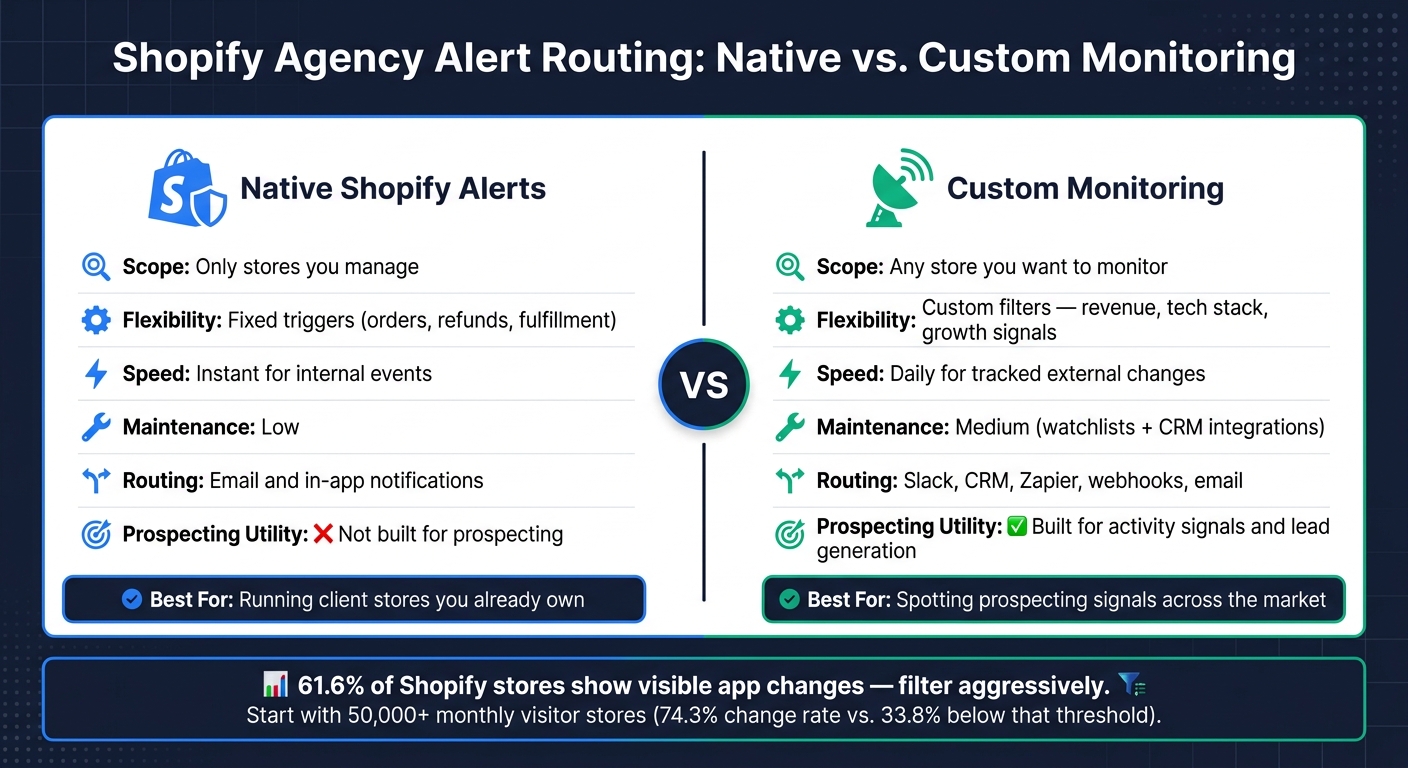
Shopify Agency Alert Routing: Native vs Custom Monitoring
Once you know which signals matter, the next move is simple: use Shopify’s native alerts for store events, and use custom monitoring for everything outside that lane. After you’ve picked the right signals, the real question becomes: which alert source will show them first?
Shopify Notifications, staff notifications, and customer notifications
Shopify’s native alerts handle things like orders, fulfillment, refunds, and account changes. But they only work for preset event types. That’s the trade-off.
Customer notifications also stay separate from staff alerts, which helps keep internal messages focused instead of mixing buyer updates with team operations.
Shopify Inbox notifications and Shopify Flow automation
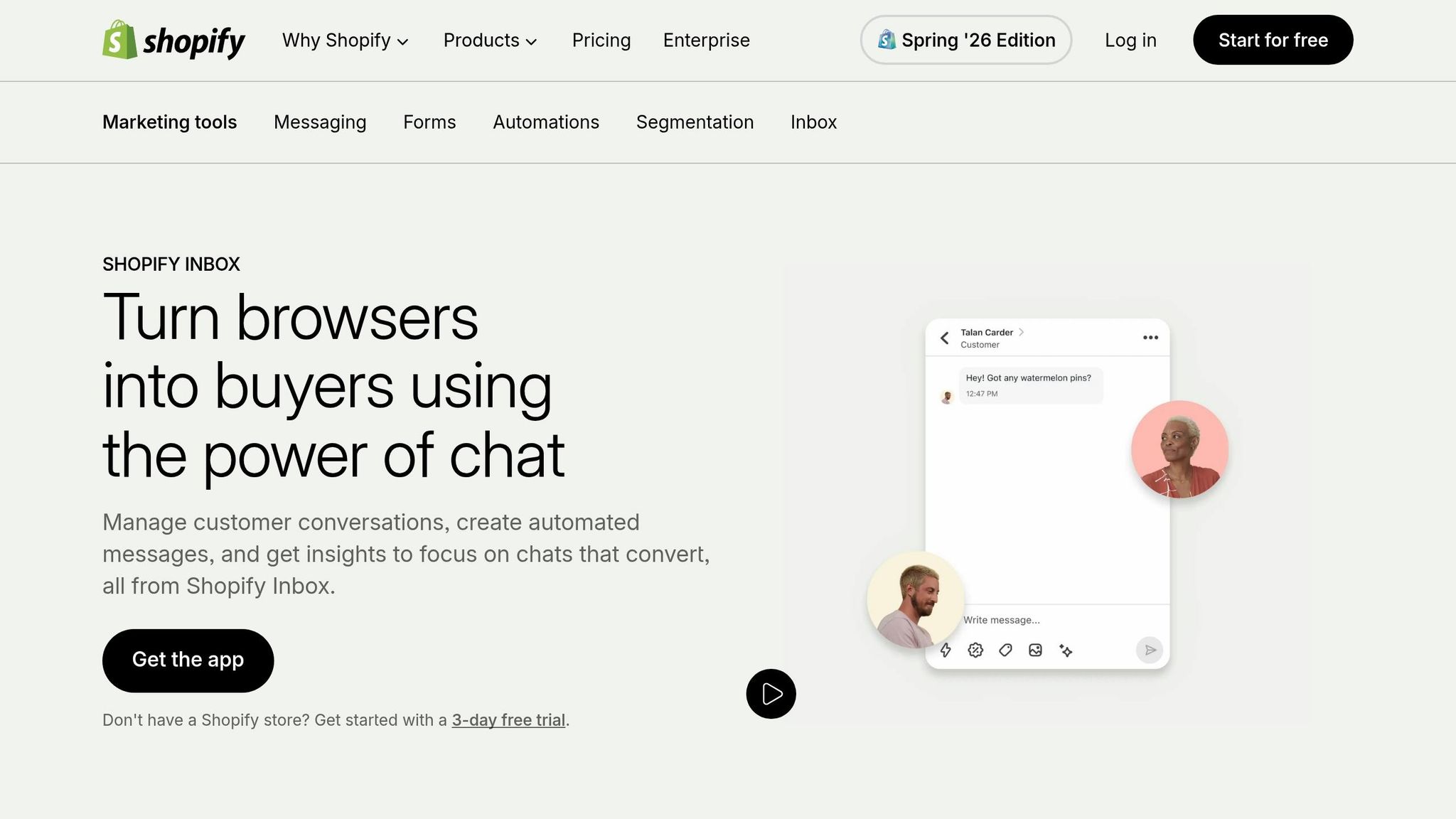
Shopify Inbox works well when a client needs quick back-and-forth with customers. If speed in conversations matters, this is a solid fit.
Shopify Flow is the stronger choice when a managed store needs trigger-based automation. You can set up workflows that tag high-value customers or send certain support requests to the right team member. Use Flow when a condition should kick off an automatic action.
Where native alerts fall short for agencies
The main limit is scope. Native alerts only work for stores you already manage, so they won’t help you monitor a list of Shopify stores outside your portfolio. You can’t use them to spot that a prospect changed themes, installed an app, or started growing its catalog. They also don’t give you revenue tier context, traffic volume, or tech stack data, which are the filters you need when deciding if a prospect is worth contacting.
Native tools handle owned-store operations. Custom monitoring handles market activity. Here’s the practical split:
| Feature | Native Shopify Alerts | Custom Monitoring |
|---|---|---|
| Scope | Only stores you manage | Any store you want to monitor |
| Flexibility | Fixed triggers like orders and refunds | Custom filters for revenue, tech stack, and growth signals |
| Speed | Instant for internal events | Daily for tracked external changes |
| Maintenance | Low | Medium, with watchlists and CRM integrations |
| Routing | Email and in-app notifications | Slack, CRM, Zapier, webhooks, email |
| Prospecting utility | Not built for prospecting | Built for activity signals and lead generation |
Native alerts help you run client stores. Custom monitoring helps you spot prospecting signals. From there, the next step is routing each alert based on urgency.
How to route, escalate, and maintain alerts without creating noise
Once a signal is worth tracking, the next step is getting it to the right person without wearing everyone out. That’s where a lot of teams go wrong. They don’t have a signal problem. They have a routing problem.
Client-risk alerts should go to account management. prospecting alerts should go to sales. Simple split, big payoff.
Match alert urgency to the right channel
Not every alert deserves the same path. A checkout failure or site downtime needs attention NOW, so SMS or phone makes sense. Slack works well for high-signal changes that call for a fast look, like theme changes, new app installs, or product catalog growth. Lower-priority updates, like revenue-tier changes or tech stack changes, fit better in email digests. And CRM tasks matter for follow-up and lead tracking, so alerts don’t vanish the moment they become sales opportunities.
| Trigger Type | Channel | Best Use |
|---|---|---|
| Checkout failure / downtime | SMS / Phone | Client escalation |
| Theme change / new app install / catalog growth | Slack | Sales outreach |
| Revenue-tier change / tech stack modification | Email digest | Weekly prospect review |
| Same-category app swap | Email / CRM task | CRM follow-up |
| Lead follow-up | CRM task | CRM follow-up |
Set the channel before alerts go live. Then keep the escalation path fixed. If people have to guess where an alert goes, the system starts to drift fast.
Routing cuts noise. Thresholds decide what deserves to be routed at all.
Set thresholds that catch signals that justify action
In a study of 44,906 Shopify stores, 61.6% showed some visible app change, and 52.0% of those were add-only changes. That’s why agencies should pay more attention to first-category installs and same-category swaps instead of treating every install like a buying signal.
A traffic filter helps too. Start with stores that have 50,000+ monthly visitors before turning on broad monitoring. Stores at that level showed a 74.3% change rate, compared with 33.8% for stores under that cutoff. That gap matters.
There’s another filter worth using: only 41.5% of stores with a visible app removal produced a same-category swap. Those swaps tend to point to an active replacement decision, not random storefront churn.
It also helps to group alerts by category instead of watching every app one by one. Reviews, analytics, support, and similar buckets are easier to scan than a long stream of isolated app events.
Test and review the system every month
Even a solid routing setup can drift over time. Before you trust any alert, run a test event and make sure delivery works. Once the system is live, review it every month and track three things:
- Alert volume
- Action rate
- Retained client revenue or qualified prospects created
If alerts go unread, tighten the thresholds. If manual review keeps finding missed signals, loosen them a bit. The goal isn’t more alerts. It’s fewer alerts that people actually use.
Build a repeatable prospecting workflow from store-change alerts
A tuned alert system is only half the job. The other half is turning those signals into pipeline fast and on a steady basis, without piling on hours of manual research.
From signal to qualified lead
Every prospecting workflow starts with a meaningful event: a theme change, a same-category app swap, or a product catalog expansion. Once an alert fires, qualify it before you write outreach. The signal tells you that something changed. Your job is to figure out if that change is worth your time.
Score each alert against your ICP: revenue tier, traffic, stack fit, and buyer accessibility. Use traffic as a qualifier, not the trigger. That distinction matters. A store can get traffic and still be a poor fit.
Once a store clears your ICP filter, enrich it before you write a single word of outreach. Add decision-maker contact info first, so you're reaching a person who can act instead of sending a note into a generic inbox.
Push alerts into outbound and CRM systems
After qualification, move the lead straight into your CRM and sequence. Qualified leads go stale fast. The goal is same-day outreach from the moment a signal fires.
Connect your monitoring to your outbound stack via Zapier so that when a store matches your criteria - for example, a same-category app swap or higher revenue tier - it routes straight into your CRM and outbound sequence without anyone touching it manually.
Route qualified alerts into your CRM and email sequence automatically. Your CRM, whether HubSpot or Pipedrive, tracks stage movement from first signal to closed deal and helps avoid duplicate records. Open with the exact change you saw - "I saw you just switched to Klaviyo..." - because that context makes the message timely and relevant.
Conclusion: the simplest alert system that actually gets used
The agencies that get the most out of alerts aren't the ones with the most complex setups. They're the ones that pick two or three high-signal triggers, build a clean routing path, and make the workflow repeatable enough to run every week without a project manager holding it together.
Start with revenue, catalog, and tech stack signals. Then route high-priority alerts by urgency and build one repeatable workflow from detection to outreach.
FAQs
How do I choose which Shopify alerts to track first?
Start with high-value signals that show a merchant is actively investing in the business. Focus on changes that line up with what you offer.
For example, a recent theme change can point to design work. Certain app installs can hint at setup issues, conversion gaps, or store tuning opportunities. Those signals matter because they show the merchant is already making moves, not just sitting still.
It also makes sense to start with Shopify Plus stores. They often have bigger budgets and more moving parts, which can make your offer a better fit.
StoreCensus helps narrow the list by your ideal customer profile and revenue tier, so your outreach stays timely and relevant.
What’s the best way to reduce alert noise for my agency?
Move away from broad tracking and use strict qualification and precise filtering. Start by defining your ideal customer profile with clear criteria like revenue tiers, traffic volume, and tech stack. Then apply those filters to your monitor lists.
Don’t track every change across every store. Cut out the ones that don’t match your requirements, and send the remaining signals into automated CRM workflows. That way, you only get alerts for high-intent triggers that line up with your agency’s services.
How quickly should my team act on prospecting alerts?
Your team should act fast - ideally within hours - when high-intent signals show up. Timing and relevance matter most, so it helps to reach out while a merchant is still in decision mode.
Wait a few weeks, and the window may already be closed. With automated alerts in StoreCensus, your team can jump in right away with personalized, intent-based messaging.



