How to Find Shopify Decision-Makers on LinkedIn
Qualify the Shopify store first—traffic, revenue, plan, and tech—then use LinkedIn to verify and rank the right decision-makers.

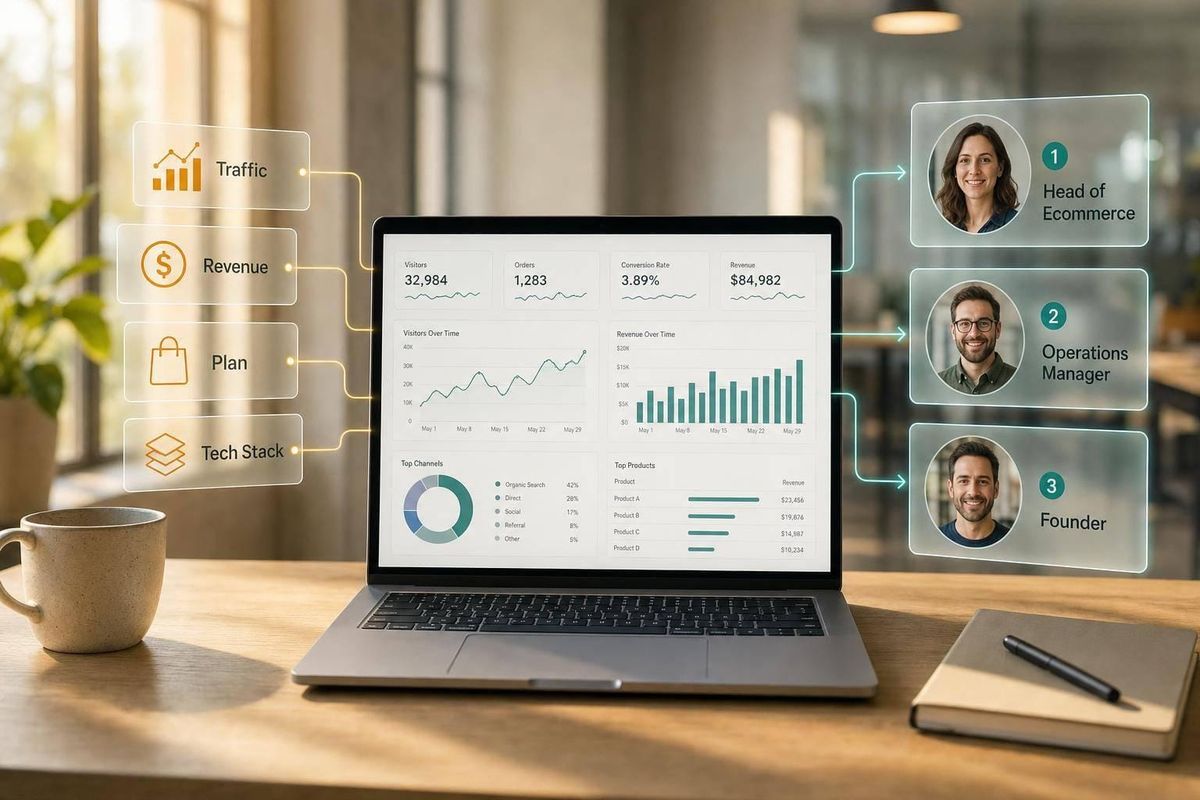
If you start on LinkedIn, you’ll waste time. I’d qualify the Shopify store first, then use LinkedIn to verify the person behind it.
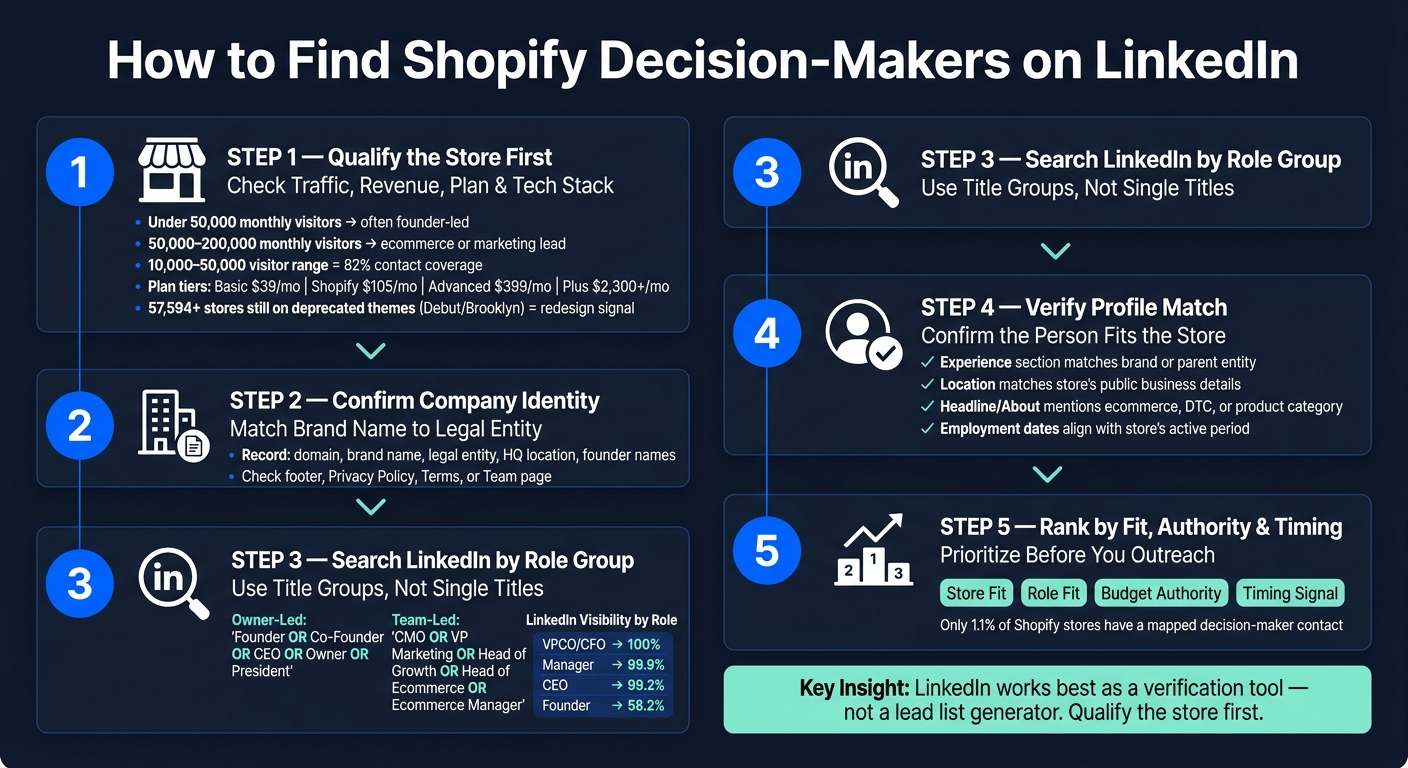
Here’s the short version:
- I start with the store, not the profile
- I check traffic, revenue, plan tier, and tech stack
- I use those signals to guess the right role:
- Under 50,000 monthly visitors: often founder-led
- 50,000 to 200,000 monthly visitors: often ecommerce, growth, or marketing lead first
- I confirm the brand name and legal company name
- Then I use LinkedIn to match the right person by:
- current company
- title group
- location
- recent post activity
- Last, I rank contacts by:
- account fit
- role fit
- budget authority
- timing
A few numbers make the point fast:
- 82% contact coverage shows up in the 10,000 to 50,000 monthly visitor range
- Founder profiles are much less visible on LinkedIn than manager or VP roles
- Only 1.1% of Shopify stores have a mapped decision-maker contact
- More than 57,594 stores still use old themes like Debut or Brooklyn, which can point to redesign demand
I’d also treat LinkedIn activity as a timing clue, not a fit check. A hiring post, launch post, or redesign post can tell me when to reach out, but it doesn’t tell me whether the store fits my offer.
Here’s the main idea in one view:
| Step | What I check | Why it matters |
|---|---|---|
| 1 | Traffic, revenue, plan, tech | Tells me if the store fits |
| 2 | Brand and legal entity | Helps me avoid bad company matches |
| 3 | Role group on LinkedIn | Helps me find the right buyer |
| 4 | Profile match | Confirms the person fits the store |
| 5 | Activity and timing | Helps me decide who to contact first |
In other words: LinkedIn works best as a verification tool, not a lead list generator. If I qualify the store first, the contact search gets much cleaner and much less random, helping you build a Shopify agency pipeline that converts.
How to Find Shopify Decision-Makers on LinkedIn: A 5-Step Workflow
How to Find Shopify Store Leads for Your Agency In Minutes
sbb-itb-61169e3
Build a qualified Shopify account list before researching contacts
Qualify the store first, then look for contacts on LinkedIn. Build the account list first. Then find the people.
Set store-level filters that match your agency's ICP
Before you open LinkedIn, get clear on what a qualified store looks like for your agency. Set hard filters for traffic or revenue, Shopify plan tier, country, product category, and tech signals that hint at budget, urgency, or fit.
A good starting point is the 10,000–50,000 monthly visitor range. That often lines up with $50,000–$500,000 in monthly revenue and has 82% contact coverage[5].
Plan tier helps narrow things down too. Basic is often early-stage and price-sensitive at $39/month. Shopify is usually in growth mode and spending on tools at $105/month. Advanced tends to be scaling and more data-focused at $399/month. Shopify Plus is the clearest signal of an enterprise-level budget at $2,300+/month[6].
Tech signals make this filter sharper. For example, a store with strong traffic but no email capture popup or no reviews app may have a clear gap you can speak to[1][5]. And more than 57,594 stores are still using deprecated themes like Debut or Brooklyn, which is a strong redesign signal[1].
Use StoreCensus to prioritize accounts before LinkedIn research
Once your ICP filters are set, you need a way to apply them at scale. StoreCensus lets you filter across 6M+ Shopify and WooCommerce stores by revenue, country, theme, tech stack, and growth signals. That means you can build qualified Shopify brand prospect lists before you ever touch LinkedIn.
The ranking logic matters just as much as the filters. A store with recent growth signs - like a new app install or a revenue increase in the last 30 days - is often a better target than a bigger store that's gone flat. In plain English: recency can matter just as much as size when you rank accounts[6].
Once the list is ranked, move to LinkedIn and map the people behind those stores.
Record the company identity behind the storefront
The brand name on a Shopify store often doesn't match the legal entity name on LinkedIn profiles. That's where people get tripped up. LinkedIn's Current Company filter uses the entity name, not the consumer-facing brand name[6].
Record the domain, brand, legal entity, HQ location, and any founder or team names[6][2]. If the About page is thin, check the footer, Privacy Policy, Terms, or Team page for the legal company name and leadership details[2]. Once you verify the company name, LinkedIn search becomes a contact-matching task instead of a guessing game.
Search LinkedIn by role patterns, company signals, and post activity
Once you have a qualified account list and you’ve confirmed the company identity, LinkedIn turns into a matching job. You’re trying to find the right person at the right store, not just someone with a title that sounds close.
Start with current company, brand name, and location
Start by searching the brand name in Companies, not People. Then open the company page and look through the employee list for active profiles. If the page points to a founder or owner, search owner titles. If it shows marketing or ecommerce staff, look for the people leading those functions. If nothing useful shows up, move to role-based searches.
When the company page is thin, search the brand name plus Founder or CEO, then use the Current Company filter in People search. In People search, always apply the Current Company filter so you don’t waste time on former employees[2][4].
Location filters help too, especially when the brand name is common or the company has more than one office. Filtering by headquarters city or state cuts down the noise fast[5].
Search title groups instead of a single decision-maker title
Shopify decision-makers don’t all use the same title. It changes by store size and team setup, so searching for one exact title leaves a lot of good matches on the table.
For owner-led stores, search title groups like "Founder" OR "Co-Founder" OR "CEO" OR "Owner" OR "President". For team-led brands, search functional leads such as "CMO" OR "VP Marketing" OR "Head of Growth" OR "Marketing Director" or ecommerce roles like "Head of Ecommerce" OR "Director of Ecommerce" OR "Ecommerce Manager"[5][3].
One thing to watch: title visibility is not the same as budget authority. At a bigger brand, an Ecommerce Manager may control more budget than the Founder of a smaller store[3].
LinkedIn visibility by role[1]:
| Role Group | LinkedIn Presence |
|---|---|
| Director / VP / COO / CFO | 100% |
| Manager | 99.9% |
| CEO | 99.2% |
| Founder | 58.2% |
Use profile and company post activity as timing signals
Post activity helps you figure out when to reach out, not just who to contact. Use the Posts filter to search for the brand name or terms like hiring, launch, or redesign. Recent activity can hint that the business has an active project in motion and should move up your list[1][3].
A post about a site relaunch, for example, often points to work already happening behind the scenes. That said, post activity isn’t a standalone qualification check. It’s a timing signal, so use it to decide which profiles to verify first.
Verify who can influence the project and who can approve the budget
Use the title, company, and activity signals from LinkedIn to confirm who can actually move the project. Finding a profile is only half the job. For more advanced prospecting techniques, see our Shopify Store Guides. You also need to check whether that person can influence the project, approve the budget, or both.
Check four signs that a profile matches the store
A matching title alone doesn't tell you much. The profile also needs to line up with the store and with the person's level of authority. Use these four checks:
- Experience section match - The Experience section matches the brand or parent entity. If the store is owned by a larger company, match the legal name from its policy pages to LinkedIn [2].
- Location match - The location matches the store's public business details.
- Headline/About match - The headline or About section mentions ecommerce, DTC, or the store's product category, such as Beauty or Fashion [1].
- Employment dates match the store's active period - The employment dates line up with the store's active period, and the person is still listed as employed there [2][4].
Sort owner-led stores from team-led brands
Not every store runs the same way. In smaller brands, the founder often drives the project and signs off on spend. As the company grows, that job usually shifts to a team lead first, then to senior marketing or growth leaders.
Owner-led stores usually sit around $500K–$2M in annual revenue, while team-led brands are more often $2M–$10M+ [3].
| Owner-Led Store | Team-Led Brand | |
|---|---|---|
| Revenue range | $500K–$2M | $2M–$10M+ |
| Primary project lead | Founder / CEO | Ecommerce Manager / Head of Growth |
| Budget approval | Founder / CEO | Founder / C-suite at $2M–$10M; VP / CMO at $10M+ |
| Start with | Founder or CEO | Functional lead |
| Outreach approach | Tactical, ROI-focused | Strategic, data-driven, peer-to-peer |
At $10M+ in annual revenue, VPs and CMOs often have budget autonomy, so the founder is not always the right first contact [3].
Rank contacts by role fit, authority, and timing
Once the profile checks out, rank it before you add it to a sequence. This helps you avoid filling your pipeline with people who look right on paper but can't move spend.
Focus on four things:
- Store fit - Does the account match your ICP?
- Role fit - Does the title map to the problem you solve?
- Authority - Can the person approve spend or directly influence it?
- Timing - Is there active buying intent, such as hiring, launches, or site changes [3]?
This keeps outreach aimed at people who can approve spend or help shape it.
Conclusion: Turn LinkedIn Research into a Repeatable Shopify Prospecting Workflow
Once you’ve filtered accounts and mapped titles, this process gets a lot easier to repeat. Start with the store. Make sure it fits your ICP. Then use LinkedIn role patterns to find the right people, check that the profile matches the brand, and use post activity to help time your outreach.
That order matters. Only 1.1% of Shopify stores have a mapped decision-maker contact [4]. So if you skip the store-first step, you’ll spend time chasing accounts that were never a fit in the first place.
StoreCensus connects revenue estimates, tech stack data, growth signals, and decision-maker records to the same Shopify account [6]. In plain English, that means LinkedIn stops being just a search tool. It becomes a way to verify the right person at the right brand.
That makes the workflow repeatable for finding founders, ecommerce managers, and marketing leads at qualified Shopify stores.
FAQs
How do I confirm a Shopify brand’s legal company name?
Start with the store’s website, especially the Privacy Policy and Terms of Service pages. Those pages often list the legal entity behind the store or at least an operating contact.
If that information isn’t there, use ICANN Lookup to check the domain through RDAP for registration details. Just be aware that privacy or proxy services can hide the registrant. So RDAP works best for domain registration facts, not as your main source for owner contact information.
Which LinkedIn titles should I search first?
Start with job titles that match what you sell and the size of the store.
For smaller brands, look for Owner, Founder, or CEO first. In most cases, those are the people who make the final buying call.
As the team gets bigger, shift your focus to the person who owns that function. For example:
- For marketing or growth work: CMO, VP of Marketing, Head of Growth
- For technical work: Ecommerce Lead, CTO, Developer
- For fulfillment or logistics work: Operations Manager, COO
If you’re not sure who to contact, start with the founder. Then check the company page to find the right department lead.
How can I tell if a store is founder-led or team-led?
Look at the store’s traffic tier and team structure. Stores with fewer than 50,000 monthly visitors are often founder-led, which means the founder or owner is usually the main decision-maker.
Once a store moves past 50,000 monthly visitors, it often shifts to a team-led setup. At that point, people like the CMO, Head of Growth, or Ecommerce Manager often handle day-to-day decisions.
A simple way to check? Review the company’s LinkedIn page along with its About or Team pages. If you see multiple employees and clear role coverage, that’s a strong sign the store is being run by a team rather than one person.