Ultimate Guide to CRM and Ecommerce Integration
Connect your CRM to your ecommerce store to sync customer data in real time, automate marketing and recovery workflows, and boost retention.

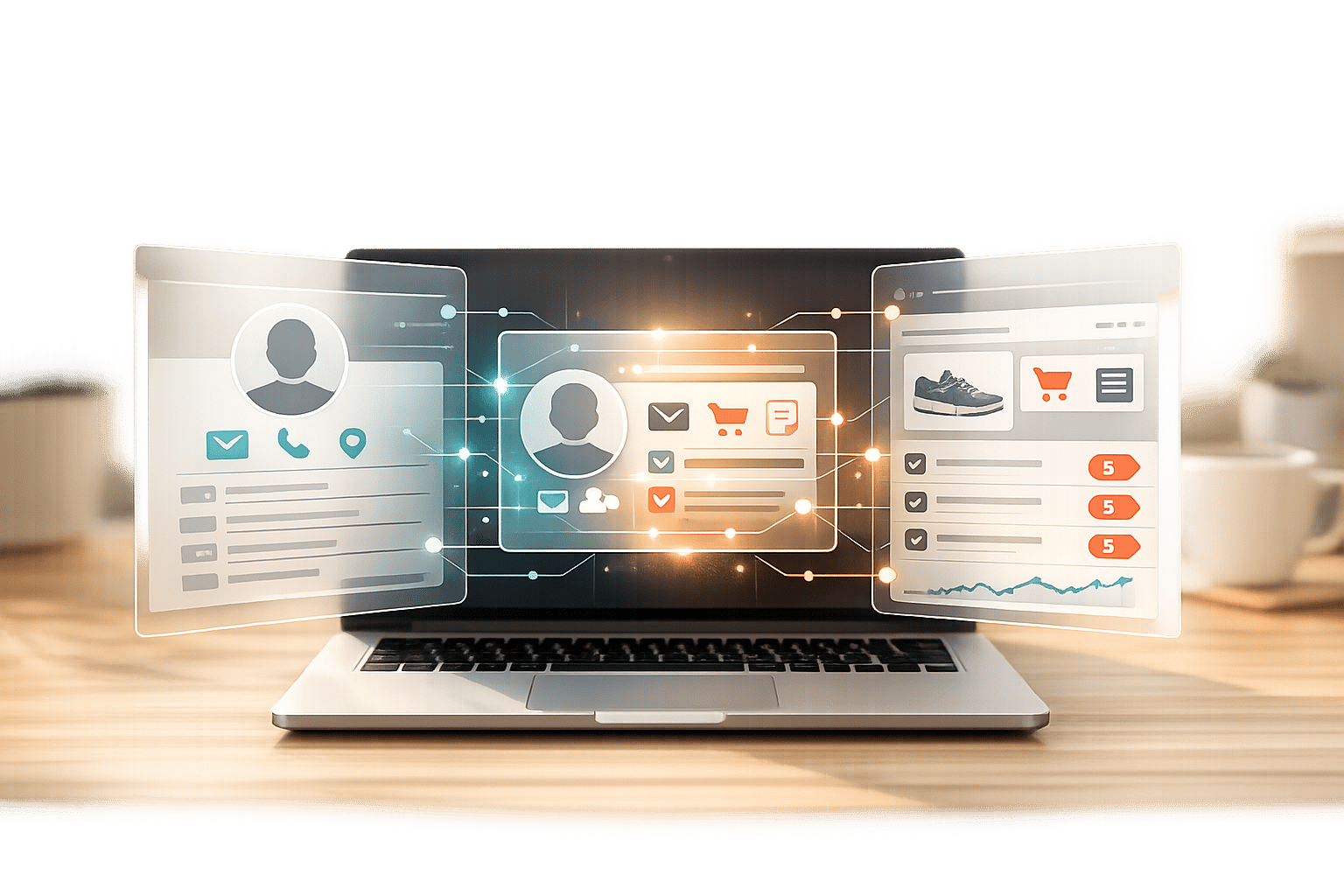
Want to streamline your ecommerce operations and boost sales? CRM and ecommerce integration might be the solution you're looking for. By connecting your customer relationship management (CRM) system with your online store, you can sync customer data in real time, automate workflows, and deliver a personalized shopping experience.
Key Takeaways:
- What it is: CRM and ecommerce integration connects your CRM to your store, enabling two-way data exchange for customer profiles, order histories, and more.
- Why it matters: It eliminates manual data entry, reduces errors, and enhances customer interactions by providing a unified view of customer data.
- How it helps: Businesses see faster order processing, improved marketing campaigns, and better customer support. For instance, automated cart recovery can reclaim 10-15% of lost sales.
- Common tools: Popular pairings include Shopify + HubSpot for inbound marketing and Magento + Salesforce for enterprise needs.
- Getting started: Clean your data, map workflows, and test integrations to avoid disruptions.
CRM integration isn't just about syncing systems - it’s about making smarter decisions, saving time, and creating better customer experiences. Keep reading to learn how to choose the right tools, set up integrations, and optimize your business processes.
CRM & Data Integration (Build a Single Source of Truth for Your Customers)
Benefits of CRM and Ecommerce Integration
When your CRM and ecommerce platform work together, the advantages go far beyond just syncing data. Teams in sales, marketing, and support gain a unified view of customer information, which transforms how they engage with buyers at every stage of their journey. This connection creates opportunities for deeper personalization, smoother automation, and actionable insights - things that disconnected systems simply can't deliver. Together, these elements redefine how businesses approach personalization, automation, and customer support.
Unified Customer Data for Better Personalization
Integrating CRM and ecommerce platforms brings all customer interactions - like website visits, email clicks, purchases, support tickets, and social media activity - into one centralized system. Instead of juggling fragmented data from multiple sources, your team has access to complete customer profiles that clearly outline behaviors and preferences.
This consolidated view allows for more advanced segmentation. You can go beyond basic demographics to group customers by factors like lifetime value, location, or specific product interests, enabling hyper-targeted messaging. For example, in early 2024, Tata Harper Skincare tackled fragmented data by unifying its email and SMS marketing through Klaviyo CRM, guided by Alexandra Barlowe, their DTC Email and SMS Marketing Director. This move resulted in a 139% year-over-year revenue increase from automated workflows.
Unified customer data also helps in other areas, such as demand forecasting, stock management, and identifying seasonal trends. Marketing teams can refine ad strategies by excluding customers who’ve already purchased certain items, ensuring budgets focus on genuine prospects. Once the data is unified, automation takes over, streamlining processes for marketing and sales teams.
Automated Marketing and Sales Workflows
Automation reduces manual work and allows businesses to respond instantly to customer actions. With global cart abandonment rates hovering above 70%, automated recovery workflows can help reclaim 10% to 15% of those lost sales. These workflows can send personalized follow-ups or discount codes automatically, requiring no manual input.
Post-purchase automation keeps brands relevant by sending reminders for product replenishment, birthday discounts, or other lifecycle messages. For example, a baby products retailer might suggest toddler-related items based on a customer’s previous purchases. Sales teams also benefit from automation through real-time lead qualification and pipeline management, making it easier to track conversion rates and manage the sales funnel effectively.
Automation extends to order fulfillment, syncing sales data with inventory and shipping platforms to improve efficiency.
Improved Customer Support and Data Insights
Integrated systems don’t just enhance sales and marketing - they also elevate customer support. With real-time access to comprehensive customer data, support agents can quickly view order history, past inquiries, and personal preferences. This eliminates the need for customers to repeat themselves and speeds up issue resolution. For instance, Daily Harvest, a meal subscription service, centralized its customer data under the leadership of VP of Digital YuJin Yong. This change cut software costs by 18% and removed the need for developer assistance for routine marketing updates.
Centralized analytics also provide leadership teams with essential metrics like Customer Lifetime Value (CLV), Customer Acquisition Cost (CAC), and Average Order Value (AOV) in one dashboard. Around 80% of companies use CRM systems primarily for sales reporting and process automation. These insights can uncover roadblocks in the customer journey, such as identifying that 18% of cart abandonments are due to overly complex checkout processes.
By integrating your CRM with tools like StoreCensus, you can take this a step further. StoreCensus offers real-time insights into ecommerce activity, ensuring your team always has the latest data to make informed decisions.
| Role | Integration Use Case |
|---|---|
| Sales | Automating follow-ups for abandoned carts in real-time. |
| Marketing | Segmenting customers based on ecommerce behavior for tailored email campaigns. |
| Support | Using 360-degree customer views for personalized assistance. |
| Operations | Forecasting demand and managing inventory by unifying online and offline data. |
| Executive | Using centralized dashboards to set strategic sales goals. |
Common CRM and Ecommerce Platform Combinations
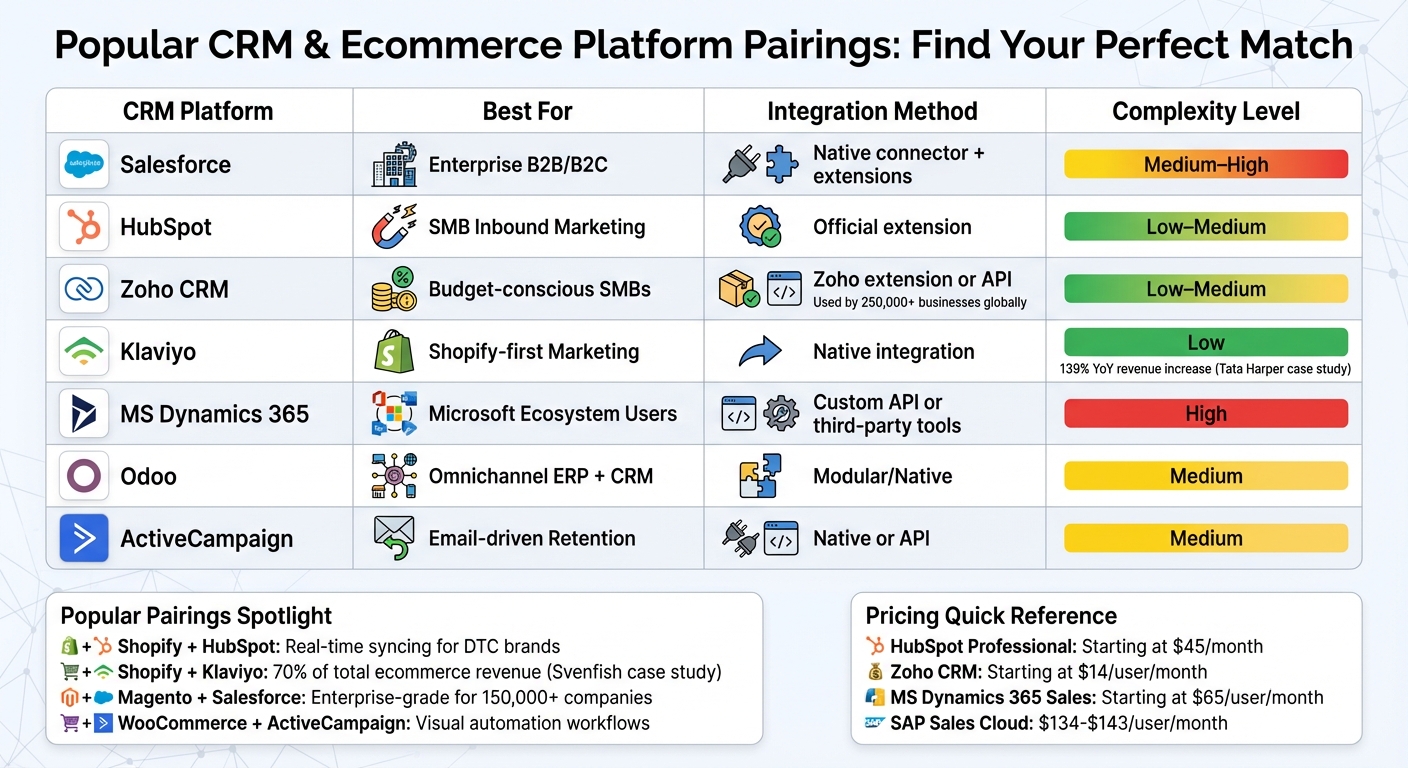
Popular CRM and Ecommerce Platform Pairings Comparison Guide
Picking the right CRM and ecommerce platform combo can make or break your business operations. Your choice should align with your business size, budget, and goals. Some pairings have become go-to options because they simplify integration and offer the automation needed to streamline workflows. Knowing which combinations work well for specific needs can save you from costly mistakes.
Popular CRM and Ecommerce Pairings
Shopify + HubSpot is a favorite for direct-to-consumer (DTC) brands. It features real-time syncing and inbound marketing automation, making it a robust option for growing businesses. For smaller Shopify stores, WooCommerce + HubSpot offers similar tools at a more affordable price point, thanks to HubSpot's free tier.
If email and SMS marketing are your focus, Shopify + Klaviyo is a standout option. For example, in early 2024, Tata Harper Skincare centralized its email and SMS efforts with Klaviyo, leading to a 139% year-over-year revenue boost from automated workflows during Q1 2024. Similarly, Svenfish, a seafood brand, used Klaviyo to segment customers based on browsing habits for its "catch of the day" campaigns, with the platform driving 70% of its total ecommerce revenue. YuJin Yong, VP of Digital at Daily Harvest, highlighted Klaviyo's importance:
"We see Klaviyo as our customer CRM hub. Everything that we work with going forward should have a connection to Klaviyo and Shopify. It just makes processes go faster."
For enterprises, Magento with Salesforce is a strong pairing. This combination supports account hierarchies, tiered pricing, and bi-directional syncing of leads and orders. Salesforce, serving over 150,000 companies, provides the comprehensive customer insights required by large organizations. Meanwhile, businesses prioritizing email-driven retention can benefit from WooCommerce + ActiveCampaign, which excels in visual automation workflows.
For small to mid-sized businesses on a budget, Magento + Zoho or Zoho CRM paired with any ecommerce platform is a smart choice. Zoho, used by over 250,000 businesses globally, offers features like lead scoring and contact management without the hefty price tag of enterprise systems. Companies looking for an all-in-one solution might turn to Odoo, which integrates CRM with inventory, accounting, and ERP in one modular platform. Tamer Badr, CEO of Singleclic, explains:
"Odoo is fantastic for companies that want one system to handle everything - inventory, orders, CRM, even accounting."
| CRM Platform | Best For | Integration Method | Complexity |
|---|---|---|---|
| Salesforce | Enterprise B2B/B2C | Native connector + extensions | Medium–High |
| HubSpot | SMB Inbound Marketing | Official extension | Low–Medium |
| Zoho CRM | Budget-conscious SMBs | Zoho extension or API | Low–Medium |
| Klaviyo | Shopify-first Marketing | Native integration | Low |
| MS Dynamics 365 | Microsoft Ecosystem Users | Custom API or third-party tools | High |
| Odoo | Omnichannel ERP + CRM | Modular/Native | Medium |
| ActiveCampaign | Email-driven Retention | Native or API | Medium |
Once you've chosen your CRM and ecommerce pairing, the next step is deciding on the right integration method.
Integration Tools and Methods
Integrating your CRM and ecommerce platform can be straightforward or complex, depending on your approach. Native connectors are the easiest option, often requiring little to no technical expertise. For instance, HubSpot's Shopify integration is quick to set up and covers most standard needs without custom development.
If native options aren't available or you need to connect multiple systems, middleware or iPaaS (Integration Platform as a Service) tools like Zapier, Celigo, or DCKAP can bridge the gap. These tools are especially useful for syncing data across more than two platforms without custom coding.
For businesses with unique workflows or advanced requirements, API-based custom integrations offer the most flexibility. This approach is ideal for enterprises managing complex operations, such as using SAP CX with Adobe Experience Manager for personalized pricing contracts. However, custom integrations require developer resources, and it's essential to define which system will "own" specific data - like having the CRM manage contact records while the ecommerce platform handles order IDs - to avoid conflicts.
For multichannel sellers, integrating CRM data across platforms like Amazon, eBay, and your own store provides a seamless view of customer behavior and sales. Tools like eDesk can help bridge data gaps between marketplaces. Companies with strong omnichannel strategies retain 89% of their customers, compared to just 33% for those with weaker efforts.
Pricing for CRM platforms varies widely. HubSpot Professional plans start at $45/month (with 1 Core Seat included), while Zoho CRM begins at $14/user/month. Enterprise solutions like Microsoft Dynamics 365 Sales start around $65/user/month, and SAP Sales Cloud costs between $134 and $143/user/month. However, the true cost often lies in poor data management rather than subscription fees.
How to Integrate Your CRM with Your Ecommerce Platform
Connecting your CRM with your ecommerce platform isn’t a one-step process. It takes preparation, clean data, and consistent monitoring. The difference between a smooth setup and a chaotic one often lies in how well you plan before diving in. Here’s how to ensure your integration is effective from the start.
Prepare and Audit Your Data
Before you begin, take stock of your existing systems - ecommerce, marketing, and support - and map out how data currently flows between them. Identify any duplicates, gaps, or inconsistencies in your data. Cleaning up your data is crucial: remove duplicates, fill in missing fields, and update outdated information. This ensures you’re not importing bad data into your new system. And don’t forget to back up your data before starting - technical hiccups can happen, and having a backup safeguards against potential losses.
Next, develop a clear data mapping plan. Decide which key data points - like customer profiles, order history, and support tickets - should sync between platforms. Also, determine whether the sync will be one-way (e.g., orders flowing from your ecommerce platform to the CRM) or bidirectional (e.g., customer contact updates syncing in both systems).
Define ownership for specific data fields to avoid conflicts. For instance, your CRM might manage customer contact details, while your ecommerce platform handles order IDs. Use unique identifiers to match customer records across systems and prevent duplicate profiles. Establish consistent validation rules for fields like names and emails to maintain uniformity. Make sure your data handling complies with regulations like GDPR or CCPA, and confirm encryption protocols (TLS for data in transit, AES-256 for data at rest) are in place.
Clean data is a game-changer: 74% of businesses report that CRM software delivers better-quality customer data when records are properly maintained. Once your data is ready, it’s time to define your integration goals.
Map Your Workflows and Set Integration Goals
With your data prepped, think about what you want your integration to achieve. Define measurable objectives, such as reducing customer churn, boosting repeat purchases, or improving response times for support inquiries. Without clear goals, it’s tough to determine whether your integration is successful.
Get input from your sales, marketing, and support teams during this phase. Since they’ll use the data daily, they can highlight which workflows need automation and which data points are most important. As Tamer Badr, CEO of Singleclic, puts it:
"CRM integration is how small ecommerce teams punch above their weight. You gain the ability to talk to your customers with relevance and precision - without needing a big team."
Identify repetitive tasks that could be automated, such as abandoned cart recovery, post-purchase emails, or customer segmentation based on buying habits. For example, automating abandoned cart recovery workflows can recover 10% to 15% of potential lost sales. Start with simpler processes, like order confirmations, before tackling more complex multi-step automations.
Here’s a quick overview of common data categories and how they typically sync:
| Data Category | Common Fields to Map | Sync Direction Recommendation |
|---|---|---|
| Customer Profile | Name, Email, Shipping Address, Phone | Bidirectional |
| Order Data | Order ID, Products, Total Value, Status | Ecommerce to CRM |
| Marketing | Email Opens, Clicks, Campaign Source | CRM to Ecommerce |
| Support | Ticket Status, Interaction History, Notes | Bidirectional |
| Behavioral | Abandoned Carts, Product Views, Wishlists | Ecommerce to CRM |
Focus on automating tasks with the highest impact first. For example, a 2025 analysis by Faye Digital showed that a mid-market manufacturer reduced order processing time from 18 minutes to just 3 minutes by automating key workflows. This saved 2,050 hours annually and delivered a 247% ROI within 18 months. Their success came from prioritizing time-consuming tasks rather than trying to automate everything at once.
Test, Launch, and Monitor Your Integration
Before going live, test your integration in a staging environment to catch any issues before they affect real customer data. Use a small sample - 50 to 100 records - to verify that field mappings are correct and automated triggers work as expected. Schedule large data syncs or migrations during low-traffic times to minimize disruptions.
Provide training for your sales, marketing, and support teams so they understand how the integration works and how to use the new workflows effectively.
Once live, monitor metrics like sync times, error rates, and system performance to ensure everything runs smoothly. Set up alerts for any sync failures or data conflicts so you can address them quickly. Keep tracking key performance indicators after launch. Businesses that centralize data with CRM systems see a 27% increase in customer retention, but only if the integration remains reliable.
Using tools like StoreCensus can simplify things further by automatically updating your CRM with real-time store insights. This ensures your marketing and sales processes are fueled by up-to-date, actionable data.
After the initial launch, continue refining your setup and scaling it to support more advanced automation as your needs grow.
Advanced Automation and Optimization Techniques
Once integration is running smoothly, advanced automation and enriched data take your syncing process to the next level, turning it into intelligent, real-time workflows.
Set Up Real-Time Workflow Automation
Real-time automation eliminates the lag of batch processing, ensuring your systems react instantly to customer actions. For example, syncing inventory levels across platforms in real time helps avoid stockouts and overstocking, both of which can hurt sales and damage customer trust. Your support and sales teams also benefit from having a single source of truth, eliminating the need to manually track order statuses or shipping updates.
Trigger automation for high-priority actions to drive immediate results. Automated cart recovery alone can reclaim 10–15% of lost sales. Similarly, workflows can automatically assign leads to sales reps based on browsing behavior or purchase history. Start with simpler automations and gradually implement more complex, multi-step workflows that respond dynamically to customer behavior.
Once you've established real-time triggers, you can take things further by enriching your CRM with deeper ecommerce insights.
Enrich Your CRM with Ecommerce Intelligence
Basic customer data - like names, emails, and order history - only scratches the surface. Advanced insights, such as app usage, tech stack updates, or store activity, provide a clearer picture of customer potential. This enriched data enables more precise targeting and personalization, making your automation efforts significantly more effective.
Tools like StoreCensus are particularly helpful for qualifying leads and tailoring outreach. For instance, if you're targeting ecommerce businesses, knowing when a store installs a new app or experiences a growth surge gives you the perfect opportunity to make contact. StoreCensus tracks over 2.5 million ecommerce stores and offers real-time alerts when stores make changes, such as adding apps or updating their tech stack. These insights allow you to trigger automated workflows at the right moment, transforming your CRM into a powerful tool for identifying high-intent prospects and nurturing them with timely, relevant messaging.
Track Metrics to Improve Integration Performance
Even with a well-designed integration, ongoing monitoring is essential to maintain top performance. Keep an eye on both technical health and business outcomes. On the technical side, monitor sync success rates and data accuracy to address issues early. On the business side, track metrics like Customer Lifetime Value (CLV), Average Order Value (AOV), repeat purchase rates, and abandoned cart recovery success.
Companies leveraging integrated data effectively can achieve a 17% boost in repeat purchase rates within three months. However, this requires regular monitoring and fine-tuning of workflows. Use real-time dashboards in your CRM to track sales trends and lead movement through the pipeline. Conduct periodic data audits to catch sync failures, duplicate records, or inconsistencies across systems. Also, test and monitor automated triggers regularly to ensure they’re functioning as expected and maintaining data accuracy.
Troubleshooting Common Integration Problems
Even after setting up and fine-tuning your integration, occasional hiccups are inevitable. Addressing these issues promptly is key to safeguarding both your revenue and the customer experience.
Fix Data Sync Failures
Data sync failures are among the most common integration problems, but they’re often predictable and fixable with a systematic approach. A frequent culprit? Expired OAuth tokens or invalid API keys. These silent failures can disrupt operations without immediate notice. To stay ahead, regularly check integration logs for authentication errors and set up automated alerts to remind you when API credentials are about to expire.
Another issue arises during high-traffic periods. Large data batches can hit API rate limits, causing delays or failures. To avoid this, consider staggering tasks or switching to event-driven syncs using webhooks.
Sometimes, the problem lies in data mismatches between platforms. For instance, one system might use a state code like "WA", while another requires "Washington". Standardizing fields with consistent picklists can eliminate these errors. Before fully deploying changes, run a 10-record test with varied data to confirm everything syncs correctly.
Lastly, platform updates can throw a wrench into your integration. After any system upgrade, compare logs from successful and failed runs to pinpoint new issues. Staying proactive with troubleshooting ensures smoother operation and minimizes disruptions.
Maintain Data Accuracy and Consistency
Keeping your integration running smoothly doesn’t stop at setup - it requires regular audits to maintain data accuracy. Monitor sync success rates, review error logs for recurring patterns, and double-check that automated workflows are functioning as they should. If updates in your CRM are lagging by hours, it might signal server capacity issues or sluggish middleware.
From the start, enforce validation rules for critical fields like phone numbers and email addresses to ensure consistency. Decide which system will act as the single source of truth to avoid fragmented profiles. Unique identifiers can also help keep customer data unified and reliable.
Before making major changes, always back up your data. Test updates in a sandbox environment with small batches before rolling them out live. This careful approach minimizes risks and ensures your integration stays on track.
Conclusion
Bringing your CRM and ecommerce platform together isn’t just a technical upgrade - it’s a game-changer that puts customer data at the heart of your operations. When sales, marketing, and support teams share a single source of truth, you break down silos and gain a clear, unified view of your customers’ journeys. This transparency allows you to scale personalization, whether it’s through tailored product recommendations or timely campaigns designed to win back customers.
The numbers back this up: businesses with integrated CRM systems enjoy 27% higher customer retention rates. Plus, returning customers spend 67% more than first-time buyers, and abandoned cart recovery workflows can reclaim 10–15% of sales that might otherwise be lost.
Beyond boosting revenue, integration streamlines operations. Tasks like order confirmations, lead assignments, and follow-ups can be automated, freeing up your team to focus on strategic initiatives. Support teams can resolve issues faster with instant access to order histories, while marketing teams can fine-tune campaigns using real-time behavioral data.
To keep this system running smoothly, it’s essential to monitor sync performance, ensure data accuracy, and evaluate workflows regularly as your business grows. Starting with impactful automations, involving your team early, and maintaining clean data are key steps to success.
As the CRM market is projected to hit $262.74 billion by 2032, tools and integrations will only become more advanced. Platforms like StoreCensus already provide real-time ecommerce insights that can enrich your CRM, helping you stay ahead of market trends. The businesses that succeed will treat their CRM integration as a dynamic system - one that evolves to consistently deliver better outcomes for both customers and teams.
FAQs
What data should I sync first?
Syncing your customer data is the first step toward successful CRM and ecommerce integration. By centralizing customer profiles, purchase history, and interaction data, you create a solid base for connecting other critical information - like orders and support tickets. This unified view allows for personalized marketing, better customer support, and smoother workflows. When you prioritize organizing core customer information, you set the stage for improving both the customer journey and your business operations.
Do I need a two-way sync?
Whether or not you need a two-way sync boils down to your business objectives. A two-way sync allows data to move seamlessly between your CRM and ecommerce platform, ensuring customer information and orders stay up-to-date in real time. This setup is perfect for teams that rely on accurate data and want to streamline workflows automatically. However, if your requirements are more straightforward, starting with a one-way sync could be sufficient. You can always scale up to a two-way sync as your business expands.
How can StoreCensus enrich my CRM?
StoreCensus takes your CRM to the next level by delivering real-time ecommerce store data. This includes details like technology stacks, installed apps, contact information, and growth indicators. With this data, you can maintain accurate and up-to-date customer records, improve lead scoring, refine segmentation, and enhance outreach strategies.
Thanks to automation features like API integration and bulk exports, StoreCensus minimizes manual work and ensures your CRM stays current. It also helps sales teams work smarter by offering actionable insights and tracking store activity, ultimately increasing efficiency and driving better results.