How to Target Ecommerce Stores by Technology Stack
Use tech stack data to find and segment ecommerce stores, enrich decision-maker contacts, and run timely automated outreach that boosts conversions.


Knowing the tools and platforms an ecommerce store uses can transform your sales and outreach strategy. Instead of sending generic messages, you can tailor your pitch to address their specific needs based on their CMS, payment systems, and marketing tools. For example, a Shopify Plus store using Klaviyo has different challenges compared to a WooCommerce store with Mailchimp. Understanding these details helps you:
- Identify gaps in their setup, like missing loyalty apps.
- Time your outreach effectively, such as after they uninstall a competitor's tool.
- Focus on stores with growth potential by analyzing their tech stack and revenue.
Platforms like StoreCensus make this process easier by tracking over 2.5 million ecommerce stores and their technology stacks. It offers advanced filtering, revenue segmentation, and automation features to help you find high-value prospects. With tools to refine lists, verify decision-maker contacts, and automate outreach, you can create precise campaigns that resonate with your audience.
Key takeaway: Use tech stack data to target ecommerce stores with personalized solutions, improving your outreach effectiveness and closing rates.
The Ultimate B2B Demand Generation Tech Stack - (tools we use)
What Makes Up an Ecommerce Technology Stack
An ecommerce technology stack is essentially the collection of digital tools and platforms that power an online store. From showcasing products to managing payments and tracking customer behavior, these tools work together to keep the store running smoothly. Think of it as the software backbone that supports all the critical functions of an ecommerce business. These tools are generally divided into two main areas: the front end, which is what customers interact with (like product pages and checkout), and the back end, which handles operations such as order processing, inventory management, and data analysis.
"An ecommerce tech stack is the mix of tools you use to list products, process payments, ship orders, track customers, and make sense of your data. In other words, it's all the unsexy stuff that actually makes your business work."
– Roxanne Voidonicolas, Shopify
By understanding a store's tech stack, you can uncover its priorities, challenges, and areas for improvement. For instance, a Magento store paired with Adobe Analytics operates very differently from a Shopify store using basic Google Analytics. This knowledge helps tailor outreach strategies to match the store's specific needs.
CMS Platforms: Shopify, Magento, and WooCommerce

The CMS, or Content Management System, acts as the control center for an ecommerce store. It allows merchants to create pages, manage products, and update content - all without needing to write code. The choice of CMS can reveal a lot about a store's technical capabilities, budget, and business goals, which can help fine-tune your approach.
- Shopify: Shopify is a favorite for merchants seeking an all-in-one managed solution. It handles hosting, security updates, and maintenance automatically, making it ideal for small-to-medium businesses and direct-to-consumer brands that don’t have in-house developers.
- WooCommerce: Running as a WordPress plugin, WooCommerce powers over 4.4 million websites. It’s perfect for brands that prioritize content creation and SEO alongside ecommerce. While the plugin itself is free, merchants are responsible for managing hosting, security, and performance, which often requires technical expertise or additional support.
- Magento (Adobe Commerce): Magento is tailored for enterprise-level businesses with complex needs. Its open-source version is free, but stores using it typically invest heavily in hosting and development. Magento Enterprise users often have dedicated teams and budgets for custom integrations.
Payment Systems and Gateways
Payment gateways are the digital equivalent of a cash register, processing credit card transactions and ensuring secure checkout experiences. The choice of a payment processor can offer insights into a store’s transaction volume, business complexity, and potential challenges - valuable information for crafting a personalized approach.
"A good payment processing solution is simple and makes checking out easy. These are merchant services that process credit card payments and should be thought of as an unofficial digital cash register."
– BigCommerce
Shopify supports over 100 payment providers worldwide, with transaction fees varying across platforms. Stores using subscription-based tools like Recharge have different operational needs compared to those handling one-time purchases. Spotting providers such as Stripe or PayPal can open doors to discussions about tailored CRM solutions or integrations.
Analytics and Marketing Tools
Analytics and marketing tools provide a glimpse into how data-driven and organized a store’s operations are. For example, while Google Analytics offers basic traffic and revenue tracking, enterprise tools like Adobe Analytics suggest a larger business with specialized data teams.
Marketing tools reveal even more about a store’s strategy. Email platforms like Klaviyo and Mailchimp highlight their focus on customer retention and automation. SMS platforms such as Postscript suggest an emphasis on high-engagement channels. Meanwhile, customer service tools like Gorgias or Zendesk indicate a commitment to support infrastructure, whereas their absence might present an opportunity to introduce such solutions.
Together, these tools paint a clear picture. A Shopify Plus store using Klaviyo, Google Analytics, and Gorgias is operating on a completely different level than a basic Shopify store relying solely on Mailchimp. Each setup reflects unique challenges and priorities, and your approach should align with where they are in their growth journey.
Step 1: Use StoreCensus to Find Ecommerce Store Data
StoreCensus Pricing Plans Comparison: Features and Credits by Tier
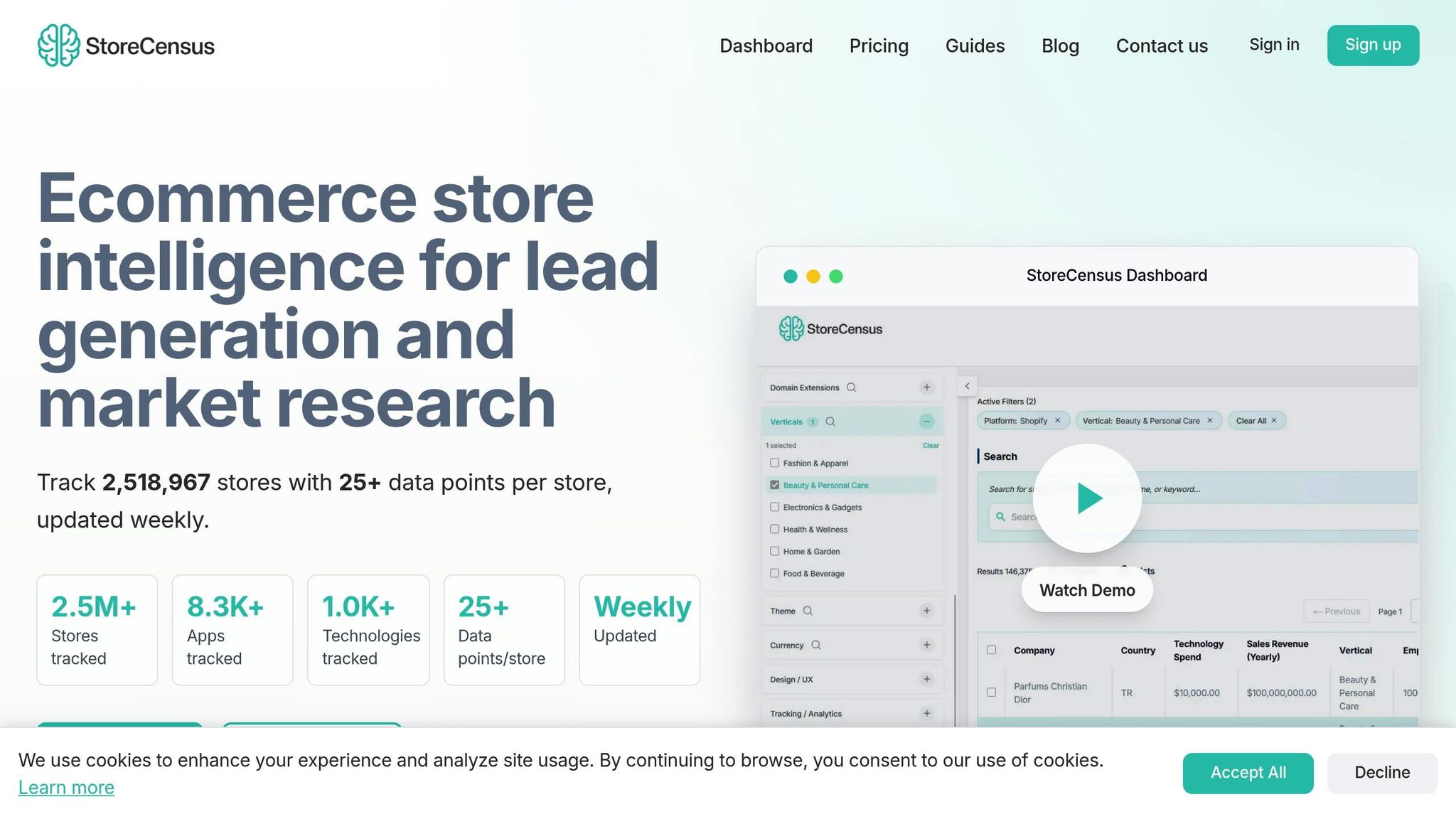
Once you're familiar with ecommerce tech stacks, the next step is to use StoreCensus to pinpoint stores that match your ideal customer profile. StoreCensus tracks a staggering 2,518,967 ecommerce stores, offering over 25 data points per store. This makes it easy to identify businesses based on the exact technologies they use. The platform keeps tabs on more than 8,300 apps and over 1,000 distinct technologies, updating its database weekly so you always have access to the latest information.
StoreCensus uses advanced web scraping and API analysis to detect the apps and technologies installed on stores. By analyzing JavaScript files, API calls, and HTML elements injected by apps, it identifies specific tech signatures. Real-time updates highlight daily changes, giving you insights into new opportunities as they happen. Manually replicating this level of monitoring across millions of stores would be impossible, but StoreCensus makes it seamless. This comprehensive data is the cornerstone for precise targeting and advanced filtering.
StoreCensus Features for Technology Stack Analysis
StoreCensus lets you refine your searches with advanced filtering powered by Boolean logic. For example, you can look for stores using combinations like "Klaviyo AND Recharge but NOT Mailchimp" to find prospects with specific tech stack gaps. The platform boasts a 99.2% accuracy rate for verified data, with app detection methods updated regularly to maintain 95%+ accuracy.
But it doesn’t stop there. StoreCensus also offers revenue segmentation, enabling you to target stores based on estimated monthly or annual revenue. These estimates are calculated using metrics like traffic, SKU count, and average order value. Additional tools like the built-in Decision Maker Finder and Apollo integration provide verified contact details - emails and LinkedIn profiles - so you can connect with key decision-makers without extra research.
Another standout feature is Evergreen Automations, which trigger outreach workflows as soon as a store uninstalls a competitor’s app. This ensures you reach prospects when they’re actively searching for alternatives. Users have reported impressive results, such as a 40% conversion rate from competitor uninstall triggers and a 40x ROI when leveraging advanced filters for targeting.
StoreCensus also integrates with your existing CRM through its API and bulk CSV export features, enriching your data with insights on tech stacks and revenue. Historical snapshots help track trends and adoption patterns over time. With these tools, you can fine-tune your prospecting strategy and make the most of your outreach efforts.
StoreCensus Plans and Pricing
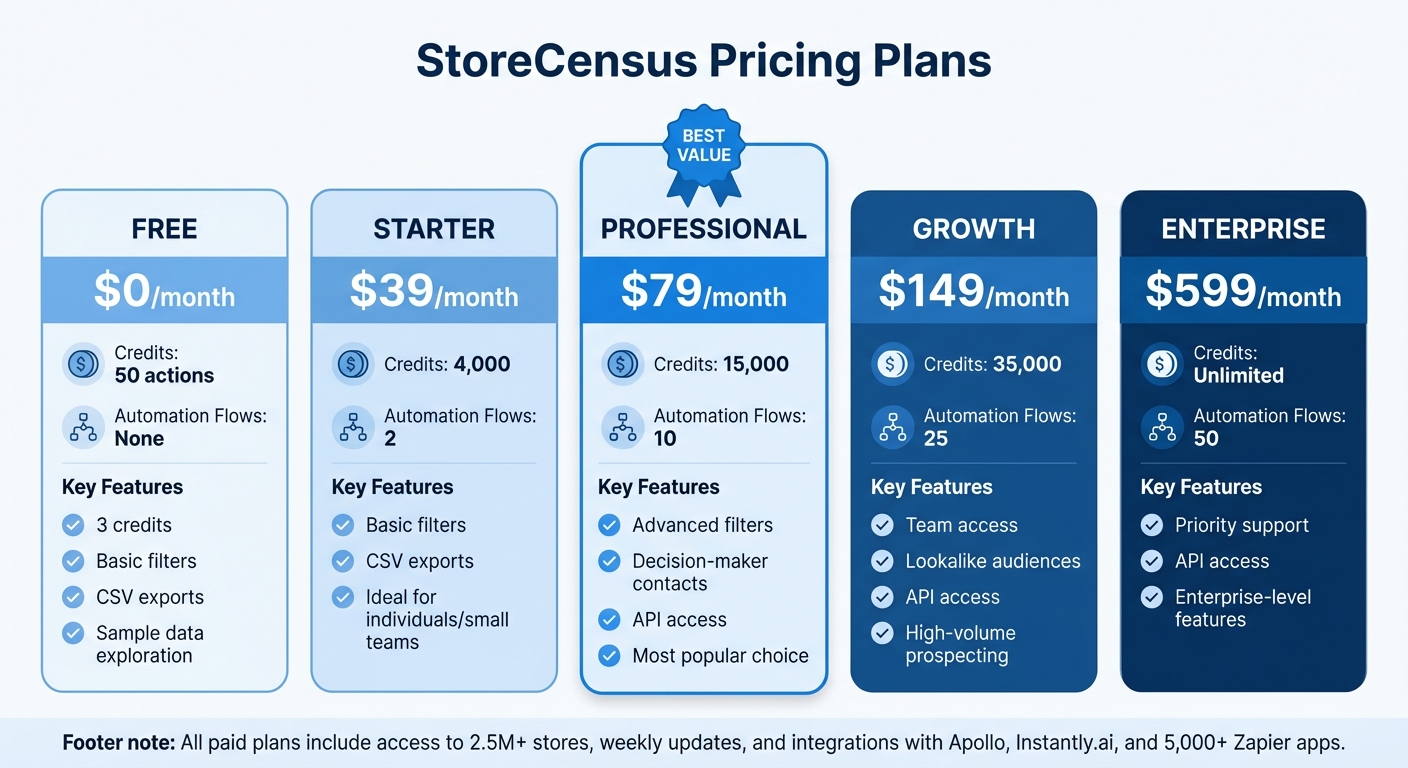
StoreCensus offers five pricing tiers to suit different prospecting needs. The Free plan allows you to test the waters with 50 actions and 3 credits for basic filters and sample data exploration. It’s a great way to evaluate the platform before committing to a subscription.
The Starter plan, priced at $39/month, includes 4,000 credits and 2 automation flows. It’s ideal for individuals or small teams starting with tech stack targeting. For most users, the Professional plan at $79/month offers the best value. It includes 15,000 credits, 10 automation flows, advanced filters, decision-maker contacts, and API access.
For larger teams, the Growth plan at $149/month provides 35,000 credits, 25 automation flows, team access, and lookalike audience features for high-volume prospecting. Enterprise-level users can opt for the Enterprise plan at $599/month, which offers unlimited credits, 50 automation flows, and priority support.
| Plan | Price | Credits | Automation Flows | Key Features |
|---|---|---|---|---|
| Free | $0/month | 50 actions | None | 3 credits, basic filters, CSV exports |
| Starter | $39/month | 4,000 | 2 | Basic filters, CSV exports |
| Professional | $79/month | 15,000 | 10 | Advanced filters, decision-maker contacts, API access |
| Growth | $149/month | 35,000 | 25 | Team access, lookalike audiences, API access |
| Enterprise | $599/month | Unlimited | 50 | Priority support, API access |
All paid plans include full access to the 2.5 million+ store database, weekly updates, and integrations with tools like Apollo, Instantly.ai, and Zapier’s 5,000+ apps. The free trial ensures you can test the platform’s features before selecting the plan that matches your team size and outreach goals.
Step 2: Filter Stores by Their Technology
StoreCensus offers a database of over 2.5 million ecommerce store records, making it a goldmine for finding potential prospects. To get started, you can apply basic technology filters - like selecting all Shopify stores - and then fine-tune your search using firmographic data such as estimated monthly revenue, employee count, or location. For instance, you might look for "all Apparel stores using Shopify in the US that sell at least 10 products" to focus on businesses that are actively scaling. This method helps you create a precise and actionable list of leads.
How to Apply Filters for Targeted Lists
StoreCensus includes 60 filters spanning technographic, firmographic, and social media data. With technographic filters, you can zero in on specific ecommerce platforms like Shopify Plus, Magento, WooCommerce, or BigCommerce. You can also filter by payment gateways, using the "Third-party technologies" filter to find stores that use Stripe, PayPal, and other processors.
Another powerful feature is the ability to target stores based on their app installation history, which can help you time your outreach effectively. Advanced users can combine multiple filters with Boolean operators to create hyper-targeted lists. For example, firmographic filters like "Estimated monthly sales over $50,000" or "Employee count between 10-50" allow you to focus on mid-sized businesses with real purchasing power. From your browser, you can instantly access a store's full tech stack and firmographic details, enabling informed decision-making.
Finding High-Value Prospects
Once you've built a targeted list, you can refine it further by focusing on high-value indicators. Combining tech stack data with revenue estimates, social media activity, and growth trends allows you to prioritize prospects with the highest conversion potential. For example, you might use the "Estimated monthly sales" filter to find stores generating $100,000 or more in revenue or use the "Pricing Plan" filter to identify Shopify Plus merchants, who are often enterprise-level businesses with larger budgets.
You can also track social media growth to identify trending brands. Filters based on follower count growth on platforms like Instagram, TikTok, or Twitter help you spot stores that are scaling rapidly and may need new tools to manage increased demand. Similarly, the "Estimated monthly app spend" filter highlights stores already investing in technology, making them more likely to explore additional solutions.
The "Historic change log" feature is another game-changer. It shows when stores have installed or uninstalled specific apps, giving you perfect timing for outreach. If a store has recently updated its app integrations, it could signal openness to new solutions. By combining this with filters for product count, employee size, and store rank, you can create lists of high-intent prospects that align with your ideal customer profile. This level of precision ensures your outreach is tailored to each store's unique needs, making your lead generation efforts highly effective.
Step 3: Add Contact Information and Decision-Maker Data
Once you've filtered your list, the next step is to gather accurate contact details. With tools like StoreCensus's Decision Maker Finder and its Apollo integration, you can easily pull verified email addresses, phone numbers, and LinkedIn profiles. This makes it simple to pinpoint key roles - like founders, marketing directors, or growth leads - without having to manually research every single store.
Getting More Precise Data with StoreCensus
The quality of your outreach depends heavily on the accuracy of your data. StoreCensus offers a database that’s updated weekly, boasting a 99.2% accuracy rate and covering over 2.5 million stores with more than 25 data points per store. This allows you to qualify leads instantly. Plus, its historic change log can help you time your outreach perfectly - for example, when a competitor's app is uninstalled.
Pro tip: Before using the Decision Maker Finder, narrow your list by criteria like revenue and tech stack. For example, focus on "Fashion retailers in North America generating $100,000+ in monthly revenue." This ensures you're enriching only high-value leads and helps you conserve your credits.
Simplify Your Workflow with Tool Integrations
After verifying and enriching your data, you can streamline your process using integrated tools. StoreCensus works with Apollo and Instantly.ai, allowing you to push leads directly into your outreach campaigns. It also syncs with CRMs like HubSpot or Salesforce through Zapier. If you prefer manual processing, you can export formatted CSVs, but the integrations save time and effort. For example, automating email triggers when a store uninstalls a competitor's app can result in conversion rates between 15–25%, compared to the 1–3% typically seen with standard cold outreach. These tools make it easier to act quickly and effectively on key opportunities.
Step 4: Set Up Automated Outreach Campaigns
Once you’ve got your filtered lists and enriched contact data ready, it’s time to launch campaigns that feel tailored to each store’s technology setup. Instead of sending out generic messages, segment your outreach based on specific tech stack combinations. StoreCensus makes this easy by letting you use advanced "AND/NOT" filters. For instance, you can target stores that use Klaviyo and Loop but haven’t adopted Rebuy yet.
Crafting Campaigns for Different Tech Stacks
Each tech stack segment deserves its own unique campaign. The needs of a store using Klaviyo and Loop are different from those of a 7-figure DTC brand relying on Recharge subscriptions. Your messaging should address these differences directly.
For example:
- Upsell Opportunities: "Since you're already using Klaviyo for email, here’s how to add revenue with automated upsells."
- Subscription-Focused Stores: "We help high-volume Recharge stores reduce churn and boost subscriber lifetime value."
StoreCensus keeps your data fresh with weekly updates, so you’ll always know the latest app installations. This allows you to time your outreach perfectly. If a competitor’s app was recently uninstalled, that’s your cue to step in. You can also use messaging tailored to specific industries. For instance, when reaching out to pet brands using Postscript and Yotpo, try something like: "You’re already excelling with SMS and reviews - let’s connect them with a loyalty program."
Once you’ve nailed down your tailored messages, you can integrate your leads seamlessly into automated outreach workflows.
Running Campaigns with CRM and Bulk Exports
With your targeted messaging ready, export segmented lists directly into your CRM. StoreCensus integrates with tools like Salesforce, HubSpot, and Pipedrive through Apollo connections and Zapier workflows. This means you can trigger automated email sequences as soon as a lead enters your system. Be sure to choose a plan that matches your campaign volume, ensuring your automation flows can handle high-scale outreach.
For teams or agencies juggling multiple campaigns, StoreCensus’s built-in CRM is a great way to track which tech stack segments perform the best. You can even set up alerts to notify you when a store adds or removes specific apps, giving you the perfect moment to reach out. By automating these processes, your team can focus on closing deals with the most promising prospects.
Conclusion
Using tech stack data to target ecommerce stores takes lead generation from guesswork to a precise, data-driven strategy. When you know the exact apps, platforms, and tools a store relies on, you can tailor your outreach to address their specific needs and challenges. This approach saves time by cutting out irrelevant prospects and helps you focus on opportunities that truly matter.
StoreCensus offers a powerful way to do this. With its extensive database and advanced filtering tools, you can zero in on stores based on their technology choices and revenue ranges. Plus, it even alerts you when a competitor's app is uninstalled - giving you the perfect opportunity to step in with a solution.
"When a store removes a competitor's app, they're actively shopping for alternatives. Your message arrives exactly when they need it most." – StoreCensus
Whether you're a SaaS founder looking for ecommerce customers, an agency pitching to premium brands, or a sales team targeting specific niches, tapping into technology stack data can give you a real edge. Ready to see the difference? Try StoreCensus for free and discover how precision targeting can elevate your outreach game.
FAQs
How does knowing an ecommerce store's tech stack help improve my sales strategy?
Understanding an ecommerce store's tech stack - like its CMS (such as Shopify or Magento), payment platforms (like Stripe and PayPal), or marketing tools - can reveal a lot about how they operate and what they might need. This knowledge helps you pinpoint high-value prospects, create tailored outreach, and suggest solutions that fit seamlessly with their existing systems.
When your pitch aligns with the tools and platforms they’re already using, it shows you’ve done your homework. This builds trust, addresses their challenges more effectively, and gives you a better shot at closing the deal. Plus, taking this informed approach saves time and can significantly improve your conversion rates.
What features does StoreCensus offer to analyze ecommerce tech stacks?
StoreCensus simplifies the process of analyzing ecommerce technology stacks with its powerful filtering tools. You can explore millions of stores based on specific technologies, like installed apps, themes, or platforms. On top of that, it offers revenue estimates, real-time alerts, and a built-in CRM equipped with automation to make managing your workflow smoother.
For those looking for more in-depth data, StoreCensus provides API access, bulk CSV export options, and verified contact information for key decision-makers. With seamless integrations, these tools are tailored to help you identify promising leads and craft personalized outreach campaigns effortlessly.
How can I use tech stack data to optimize the timing of my outreach campaigns?
To make your outreach stand out, leverage tech stack data to pinpoint the best times to connect with ecommerce stores. Start by collecting current details on the tools and platforms they rely on, like ecommerce platforms or payment systems. Keep an eye out for changes - whether it’s adopting new software or upgrading existing tools - as these moments often signal opportunities to engage.
Timing matters. Try reaching out within 24–48 hours after noticing a significant tech update. Craft your message to be personal and specific: mention the new or updated technology and explain how your solution can complement it. This tailored approach not only demonstrates your relevance but also helps build trust and boosts the chances of a response. Don’t forget to track the results of your outreach efforts so you can fine-tune your timing and strategy as you go.