The Complete Guide to Ecommerce Store Tracking
How ecommerce store tracking finds high‑intent leads, automates market research, and boosts outreach with real‑time metrics and alerts.

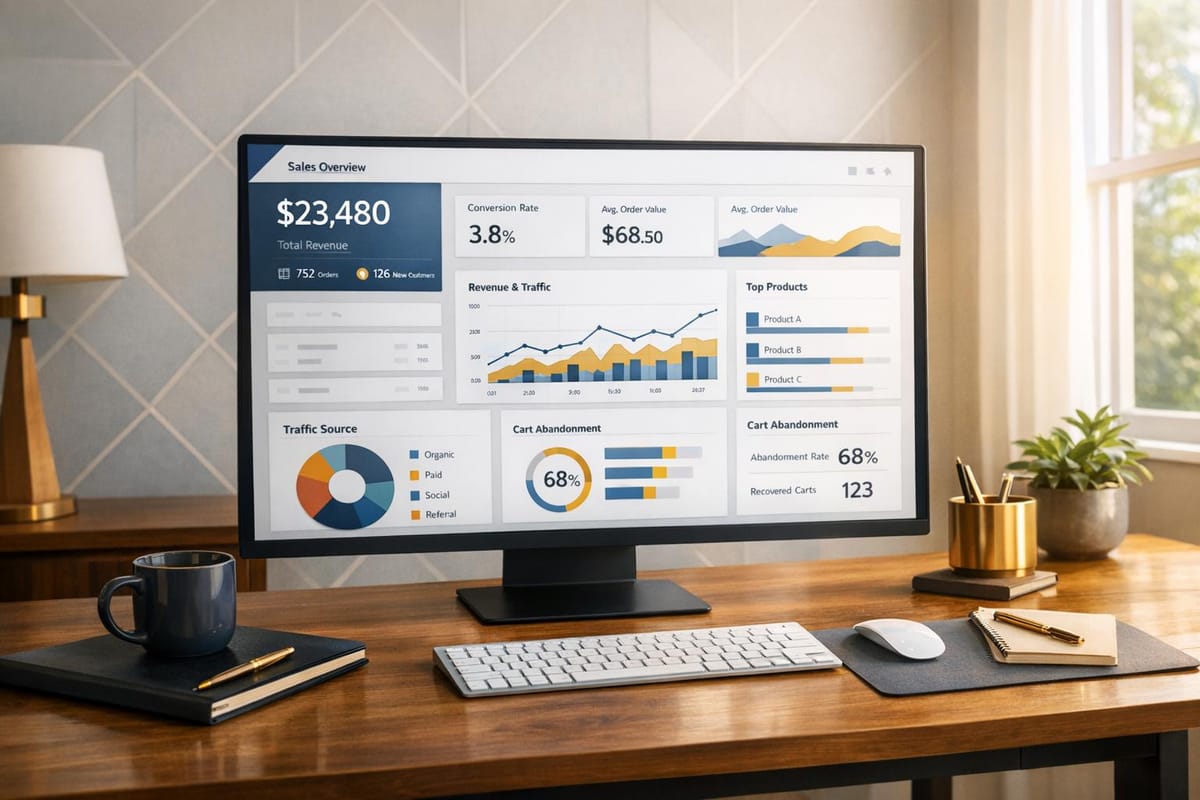
Ecommerce store tracking helps businesses understand customer behavior, optimize sales strategies, and identify growth opportunities. Detailed Shopify store guides can help refine these strategies. By analyzing actions like product views, cart additions, and purchases, businesses can make data-driven decisions to improve performance. With global ecommerce sales exceeding $5 trillion in 2022 and cart abandonment rates around 70%, tracking offers a way to address challenges and boost conversions.
Key benefits of ecommerce store tracking include:
- Finding high-intent leads: Real-time data reveals buying signals, such as competitor app removals or revenue growth, enabling timely outreach with up to 40% conversion rates.
- Streamlining market research: Automated tools save time by delivering accurate, updated data, eliminating manual research.
- Improving sales outreach: Intent-based outreach achieves 3–5x higher response rates by tailoring messages to specific customer behaviors.
With tools like StoreCensus, businesses can track over 2.5 million stores, monitor changes, and integrate insights into CRM systems for efficient lead generation. Tracking metrics like revenue trends, technology adoption, and customer behavior ensures businesses stay competitive while identifying untapped opportunities for growth.
Why Track Ecommerce Stores
For agencies, SaaS companies, and growth teams, tracking ecommerce stores makes targeting and converting customers much more efficient. Instead of wasting time manually researching potential clients or relying on outdated lead lists, you can leverage real-time data to identify businesses that are ready to buy. Agencies using store tracking have reported an average growth of over 150%, while companies using specific data filters to target prospects have achieved an impressive 40x ROI.
Finding High-Intent Leads
One of the biggest advantages of store tracking is its ability to identify clear buying signals. For example, when a competitor’s app is removed, it often indicates immediate purchase intent. Acting on this information quickly - sometimes within hours - can lead to a 40% conversion rate, compared to the much lower single-digit rates typically seen with standard cold outreach.
Store tracking also uncovers other growth indicators, such as the adoption of new marketing tools, increased revenue, or expanded product catalogs. These actions signal that a business is actively investing in growth and may need professional services. By filtering millions of stores based on installed apps, themes, revenue ranges, geographic locations, and over 25 other data points, you can pinpoint prospects that perfectly match your ideal customer profile.
Beyond identifying intent, store tracking also simplifies the entire market research process.
Faster Market Research
Traditional market research can be slow and error-prone. You might spend days compiling a list of potential clients, only to find that much of the contact information is outdated or that the businesses don’t meet your target criteria. Automated tracking eliminates this guesswork by providing verified data that updates daily or weekly. With 99.2% data accuracy, you can trust the information you’re working with.
The time savings add up quickly. Instead of manually monitoring competitor websites or combing through app marketplaces, you can set up alerts to notify you the moment relevant changes occur. Did a store switch to a new theme? You’ll know right away. Did a competitor lose a client? Your team will be alerted. This real-time intelligence allows you to spot market trends early, giving you a competitive edge when offering your services.
These insights not only speed up research but also enable highly effective and timely sales outreach.
Better Sales and Outreach Results
Conversion rates thrive on timing and relevance, and store tracking delivers both. Automated workflows monitor millions of stores and push qualified leads directly to your CRM or email tools through integrations like Zapier. When a store’s actions indicate buying intent, your sales team can reach out immediately - before competitors do.
Intent-based outreach has been shown to achieve response rates that are 3–5 times higher than standard outreach. This success comes from personalized messaging that references specific actions, such as a recent app installation, a technology gap, or a growth milestone. Instead of sending generic pitches, your team can craft tailored messages that resonate with prospects. Plus, with access to decision-maker contact details and over 25 data points per store, sales teams can prioritize high-value accounts and focus their efforts on leads that are most likely to convert.
What to Track: Key Metrics and Data Points
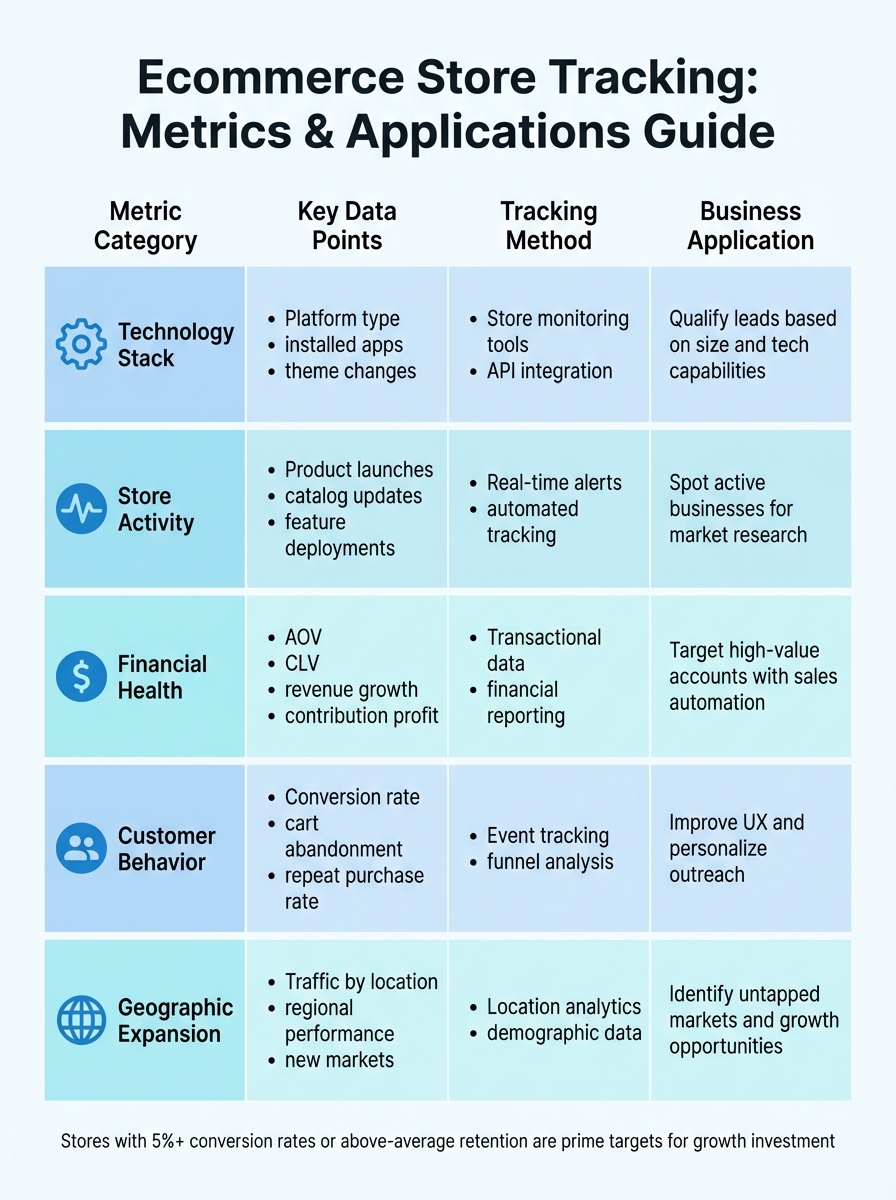
Ecommerce Store Tracking Metrics and Applications Comparison
Core Metrics for Store Tracking
Focusing on the right metrics can distinguish meaningful insights from an overwhelming flood of data. The most impactful metrics fall into five key areas: technology stack usage, store activity signals, financial health, customer behavior, and geographic trends.
Tracking a store's technology stack gives insight into its platforms, apps (like loyalty programs or SMS marketing tools), and any major upgrades. For instance, switching to Shopify Plus at $3,990/month often signals a store's readiness to scale, a larger budget, and a focus on advanced strategies. Adding tools like analytics apps can further highlight a shift toward data-driven decision-making.
Store activity metrics - such as product catalog updates, theme changes, and new feature rollouts - can reflect how actively a business is evolving. Frequent updates often indicate a company that's investing in growth. Financial data, including Average Order Value (AOV), Customer Lifetime Value (CLV), and revenue trends, helps gauge profitability and long-term potential. Meanwhile, geographic data, like identifying regions driving the most traffic, can uncover expansion opportunities or untapped markets.
"Ecommerce metrics are the key measurements that show how your online store is performing. They track everything from traffic and conversions to revenue, customer behavior, and product performance." – Neil Patel, Co-Founder, NP Digital
These data points not only measure performance but also reveal areas where growth is possible.
Using Data to Find Growth Opportunities
Beyond tracking metrics, the data can spotlight stores that are primed for growth. Certain signals, like transitioning from a basic platform to an enterprise solution like Shopify Plus, often indicate scaling ambitions and increased budgets. App installations also tell a story - adding a shipping optimization tool might suggest logistical challenges, while launching a loyalty program shows a focus on customer retention.
For example, in 2024, the on-demand delivery startup Rappi used behavioral analytics to segment new users based on their initial experiences. This approach improved first-time order completions by 10% and cut Customer Acquisition Cost (CAC) by 30%. Similarly, Tata CLiQ Luxury applied RFM (Recency, Frequency, Monetary) analysis to divide users into 10 categories, like "Champions" and "Hibernating" customers, leading to a 159% revenue increase.
Focusing on contribution profit rather than vanity metrics can help identify businesses that prioritize sustainable growth and long-term value.
Metrics and Applications Comparison
Different tracking methods cater to various business needs. Digital analytics and event tracking capture real-time user interactions, helping optimize sales funnels, while cohort analysis groups customers by acquisition date to evaluate retention over time. Multi-channel integration consolidates data from storefronts and payment gateways for a unified view, and predictive analytics uses historical trends to forecast needs like inventory planning.
| Metric Category | Key Data Points | Tracking Method | Business Application |
|---|---|---|---|
| Technology Stack | Platform type, installed apps, theme changes | Store monitoring tools, API integration | Qualify leads based on size and tech capabilities |
| Store Activity | Product launches, catalog updates, feature deployments | Real-time alerts, automated tracking | Spot active businesses for market research |
| Financial Health | AOV, CLV, revenue growth, contribution profit | Transactional data, financial reporting | Target high-value accounts with sales automation |
| Customer Behavior | Conversion rate, cart abandonment, repeat purchase rate | Event tracking, funnel analysis | Improve UX and personalize outreach |
| Geographic Expansion | Traffic by location, regional performance, new markets | Location analytics, demographic data | Identify untapped markets and growth opportunities |
A store with conversion rates above 5% or retention rates exceeding industry norms is likely executing strategies effectively and has the resources to invest in further growth.
How StoreCensus Tracks Ecommerce Stores
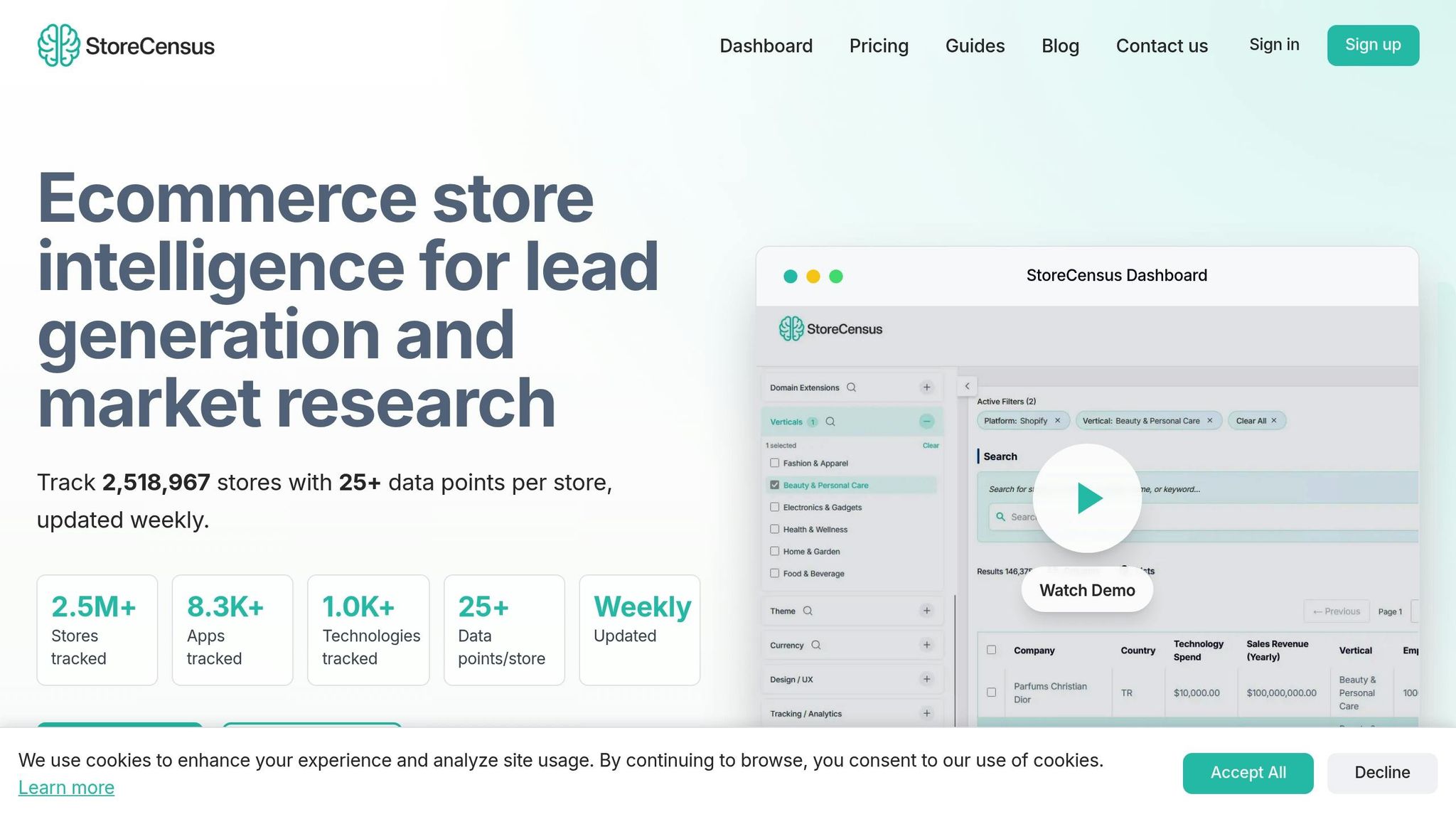
StoreCensus monitors over 2.5 million ecommerce stores across major platforms, updating its data weekly with an impressive 99.2% accuracy. It keeps track of more than 8,300 apps and 1,000+ technologies, providing insights into how stores evolve over time.
The platform performs daily crawls to detect changes like new app installations, theme updates, or revenue shifts. This real-time tracking ensures that agencies, SaaS founders, and app developers have access to up-to-date information, eliminating guesswork and enabling smarter strategies. Let’s dive into the platform’s core features to see how this detailed tracking is put to use.
Core Features
StoreCensus offers powerful filtering tools, allowing users to segment its database of over 2.5 million stores based on key metrics such as technology stack, revenue levels, geographic location, team size, and social signals. For instance, if your goal is to target stores that recently upgraded their platform or entered a higher revenue bracket, the platform's filters make it easy to identify and reach out at just the right time.
Beyond filtering, StoreCensus provides over 25 actionable data points for each store. These include product details, traffic statistics, and contact information for decision-makers. This enriched data goes far beyond a simple list of store URLs, offering meaningful insights to help you prioritize outreach to stores showing strong growth potential.
To streamline workflows, StoreCensus integrates seamlessly with tools like Apollo, Instantly.ai, and over 5,000 apps via Zapier. It enables direct lead transfers into CRMs like HubSpot or Salesforce, eliminating manual data entry and putting an end to "spreadsheet chaos".
Real-Time Alerts and Automation
StoreCensus operates around the clock, using automation to monitor stores and trigger workflows whenever significant changes occur. For example, you can set up instant alerts for events like a store uninstalling a competitor's app, adopting a new marketing tool such as Klaviyo, or moving into a higher revenue tier.
These automations deliver real results, with a 40% conversion rate and outreach response rates increasing by 3–5×. This ensures your team can engage with prospects at the exact moment they’re most likely to respond.
With these real-time capabilities, it's essential to understand the platform's pricing structure to see how it can scale with your business.
Pricing and Plans
StoreCensus offers five pricing plans designed to fit businesses of all sizes.
- The Free plan includes 50 actions and 3 testing credits, letting you explore the platform’s features without requiring a credit card.
- The Starter plan, priced at $39.00/month, includes 4,000 credits, basic filtering, and CSV exports.
- The Professional plan, at $79.00/month, adds decision-maker emails, Apollo integration, and 15,000 credits.
- For high-volume prospecting, the Growth plan costs $149.00/month and includes 35,000 credits, 25 automation flows, and team access.
- The Enterprise plan, at $599.00/month, offers unlimited credits, 50 automation flows, API access, and a dedicated account manager.
| Plan | Price (Per User/Month) | Key Features |
|---|---|---|
| Free | $0 | 50 actions, 3 testing credits, store search/filtering, no credit card needed |
| Starter | $39.00 | 4,000 credits, CSV exports, basic filtering, email support |
| Professional | $79.00 | 15,000 credits, decision-maker emails, Apollo integration, unlimited CSV exports |
| Growth | $149.00 | 35,000 credits, 25 automation flows, team access, lookalike audiences |
| Enterprise | $599.00 | Unlimited credits, 50 automation flows, API access, custom integrations, dedicated manager |
All plans are flexible, allowing cancellation at any time. API access, available with the Professional plan and above, enables custom workflows and automatic data enrichment for your internal systems.
How to Implement Store Tracking
To implement store tracking effectively, you'll need to follow three key steps: define your target customers, automate your outreach, and analyze trends. These steps leverage your platform's advanced data capabilities, seamlessly connecting to insights on filtering and automation. Together, they create a system that runs almost entirely on autopilot, requiring minimal manual effort.
The objective here isn’t just to gather data - it’s about transforming store intelligence into actionable sales opportunities. When done right, store tracking becomes a round-the-clock lead generation engine, identifying high-intent prospects at the perfect time.
Setting Up Filters for Your Target Customers
Start by pinpointing exactly who you want to target. StoreCensus provides over 20 filtering criteria, enabling you to segment its database of 2,518,967 stores based on factors like tech stack, revenue range, geographic location, team size, and even social engagement signals. For instance, if you’re a Shopify app developer, you could filter for North American stores generating $100,000+ in monthly revenue that use tools like Klaviyo or Mailchimp.
You can also refine your search based on product catalog size, distinguishing between boutique shops and large-scale retailers. A store with 500+ products has vastly different needs compared to one selling just 20 items. Similarly, filtering by launch date allows you to focus on new stores that are still building their tech stack or established businesses ready for upgrades.
StoreCensus tracks over 8,300 apps and 1,000 technologies, offering an unmatched level of filtering precision. This precision pays off - businesses using targeted filters report an average 40x ROI. Once your filters are set, you can export your results as a formatted CSV, complete with decision-maker contact details. You’ll also receive automatic notifications about key changes, ensuring you’re always equipped with up-to-date, actionable insights.
Configuring Alerts and Automating Workflows
After identifying your target audience, it’s time to automate. Evergreen Automations continuously monitor stores and trigger workflows whenever specific changes occur.
Set up alerts to track events like competitor app uninstalls, revenue shifts (e.g., a store moving from $100,000–$250,000 to $250,000–$500,000), or the addition of new marketing tools like Klaviyo or Gorgias - indicators that the store is investing in customer acquisition and retention. To configure these triggers, simply define your criteria in the automation dashboard, specify the actions (like sending leads to your CRM), and activate the workflow.
StoreCensus integrates smoothly with major CRM and automation tools, so you can push leads directly into your existing sales systems. These automations typically deliver response rates 3–5x higher than standard cold outreach. Agencies using these workflows have reported growth rates exceeding 150%.
Analyzing Trends for Competitive Intelligence
Store tracking isn’t just about generating leads; it also provides valuable market insights. Your configured filters and alerts feed into broader trend analysis, helping you understand how technology adoption evolves over time. For example, you might discover that beauty industry stores are increasingly adopting subscription management apps, signaling a shift toward recurring revenue models.
With weekly data updates and a 99.2% accuracy rate, you can trust the platform to keep you informed about market movements. For teams that need deeper customization, the StoreCensus API enables automatic data enrichment. This allows you to enhance your existing lead database with fresh details like team size, product catalog depth, and traffic sources, helping you prioritize accounts with the highest potential impact.
Measuring and Improving Your Tracking Results
To ensure your tracking system is effective, focus on specific metrics that assess filter accuracy, automation timing, and the success of your outreach efforts.
Key Performance Indicators
Start by examining your lead conversion rate - the percentage of tracked stores that turn into paying customers. For instance, if only 10 out of 1,000 tracked stores convert (a 1% rate), you may need to tweak your filters or timing to align with the typical range of 2%-5%.
Another critical metric is your outreach response rate. This measures how many prospects respond to your initial contact within a set period, such as 48 hours. A low response rate might indicate that your trigger events aren't effectively identifying genuine buying intent.
Pay close attention to the CAC (Customer Acquisition Cost) to CLV (Customer Lifetime Value) ratio. Aim for a ratio of 1:3. If your CAC is too high, it could signal that your tracking system is pulling in low-intent leads that need more nurturing before they can convert.
"If a metric does not contribute to revenue or long-term business growth, then it's not a KPI." - Sabrina Dougall, Checkout.com
These KPIs provide a solid foundation for analyzing and refining your tracking strategy.
How to Improve Your Tracking Process
Once you've identified your key metrics, focus on refining your tracking process to achieve better outcomes. Use conversion data to regularly adjust your filters, ensuring you're targeting segments with higher potential for success.
Establish review cycles at weekly, monthly, and quarterly intervals. Weekly reviews help you catch immediate issues, while quarterly reviews allow you to spot patterns, such as seasonal trends. Comparing results year-over-year often provides a clearer picture than month-to-month comparisons.
Finally, implement A/B testing to improve your outreach messages. Experiment with different subject lines, value propositions, and call-to-action placements to see what resonates most with your audience. Small changes can lead to measurable improvements in response rates over time.
Conclusion
Ecommerce store tracking has reshaped how businesses approach customer acquisition, gain market insights, and craft competitive strategies. As Putler aptly states:
"Running an online store without analytics is like driving with your eyes closed. You might move forward, but you have no idea where you're going or what obstacles you're about to hit."
This quote underscores the importance of analytics in not only understanding customer journeys but also in gaining an edge over competitors. With the ecommerce analytics market expected to hit $14.54 billion by 2025, businesses that ignore store tracking risk being outpaced by those leveraging real-time data to make smarter, faster decisions. The ability to access precise, up-to-date insights can transform how companies approach their outreach strategies.
It all starts with focusing on the right metrics. Whether you're targeting stores that recently uninstalled a competitor's app, analyzing revenue bands in your market, or tracking technology adoption, precision is key. By integrating these tracking tools with your sales systems, you lay the groundwork for a data-driven approach. StoreCensus, for example, tracks over 2.5 million stores with more than 25 data points per store, updated weekly, offering a robust foundation for building an efficient prospecting system.
The next step is to act. Set up filters and automate alerts to capture leads as they emerge. The prospects you're seeking are already out there - it's just a matter of using the right tools to find them at the perfect moment. With StoreCensus, you can tap into real-time ecommerce intelligence and revolutionize your lead generation strategy.
Curious to see how it works? Start free with 3 credits and test your first filters today.
FAQs
How can tracking an ecommerce store boost conversion rates?
Ecommerce store tracking offers a window into how visitors interact with your site, shedding light on areas where their shopping experience can be improved. By diving into metrics like traffic sources, product page views, cart abandonment rates, and checkout drop-offs, you can pinpoint where potential buyers are disengaging - and take steps to keep them on track.
Armed with this information, you can experiment with your site’s design, streamline the checkout process, and tweak marketing strategies to align with customer behavior. For instance, you might showcase trending products, make navigation more intuitive, or tailor special offers to specific audience groups. These changes work together to create a smoother shopping experience, increasing the chances that visitors will follow through with their purchases and, ultimately, lifting your conversion rates.
What are the most important metrics to track for ecommerce success?
To keep your ecommerce store on the path to success, it’s essential to monitor key performance metrics that highlight both progress and efficiency. Here are some critical metrics to keep an eye on:
- Total revenue and month-over-month growth: These reveal how your overall sales are performing and whether your business is scaling.
- Average order value (AOV): This helps you understand how much customers typically spend per transaction.
- Conversion rate: A vital metric for measuring how well your store turns visitors into paying customers.
- Customer acquisition cost (CAC): Tracks how much you’re investing to bring in new customers.
- Customer lifetime value (CLV): Gives insight into the long-term profit potential of your customers.
Regularly reviewing these metrics allows you to make smarter, data-backed decisions, ensuring your store runs efficiently while identifying areas ripe for improvement.
How does automation improve ecommerce store tracking?
Automation simplifies the way ecommerce stores track and manage data by handling complex tasks and providing real-time updates - no manual work required. It seamlessly gathers, organizes, and refreshes data, keeping you up-to-date on critical changes like new platform integrations, app installations, or product updates. This not only eliminates the risk of human error but also ensures your metrics - like conversion rates, average order value, and customer acquisition costs - remain accurate and dependable.
On top of that, automation makes it possible to keep tabs on thousands of stores simultaneously. By pulling data from various sources and setting up alerts for specific triggers - such as a sudden traffic dip or a spike in abandoned carts - you can respond instantly. These real-time notifications help businesses focus on high-impact opportunities and make smarter, data-informed decisions that fuel growth and efficiency.