How to Automate Video Outreach Campaigns
Automate personalized video outreach using lead data, video templates, and trigger-based workflows to boost engagement and scale campaigns.

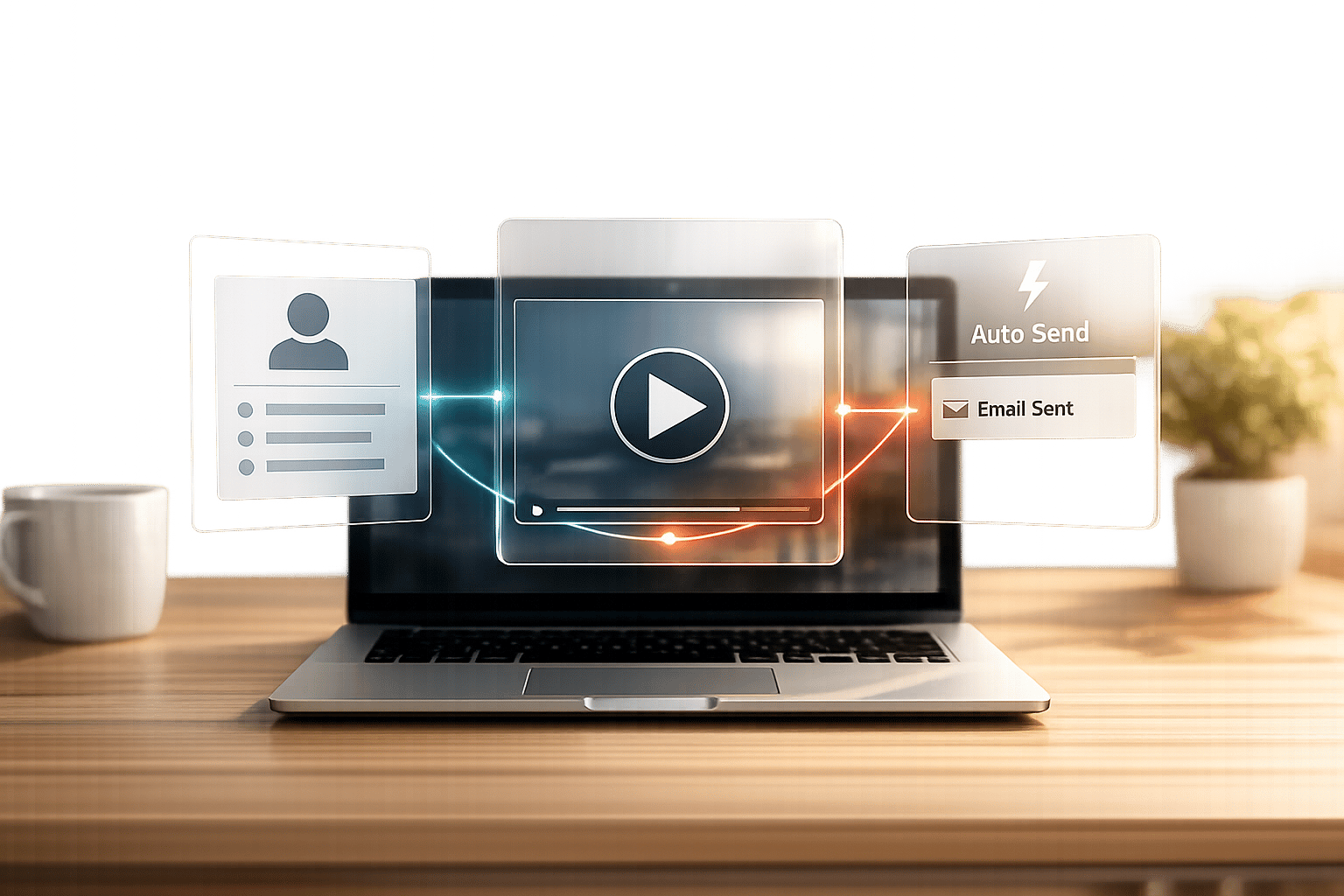
Automating video outreach campaigns lets you send personalized video messages to large audiences without the time-consuming task of creating each video manually. This strategy helps you stand out in crowded inboxes, leading to higher engagement rates. Here’s the quick takeaway:
- Why It Matters: Personalized video emails can increase click-through rates by up to 300% and boost engagement by 16x compared to plain text emails.
- How It Works: Use tools like AI avatars, CRM integrations, and automation platforms to create and deliver videos triggered by specific actions (e.g., filling out a form).
- Benefits:
- Save time by automating video creation for hundreds of leads.
- Improve engagement with tailored follow-ups based on recipient behavior.
- Simplify workflows with tools like StoreCensus, Sendspark, and Zapier.
To get started, define your target audience, set up tools and integrations, and follow a step-by-step process to automate lead sourcing, video creation, and delivery. Monitor metrics like view rates and booked meetings to refine and scale your campaigns effectively.
Automate Personalized Video Outreach in Salesloft with Sendspark
Preparing for Video Outreach Automation
Using automation in your video outreach efforts can help scale your campaigns while still keeping a personal touch. The idea is to create a seamless system where data flows effortlessly - from identifying leads to creating videos and delivering them - without needing manual input at every stage. Setting up this foundation ensures your outreach is efficient and aligned with your campaign goals.
Tools and Platforms You'll Need
To get started, you’ll need four main tools: a lead intelligence platform, a video personalization engine, a CRM, and an automation tool. Here's how they work together:
- Lead Intelligence Platform: Tools like StoreCensus help you identify high-potential ecommerce prospects by analyzing growth trends, installed apps, and contact details for decision-makers.
- Video Personalization Engine: Platforms such as Sendspark, Creatomate, or Vidyard allow you to create videos tailored to individual recipients using AI or merge tags.
- CRM: Systems like Salesforce, HubSpot, Zoho, or Pipedrive centralize your prospect data and track interactions.
- Automation Orchestrator: Tools like Zapier, Make, n8n, or Clay connect all these platforms to ensure data flows smoothly from lead identification to video creation and email delivery.
"Adding a bit of personalization can increase email engagement see up to 16x higher engagement. Sendspark's Outreach integration provides a simple way to personalize videos to connect at scale." - Bethany Stachenfeld, Co-founder, Sendspark
To maintain email deliverability, most platforms use a thumbnail with a play button. When recipients click the thumbnail, they’re directed to a landing page where the video plays. This setup also lets you track engagement, like viewing behavior, through heatmaps and instant notifications.
Defining Your Target Audience
The success of your video outreach depends on how well you define and segment your audience. StoreCensus is particularly useful here, as it allows you to filter ecommerce stores based on criteria like installed apps, platform usage, growth trends, and even accessibility compliance. For example, you could focus on Shopify stores that recently added a specific email marketing app, signaling they’re investing in customer engagement tools. Or, you might target stores showing growth indicators like increased traffic or new product launches, suggesting they have the resources and momentum to explore new opportunities.
Beyond basic firmographic data, collect personalization fields like first name, company name, job title, and website URL. These details can be used to populate your video templates, making each message feel highly individualized. StoreCensus even provides contact information for decision-makers, giving you everything you need to execute personalized outreach at scale. For an added touch, consider including a column for custom "icebreaker" captions that can appear in the video or email body.
Once your audience is defined, the next step is to ensure your tools and systems are properly connected.
Setting Up Integrations and Workflow Connections
To avoid errors, make sure all your tools are synced correctly. For example, ensure the email field is consistent across StoreCensus, your CRM, and your video platform. When creating workflows in tools like Zapier, use a "Find Prospect by Email" step to pull platform-specific IDs (like Outreach Prospect IDs) instead of relying solely on email addresses for enrollment.
Add a brief delay - around 15–20 minutes - between enrolling a lead and sending the first email. This gives AI engines enough time to generate personalized videos. Use router steps to check if a prospect already exists in your CRM. If they don’t, trigger a "Create Prospect" action before adding them to your video sequence. This prevents automation errors and ensures a smooth process. Finally, configure fallback variables in your video templates so that even if some lead data is missing, the content remains polished and professional.
Step-by-Step Guide to Automating Video Outreach Campaigns
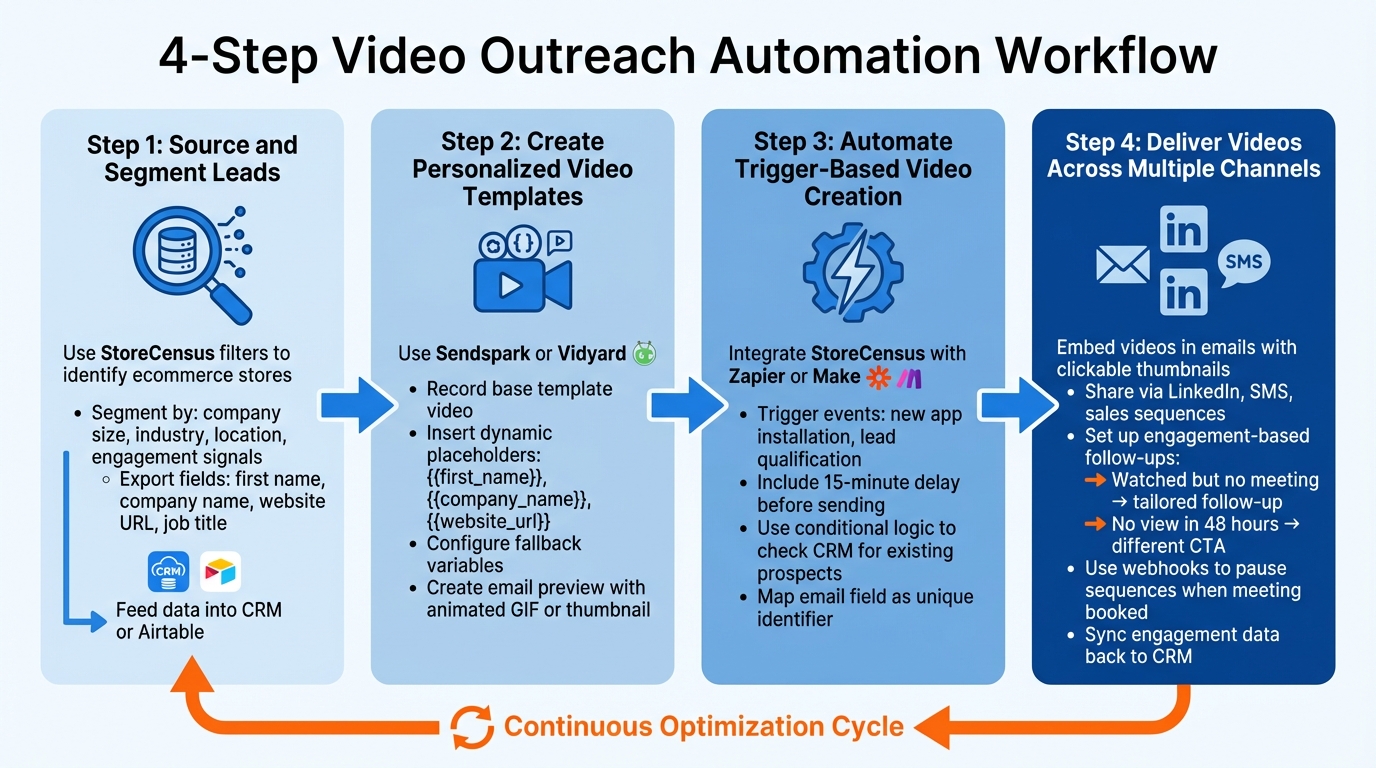
4-Step Video Outreach Automation Workflow
To get your automated video outreach campaign up and running, follow these four key steps: sourcing leads, creating video templates, triggering video creation, and delivering content across multiple channels. These steps build on your existing tools and audience insights, helping you streamline and amplify your outreach efforts.
Step 1: Source and Segment Leads
Start by identifying potential prospects in StoreCensus. Use filters to pinpoint ecommerce stores that match your target profile - like Shopify stores showing signs of growth or recent app installations. Narrow down your list further by segmenting based on criteria such as company size, industry, location, or engagement signals (e.g., recent tech stack updates or design changes).
Once segmented, export your list with all the necessary personalization fields like first name, company name, website URL, and job title. Feed this data into your CRM or a central repository like Airtable, ensuring the email field remains consistent across platforms to enable seamless automation.
Step 2: Create Personalized Video Templates
Use a video personalization platform like Sendspark or Vidyard to set up a base template. Record a quick, authentic video introducing yourself and your value proposition, leaving room for personalized elements. Insert dynamic placeholders such as {{first_name}}, {{company_name}}, and {{website_url}} into text overlays or audio segments. For an extra touch, include a screenshot of the prospect's website as a background.
Don’t forget to configure fallback variables to handle missing data gracefully. Double-check that your CRM fields are mapped correctly to ensure the automation tools populate these variables as intended. To boost engagement, create an email preview using an animated GIF or thumbnail with a play button - this simple step can significantly increase click-through rates.
Step 3: Automate Trigger-Based Video Creation
Integrate StoreCensus with your automation platform using tools like Zapier or Make. Set up workflows that automatically trigger video creation based on specific events. For instance, when StoreCensus detects a new app installation, it can create a prospect record in your CRM, generate a personalized video addressing that update, and enroll the lead in your outreach sequence. Another useful trigger is when a lead meets your qualification criteria.
Include a short delay (around 15 minutes) between generating the video and sending the email. Use conditional logic to check if the prospect already exists in your CRM - if not, trigger a "Create Prospect" action first. Always map the "email" field as the unique identifier, and if you're using platforms like Outreach, ensure you're referencing the Prospect ID instead of just the email address to avoid errors.
Step 4: Deliver Videos Across Multiple Channels
Embed your personalized video snippets in emails and share them through LinkedIn, SMS, or sales sequences. Most platforms use clickable thumbnails that direct recipients to a landing page where the video plays and engagement is tracked.
Set up follow-up workflows based on engagement. For example, if a prospect watches the video but doesn’t schedule a meeting, send a tailored follow-up. If they don’t view the video within 48 hours, try a different call-to-action. Use webhooks to pause outreach sequences automatically as soon as a prospect books a meeting, preventing duplicate or awkward messaging. Sync all engagement data - like view rates, clicks, and bookings - back to your CRM to give your sales team a clear view of each prospect’s activity. This multi-channel approach lays the groundwork for refining and scaling your outreach efforts.
Optimizing and Scaling Your Video Outreach Campaigns
Once your automated outreach process is running smoothly, the next step is to fine-tune its performance and expand its reach.
Tracking Metrics and Analyzing Performance
Keep a close eye on email metrics like open rates, reply rates, and bounce rates to establish a baseline for your campaigns. Then, dive deeper by tracking video-specific data. Look at when prospects open your video emails, how many times they watch the video, and how long they stay engaged. If someone watches a video for an extended period, it’s a strong indicator of interest and signals the need for prompt follow-up.
Focus on key conversion metrics, such as the number of booked calls per 100 messages sent and the show-up rates for those demos. High-performing video campaigns often see around 50% video view rates and average 23 booked calls per 100 messages. Additionally, monitor click-through rates on video thumbnails or animated GIF previews, as these play a crucial role in getting prospects to engage. Don’t forget to check your email deliverability - sending large volumes of messages can hurt your sender reputation if not managed properly.
A/B Testing and Iterating Workflows
To find what works best, test one variable at a time. Start with video thumbnails, as they’re the first thing prospects notice. Customized animated GIF previews often lead to higher click-through rates. Experiment with the first five seconds of your video to test different hooks, try varying levels of personalization (from using the recipient’s name to offering tailored insights), and explore different calls-to-action.
You can also test the effectiveness of different channels. For instance, see if C-level executives are more responsive to LinkedIn messages while individual contributors prefer email. Use behavioral triggers to refine your approach: if a prospect doesn’t watch a video, try offering a resource instead of a booking link. Make sure each test reaches at least 100 recipients to ensure the results are statistically reliable. Review performance weekly, identify what’s working, and phase out templates that underperform. These insights will help you scale your outreach effectively using data-driven adjustments.
Scaling with Automation and Real-Time Data
Leverage StoreCensus real-time monitoring to trigger outreach based on timely signals. For example, if StoreCensus detects a store installing a new app, updating its design, or showing signs of growth, you can automatically create a prospect record, generate a personalized video tailored to that activity, and add the prospect to your outreach sequence. This ensures your communication stays timely and relevant.
Conclusion
Automating video outreach campaigns changes the way you connect with prospects, offering a balance of personalized communication and efficiency that manual methods just can't achieve. The process is simple: gather and segment leads using reliable data, craft personalized video templates, set up trigger-based automation, and distribute your content across multiple channels. What once took hours can now be done in seconds.
Success starts with small steps. Add a single personalized video to an existing sequence, monitor engagement, and use real metrics - like view rates and booking conversions - to refine your strategy. Early results highlight noticeable boosts in engagement.
A strong data foundation is vital for this approach. For ecommerce teams, StoreCensus provides the real-time data needed to power these smarter outreach efforts. By referencing specific store updates - like a new app installation or design change - your videos become more than just templates; they offer timely insights that resonate when intent is at its peak.
Timing and relevance make all the difference. Outreach's Cade McNelly puts it best:
"The difference between 'I saw you're hiring' and 'I noticed you posted three AE roles this month, which typically indicates 40% growth targets' separates templates from insights".
Keep this principle in mind as you design your workflows. When your outreach is both timely and insightful, your video campaigns will stand out and connect on a deeper level.
Focus on continuous improvement rather than aiming for perfection right away. Test different thumbnails, hooks, and calls-to-action. Use fallback strategies to adjust messaging based on how prospects interact - whether they watch, click, or book. As data reveals what works, scale your efforts by expanding to additional channels and sequences.
FAQs
What’s the simplest workflow to automate personalized video outreach?
To make your video outreach more personal and efficient, start by creating a video with dynamic placeholders like {{first_name}} or {{company}}. These placeholders will automatically update with the recipient's details, making each video feel tailored.
Once your video is ready, embed the snippet into your email template. Then, use automation tools to trigger the sending of these videos based on specific actions, such as when a lead is added to a sequence. This approach ensures your videos are both personalized and sent at the right moment, simplifying your outreach and saving time.
How do I keep automated video emails from hurting deliverability?
To ensure your emails reach their intended audience, steer clear of spam-like tactics and focus on delivering personalized, relevant content. Leverage automation tools to send video emails at the right moments and stick to a sensible sending frequency. Regularly clean your email list to ensure all recipients have explicitly opted in. Adding a personal touch to your video content can significantly increase engagement, minimize spam complaints, and help you maintain a solid sender reputation.
Which metrics matter most for scaling video outreach?
When it comes to scaling video outreach, keeping an eye on the right metrics is crucial for boosting engagement and driving responses. Some of the most important ones include:
- Open rates: How many recipients are opening your emails or messages.
- Click-through rates: The percentage of people clicking on your video links.
- Response rates: The number of recipients who take the time to reply or engage further.
Timing also plays a big role. Sending your videos at the right moments can have a noticeable impact on how well they perform. By tracking recipient behavior - like when they’re most likely to open and engage - you can tweak your approach and fine-tune your campaigns for better success as you scale.